' cx='32' cy='32' r='32' /%3E%3Ctext x='50%25' y='55%25' dominant-baseline='middle' text-anchor='middle' fill='%23FFF' %3EA%3C/text%3E%3C/svg%3E)

' cx='32' cy='32' r='32' /%3E%3Ctext x='50%25' y='55%25' dominant-baseline='middle' text-anchor='middle' fill='%23FFF' %3EJY%3C/text%3E%3C/svg%3E)
Hi,
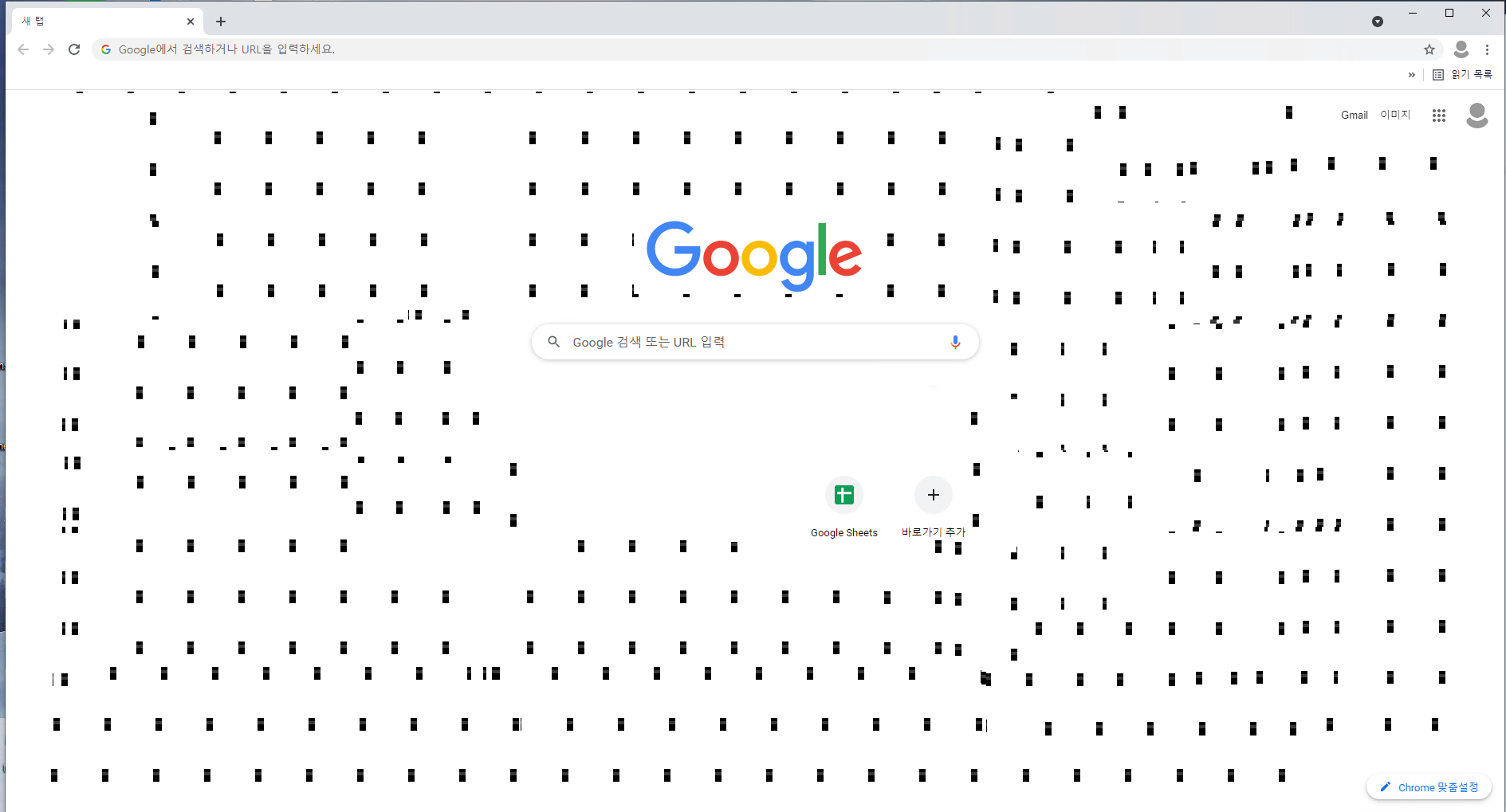
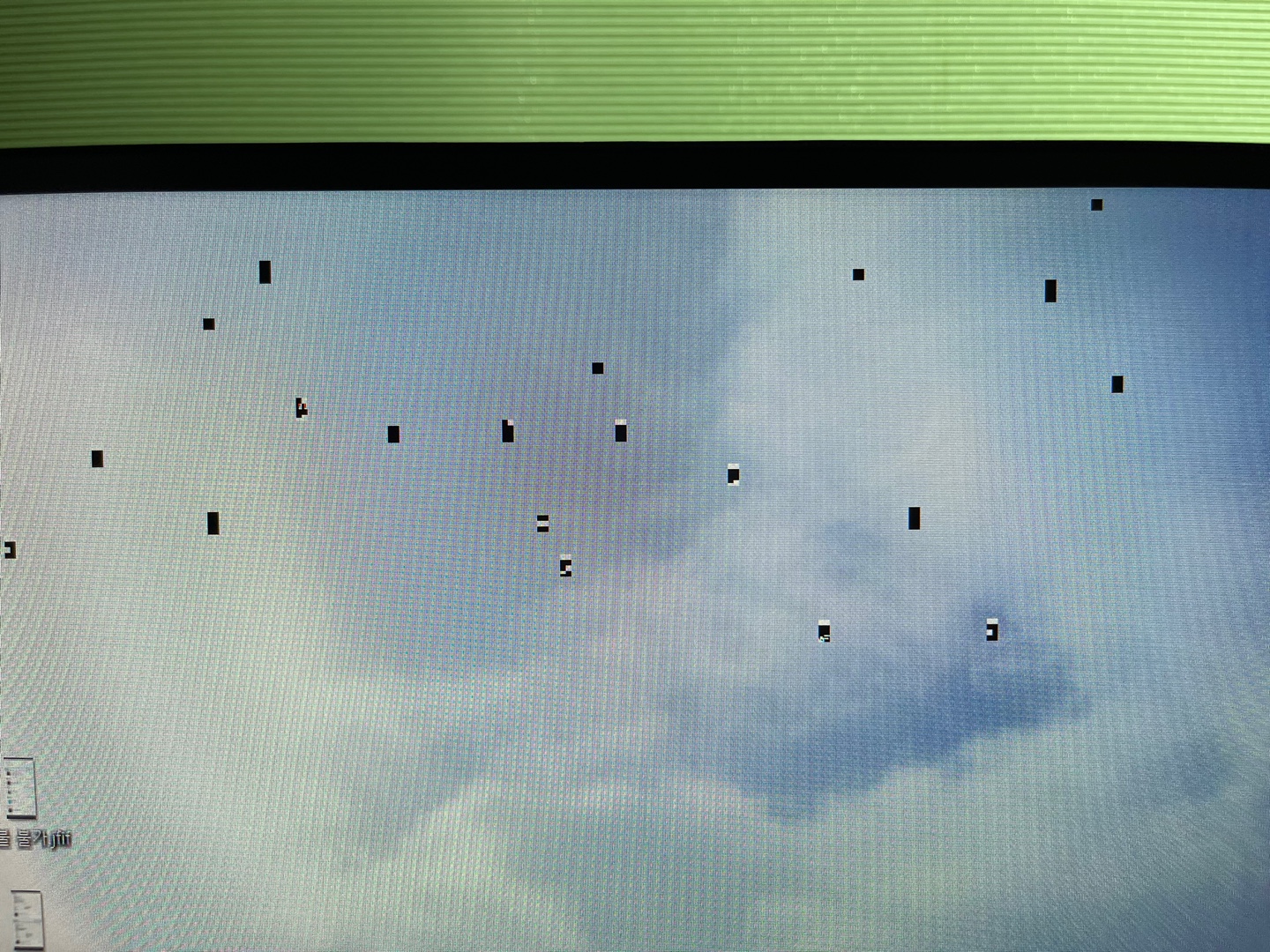
Thanks for reaching us on this remote desktop related problem but please also help to confirm more details for us to better understand your issue.
1.What is the OS version for your remote and local computer?
2.Which remote desktop client you've used to start the remote session?
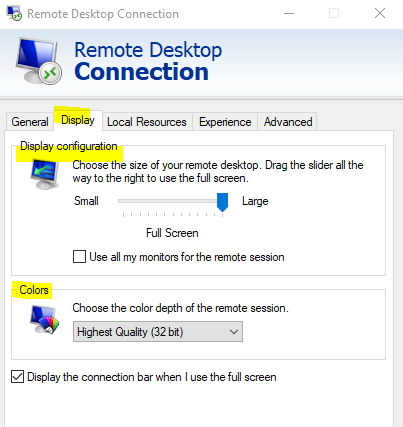
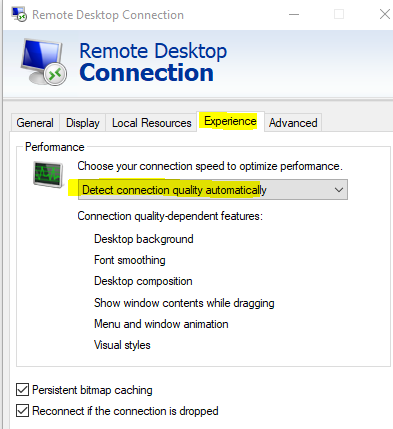
3.Take remote desktop client (mstsc) in windows 10 as example, there are options you could manually change to improve the picture quality in RDP:
4.Please also verify if any display driver update could be detected when checking device manager on either local or remote computer.
Looking forward to your update.
Hope this helps and please help to accept as Answer if the response is useful.
Thanks,
Jenny