Comments on submit task

Anonymous
2021-10-27T11:39:26+00:00

Hello! For the different tasks of a project, we are adding comments when each resource submit its hours performed (In Project Web App). I would like to know how to access to this information? For example, get a .log file or export all this comments made on a task to an excel. Thanks in advance.

Microsoft 365 and Office | Project | For business | Windows

Locked Question. This question was migrated from the Microsoft Support Community. You can vote on whether it's helpful, but you can't add comments or replies or follow the question.

0 comments No comments

Answer accepted by question author

Dale Howard [MVP] 29,865 Reputation points MVP Volunteer Moderator
2021-10-29T12:50:16+00:00

Ricardo --

If you are using Project Server, I believe you should be able to extract the comments from the Reporting database, using a tool such as SQL Reporting Services or Power BI. If you are using Project Online, I believe you can extract the comments using the oData connection to the database using Microsoft Excel or Power BI. I cannot give you the specifics on where to locate the comments data, but my assumption is that it would be part of the Timesheet data. Hope this points you in the right direction.

Was this answer helpful?

0 comments No comments

3 additional answers

Sort by: Most helpful
  1. Anonymous
    2021-10-29T07:44:19+00:00

    Hi,

    Thanks for your detailed screenshot.

    As far as we know, there has no related out-of-box feature in Project for Web to export the comments to a .log file or export comments related to a specific task. See: Export your project to Excel (microsoft.com) and Export user data from Project Online - ProjectOnline | Microsoft Docs.

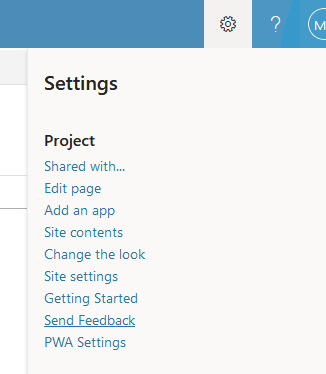
    For this feature limitation, kindly share your feedback to the related product team to let them add comment part to the Export to Excel feature and offer a better user experience.
    Image

    Besides, we will keep this thread open to see if any community members will share their workarounds to get comments as exported files.

    Best Regards,

    Mia

    Was this answer helpful?

    0 comments No comments
  2. Anonymous
    2021-10-28T08:07:43+00:00

    Thanks for your answer,I will expand the information provided for a better understanding. Through task (1), we send the hours spent (3). By clicking the option comments on submit (2), when we submit the selected tasks (4) we can add comments (5). The question is, how can I get a record of all these comments? Thanks in advance.

    Was this answer helpful?

    0 comments No comments
  3. Anonymous
    2021-10-28T07:16:33+00:00

    Hi,

    Welcome to Microsoft Community.

    As it seems like we failed to get the comments feature in Project for Web App on our side, may I have some more detailed screenshots about how to add comments in your scenario for a better understanding?

    Image

    Best Regards,

    Mia

    Was this answer helpful?

    0 comments No comments