Dear Manja,
I'm afraid that you can move the bubble of the comment but there may be no out-of-the-box way reordering the comments in Comment Pane. You may use VBA.
Here is a thread containing the VBA code for your reference. If it doesn't work in your environment, I also suggest you follow the steps mentioned in the article to post a new thread on the VBA specific channel so that the members there may try to provide some corresponding code applied to your environment.
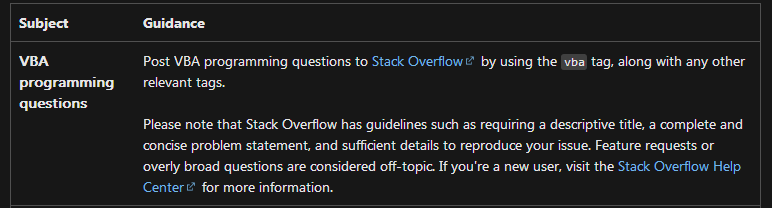
Meanwhile I'll keep the thread open if some members share some suggestions and solutions here.
As our product developers are willing to hear the users' suggestions, I kindly suggest you submit your feedback on the Feedback platformto our product developers so that they can know your requirements and ideas for product improvements.
Thanks for your understanding and have a nice day!
Sincerely,
Cliff | Microsoft Community Moderator
' cx='32' cy='32' r='32' /%3E%3Ctext x='50%25' y='55%25' dominant-baseline='middle' text-anchor='middle' fill='%23FFF' %3EA%3C/text%3E%3C/svg%3E)
