Share via

aws ec2 windows server 2016 Os Build Update Error

창용 정 21 Reputation points
2021-08-23T01:45:36.323+00:00

Ec2Instacne used in AWS (
Windows Server 2016) has a problem updating OS Build and needs help.

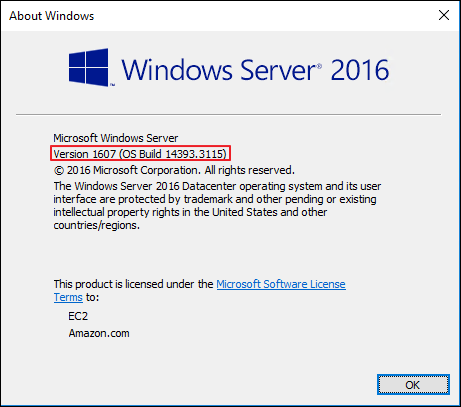
My instance version is OS Build 1439.33115 .
The version you want to upgrade is OS Build 14393.4583
( OS Build 14393 . 3115 -- > OS Build 14393 . 4583 )

I've already been helped by case Open by AWS, but I don't think AWS knows the cause well.

This is the site I used as a reference.
https://learn.microsoft.com/en-us/archive/blogs/askcore/how-to-use-dism-to-install-a-hotfix-from-within-windows

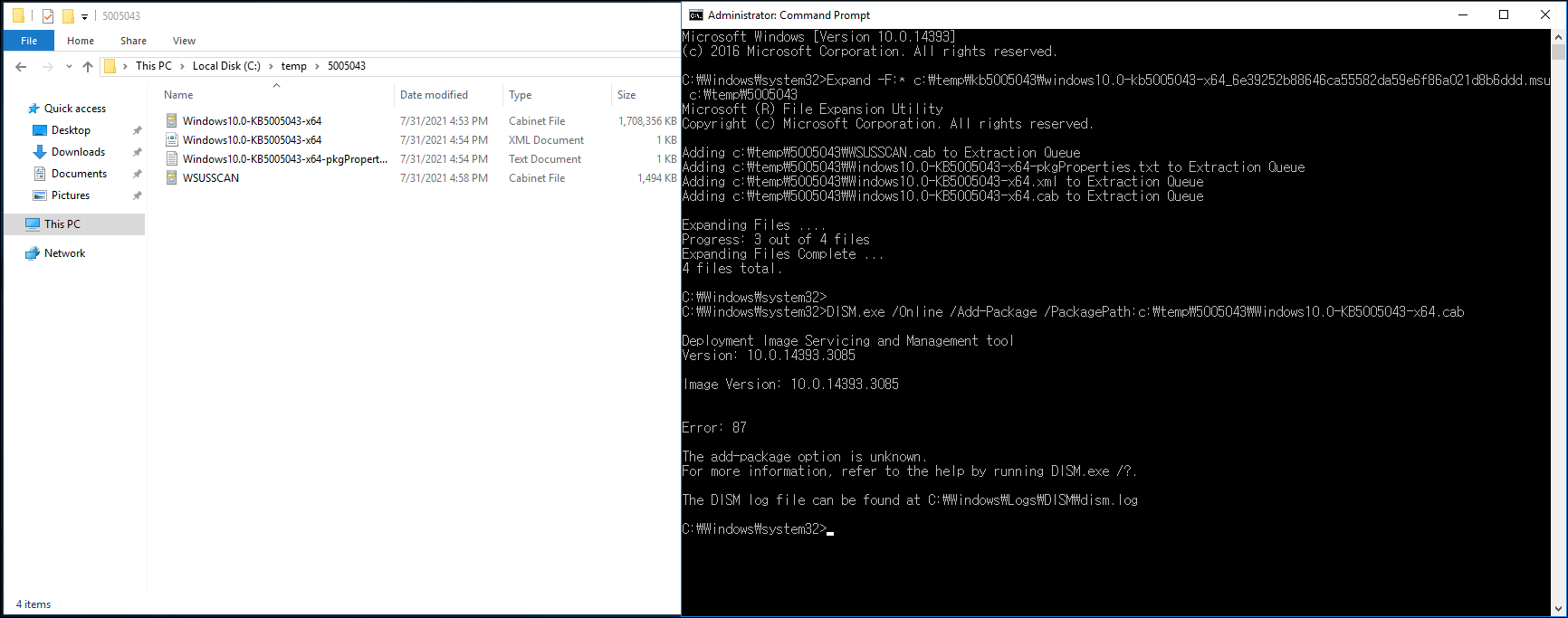
I looked at the site and copied it, but I can't use the DISM command.

I know Error87 is a syntax error, but I tried everything I could to get it online, but it didn't work.

I can't even run the sfc scannow command.It is difficult to use safe mode because it is in use on aws.

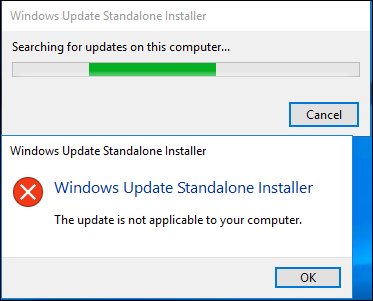
I will attach an additional DISM log file with the Error screenshot.125430-sfc-error.png125365-dism-error.png125387-update-error.png125354-my-osbuild-ver.png125377-dismlog.txt

Windows for business | Windows Server | User experience | Other
0 comments No comments

Answer accepted by question author

Rita Hu -MSFT 9,666 Reputation points
2021-08-23T02:40:40.353+00:00

@창용 정
Thanks for your posting on Q&A.

I noticed that you missed "\" when you tried to run the below command to install the .cab file on the Windows server 2016.

DISM.exe /Online /Add-Package /PackagePath:c:\temp\976571\Windows6.1-KB976571-v2-x64.cab  

125453-16.png

Please add the "\" again and then we could try to install the file.

In addition, I tested in my lab and here are related screenshots for your reference:
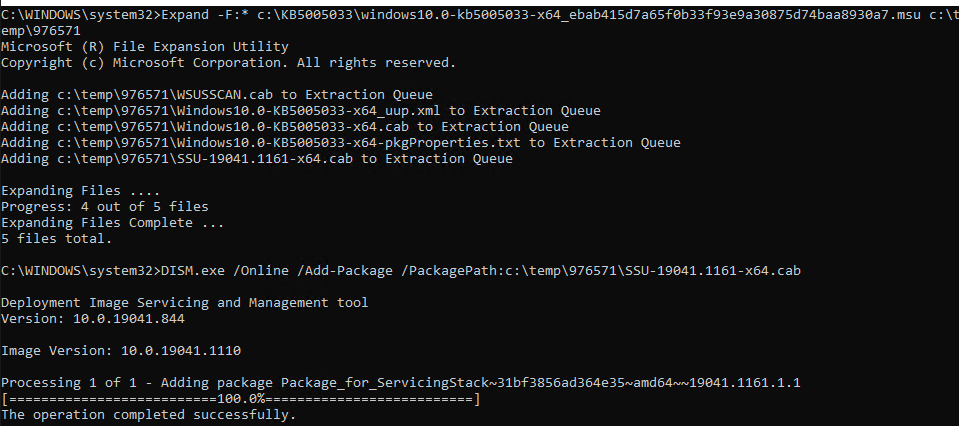
125464-17.png

Hope the above will be helpful. Please keep us in touch if you have any questions.

Regards,
Rita


If the response is helpful, please click "Accept Answer" and upvote it.
Note: Please follow the steps in our documentation to enable e-mail notifications if you want to receive the related email notification for this thread.

Was this answer helpful?


0 additional answers

Sort by: Most helpful

Your answer

Answers can be marked as 'Accepted' by the question author and 'Recommended' by moderators, which helps users know the answer solved the author's problem.