SQL Server | Other
Additional SQL Server features and topics not covered by specific categories
This browser is no longer supported.
Upgrade to Microsoft Edge to take advantage of the latest features, security updates, and technical support.

Hello,
It's rather strange but I failed to find information about best practices on backing up clustered SQL Server instances in my MS textbooks (official curriculums) as well as on the technet - would anyone please share a link to such documents should they exist?
I'm asking that question because I can't seem to make my clustered SQL Server instance to backup to another shared drive (another LUN) which I've already added to the SQL Server's resource group - it can only "see" the LUN (disk) which had been selected during setup...
Thank you in advance,
Michael
Additional SQL Server features and topics not covered by specific categories
Answer accepted by question author

It doesn't matter if it's a cluster or stand-alone server, SQL Server backup works always the same way
backup to another shared drive
If you mean a NAS share, the you can not "see" it in backup wizard.
You have to use plain T-SQL backup command and address the share by UNC path.
P.S. Here're the two jobs: the first is part of the maintenance plan (backup to e: as mentioned above - just the selected checkbox next to "Backup DB"), the second is the manually-created job -
BACKUP DATABASE Resources
 TO DISK = 'E:\JOBbackups\DB.bak'
    WITH FORMAT;
GO
The results are as follows:
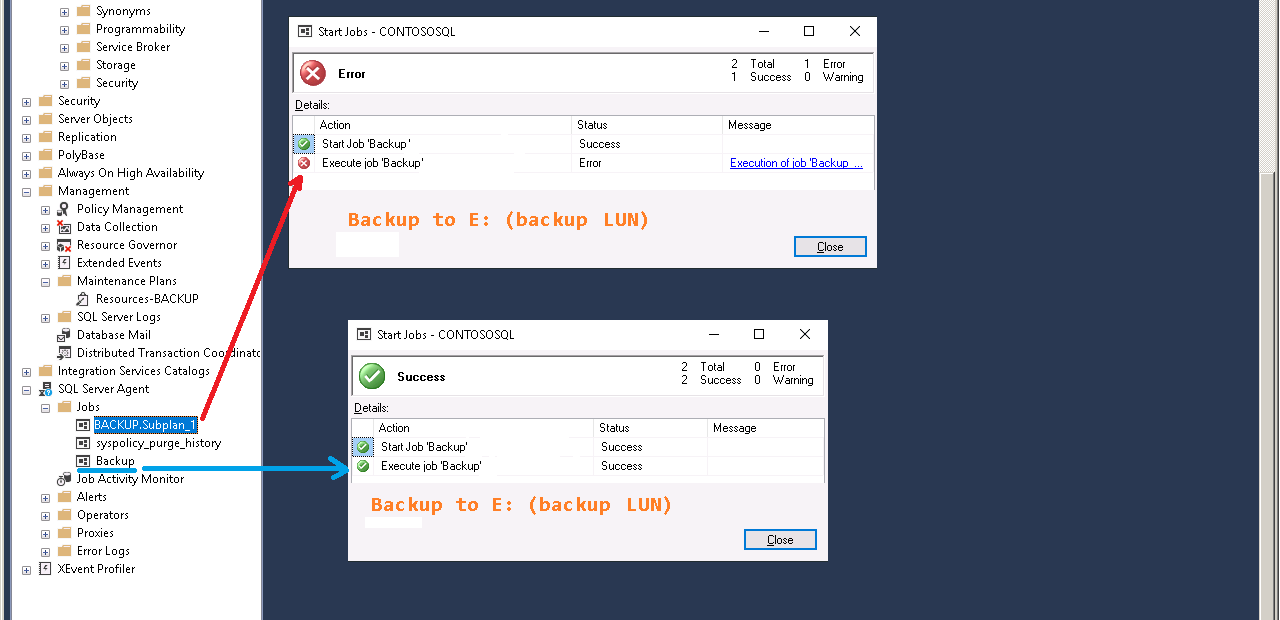
The most interesting fact: backups are getting created in both cases! In spite of the error in the first case the backup that's being created by the maintenance plan is totally correct (I've tested it by restoring the db from it) - no comments...
Ok, I understand - thank you for the explanation!
I also tried to create a maintenance plan (backup db, log...) now and it was created using the default drive (LUN), but it allowed me to change the destination folder by typing in the path to the other LUN and the plan did produced the backups on that (E:) drive (there was strange errorduring the execution but all database and log backups have been created):
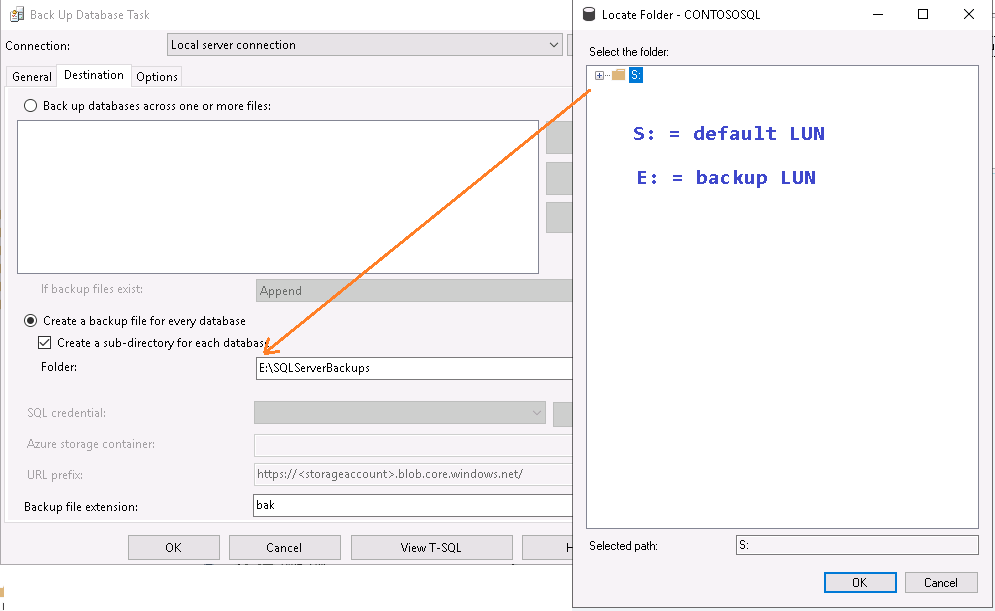
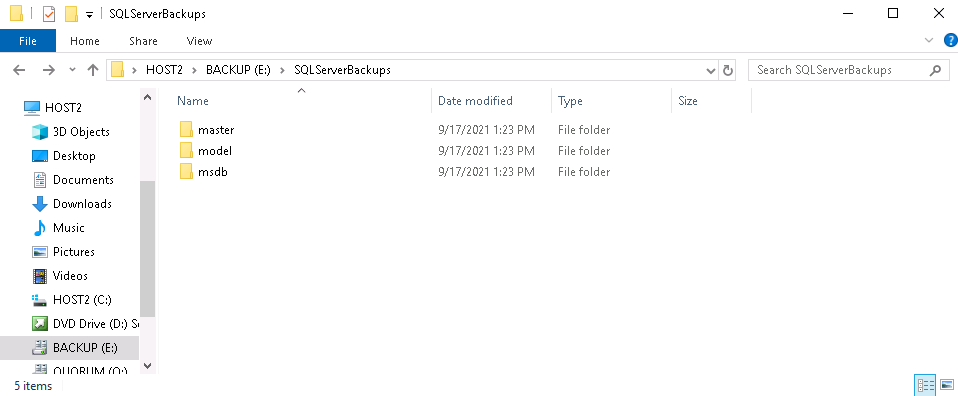
...can't understand 1) the behaviour of the backup wizard 2) why this is not documented (at least I've never seen it in documents/guides/textbooks)... :(
Yes, T-SQL Backup statement worked out perfect - but why does the SQL Server's backup wizard "see" just the drive (LUN) where its databases are located? Is it a bug or it's by design? I would never have guessed that the wizard can't see what the TSQL can see...
By the way:
"It doesn't matter if it's a cluster or stand-alone server, SQL Server backup works always the same way
backup to another shared drive"
1) the "stand-alone version of the wizard" always does see the same set of disks as TSQL sees
2) what does mean "shared drive" in the context of the single server???
Regards,
Michael
"shared drive" is more something in the cloud.
You can have a SAN as attached drive, defined as cluster resource. Then it's available as a drive for the active node, but not for the passive one.
And you can have a NAS share, which you may map as a drive, but then it's mapped in your profile and only for your login; not for SQL Server (service account)
But that's all more Windows then SQL Server related.