Microsoft 365 and Office | Word | For business | Windows
A family of Microsoft word processing software products for creating web, email, and print documents.

This browser is no longer supported.
Upgrade to Microsoft Edge to take advantage of the latest features, security updates, and technical support.
' cx='32' cy='32' r='32' /%3E%3Ctext x='50%25' y='55%25' dominant-baseline='middle' text-anchor='middle' fill='%23FFF' %3ESD%3C/text%3E%3C/svg%3E)
Consider below steps to reproduce issue :
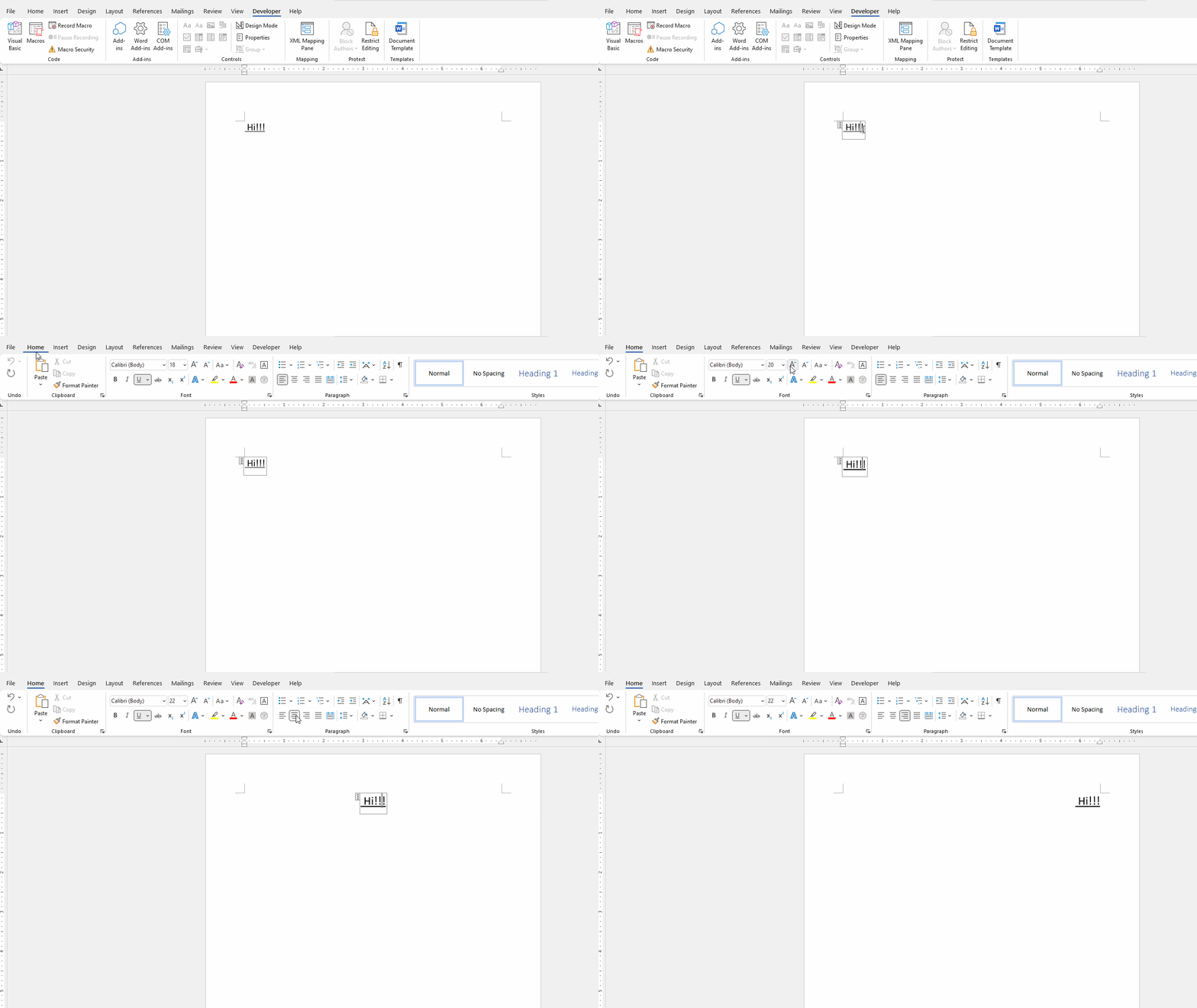
one content control is added and data from content control is selected and alligned using ruler.
then the data move but content control location is shifted at bottom of text,
Can any one look in this issue.
A family of Microsoft word processing software products for creating web, email, and print documents.
No I mean data gets disassociated from content control after moving data with help of ruler.

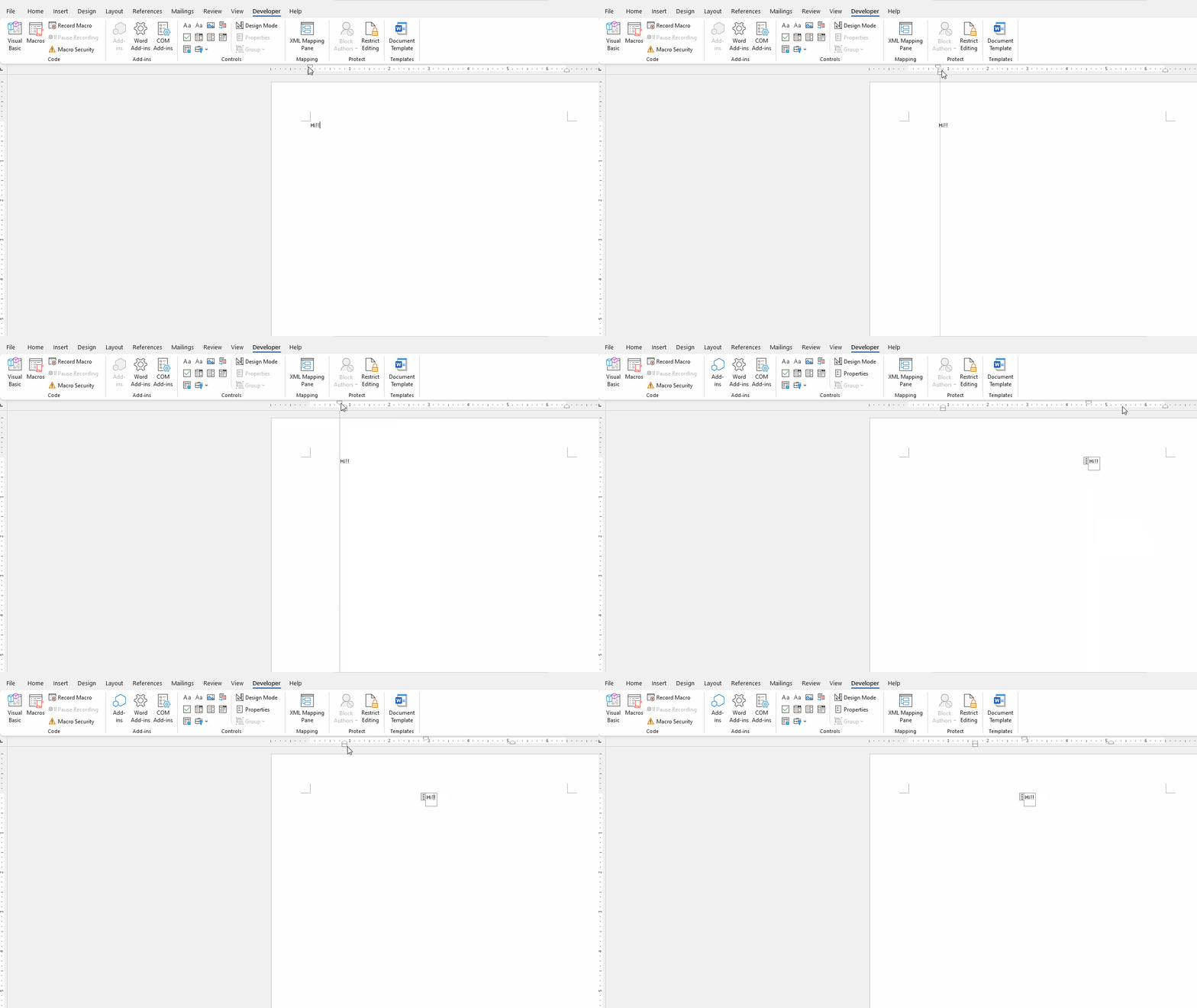
This feature?
What version of Office did you use? What kind of content control did you use?
Can you provide a picture about it?
Hi @Shraddhesh Dongare ,
Do you mean the content control move with the data?
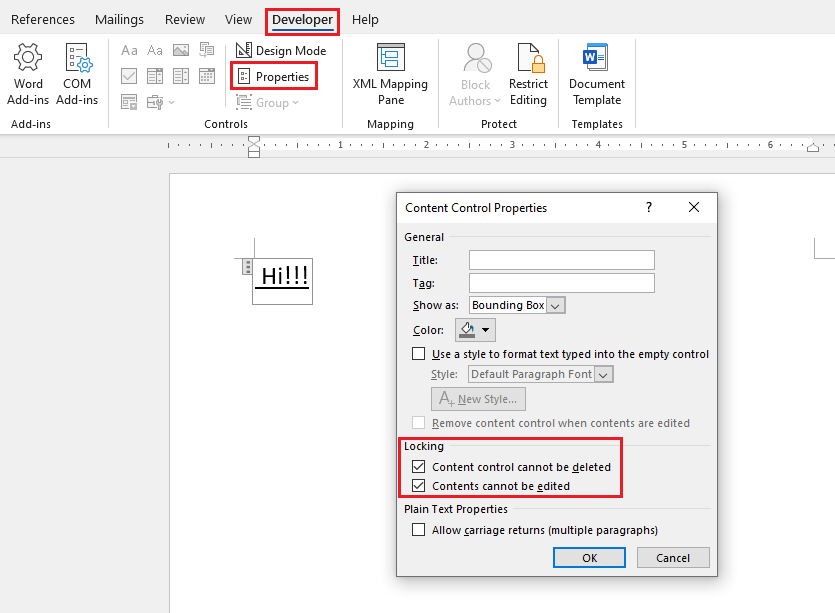
If you want to keep the content control, you can try to lock it, please select the control and go to Developer- Properties- check 2 locking options:
If my understanding is incorrect, please be a bit more precise to explain your requirement or you can upload a screenshot so that I can get more accurate solutions to this problem. I’m glad to help and follow up your reply.
If the response is helpful, please click "Accept Answer" and upvote it.
Note: Please follow the steps in our documentation to enable e-mail notifications if you want to receive the related email notification for this thread.