Community Center | Not monitored
Tag not monitored by Microsoft.

This browser is no longer supported.
Upgrade to Microsoft Edge to take advantage of the latest features, security updates, and technical support.
' cx='32' cy='32' r='32' /%3E%3Ctext x='50%25' y='55%25' dominant-baseline='middle' text-anchor='middle' fill='%23FFF' %3EPV%3C/text%3E%3C/svg%3E)
When a user logs into SQL Server Management Studio, there is a choice between Windows Authentication and SQL Server Authentication.
How do I find the location of the Windows Authentication Library on my computer ?
Tag not monitored by Microsoft.
' cx='32' cy='32' r='32' /%3E%3Ctext x='50%25' y='55%25' dominant-baseline='middle' text-anchor='middle' fill='%23FFF' %3EA%3C/text%3E%3C/svg%3E)
QnA currently only supports the products listed in right-hand pane (more to be added). Better to reach out to subject matter experts in dedicated forums over here.
https://social.msdn.microsoft.com/Forums/sqlserver/en-US/home?category=sqlserver
' cx='32' cy='32' r='32' /%3E%3Ctext x='50%25' y='55%25' dominant-baseline='middle' text-anchor='middle' fill='%23FFF' %3EUD%3C/text%3E%3C/svg%3E)
hI
Please read this article
https://learn.microsoft.com/en-us/sql/relational-databases/security/choose-an-authentication-mode?view=sql-server-ver15
I think you mean by WA library , it is a folder that windows creates for the user who logs in into computer, but you do not need to choose the user whEn you connect via SSMS , it is populated automatically

I am not sure about the library but if you are planning to connect to SQL using some code. You can provide the authentication mode in connection string. Set Integrated security to True for Windows auth.
connectionString="Data Source=MyServer\SQLInstance;Initial Catalog=TestDB;Integrated Security=true"

Hi
Windows Authentication use your window account for connecting to your SQL Server database.
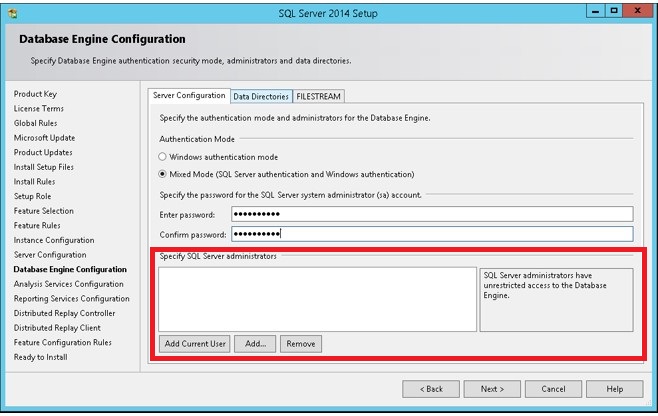
Have you install your SQL Server with Windows authentication only? Or Windows authentication + SQL account?
Your database is linked to an Active Directory, or just install with local accounts?
Your login is depending on the choices you've made.
If you install SQL Server on your personal machine, and your personal account is "master" on this database, just click windows authentication and it works.
It is the same problem if you install SQL Server, link this to AD and set you as administrator.
SQL Server supports three types of logins:
A local Windows user account or trusted domain account. SQL Server relies on Windows to authenticate the Windows user accounts.
Windows group. Granting access to a Windows group grants access to all Windows user logins that are members of the group.
SQL Server login. SQL Server stores both the username and a hash of the password in the master database, by using internal authentication methods to verify login attempts.
Source documentation:
https://learn.microsoft.com/en-us/dotnet/framework/data/adonet/sql/authentication-in-sql-server