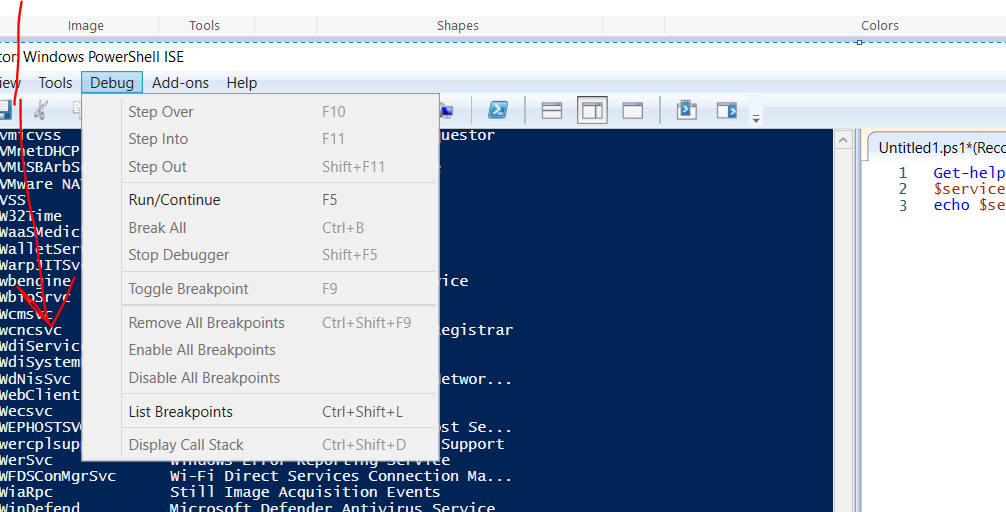
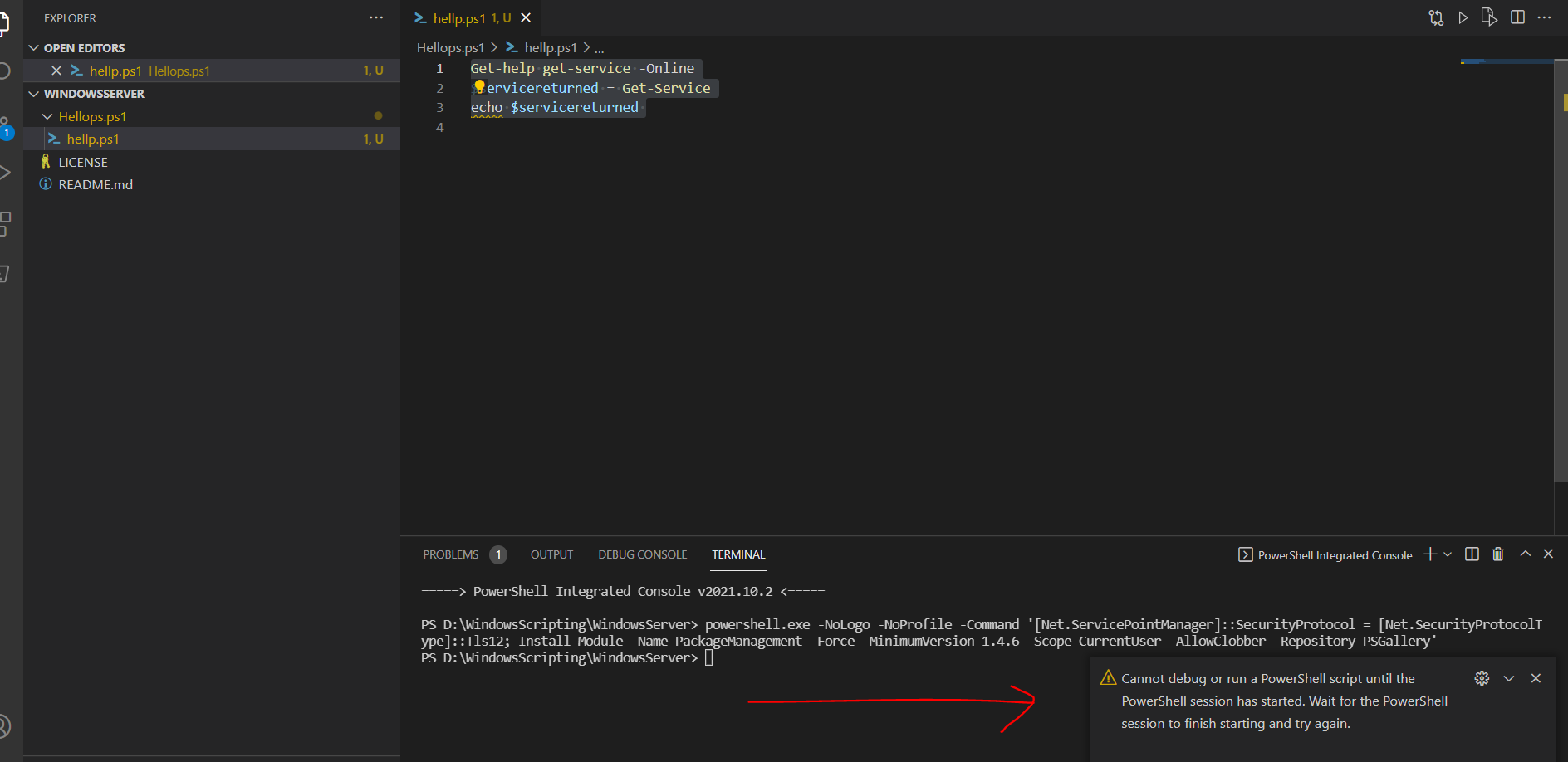
Not able to use powershell in VS annd in ISE options are grade out

sns 9,251 Reputation points
2021-12-02T06:50:55.777+00:00

Not able to use powershell in VS annd in ISE options are grade out
I am seeing warning message in the VS as below when I try to use powershell. PFA. Please help
154299-alloptionsaregradeout.png154323-powershellnotabletouseinvs.png

Windows for business | Windows Server | User experience | PowerShell
0 comments No comments
{count} votes

Answer accepted by question author
  1. Rich Matheisen 48,026 Reputation points
    2021-12-04T19:05:48.78+00:00

    Have you saved the script in the editor pane to a file? Until you do you can't debug it. Once you save the script you should be able to place a breakpoint by using the F9 key.

    FYI, the PowerShell ISE is no longer a supported product. It'll still work, but there won't be any new versions or problem fixes.
    0 comments No comments

1 additional answer

Sort by: Most helpful
  1. Rich Matheisen 48,026 Reputation points
    2021-12-02T19:27:29.757+00:00

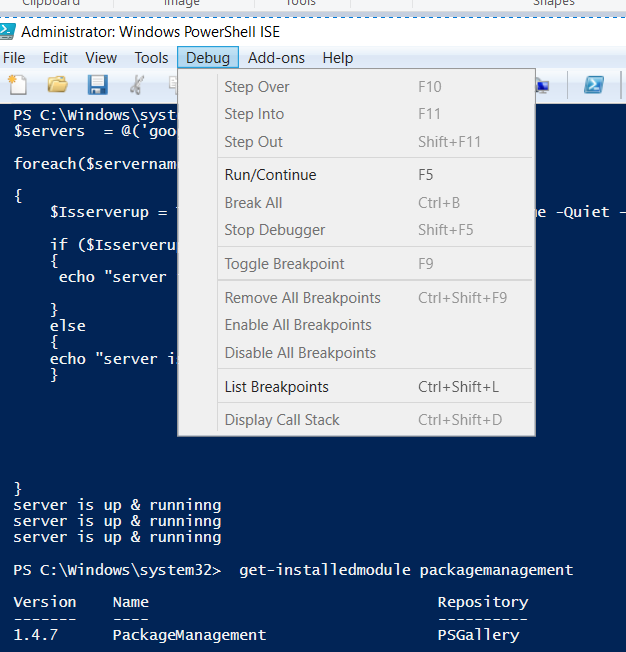
    Check that you have the latest PackageManagement module installed:

    get-installedmodule packagemanagement
    

    It should be version 1.4.7.

    Also, what's in your launch.json file for PowerShell?

    Look at the status bar at the bottom of the screen. Do you see "Session exited"?

    VS Code isn't a Microsoft supported product. You'll find support for it in places such as stackoverflow.com.


Your answer

Answers can be marked as 'Accepted' by the question author and 'Recommended' by moderators, which helps users know the answer solved the author's problem.