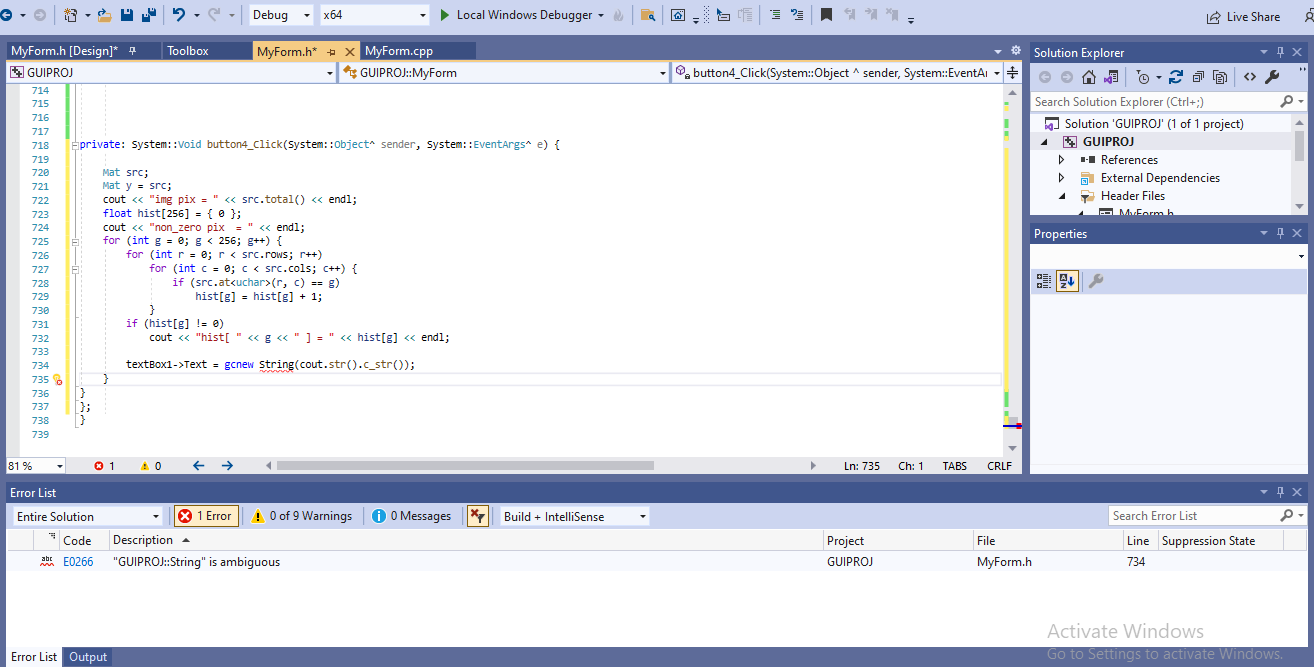
hi i have a code like this
cout << "pixels intensities = \n" << image1 << endl;
cout << "image rows=" << image1.rows << endl;
cout << "image cols=" << image1.cols << endl;
cout << "image pixel total=" << image1.total() << endl;
cout << "image channels=" << image1.channels() << endl;
cout << "image pixel depth=" << image1.depth() << endl;
//return a number from 0 to 6
int pixel_v = image1.at<uchar>(0, 0);
int max = 0, min = 255, sum = 0;
for (int i = 0; i < image1.rows; i++)
{
for (int j = 0; j < image1.cols; j++)
{
sum = sum + image1.at<uchar>(i, j);
if (image1.at<uchar>(i, j) > max)
{
max = image1.at<uchar>(i, j);
}
if (image1.at<uchar>(i, j) < min)
{
min = image1.at<uchar>(i, j);
}
}
}
float avg = sum / image1.total();
cout << "max_value=" << max << endl;
cout << "min_value=" << min << endl;
cout << "avg=" << avg << endl;
need to show the output it in a text box
' cx='32' cy='32' r='32' /%3E%3Ctext x='50%25' y='55%25' dominant-baseline='middle' text-anchor='middle' fill='%23FFF' %3EHA%3C/text%3E%3C/svg%3E)
' cx='32' cy='32' r='32' /%3E%3Ctext x='50%25' y='55%25' dominant-baseline='middle' text-anchor='middle' fill='%23FFF' %3EDL%3C/text%3E%3C/svg%3E)