Azure Functions
An Azure service that provides an event-driven serverless compute platform.
This browser is no longer supported.
Upgrade to Microsoft Edge to take advantage of the latest features, security updates, and technical support.
' cx='32' cy='32' r='32' /%3E%3Ctext x='50%25' y='55%25' dominant-baseline='middle' text-anchor='middle' fill='%23FFF' %3ERA%3C/text%3E%3C/svg%3E)
How can I add an Azure Service queue function activity in the ADF. I'm getting this error only for Service Bus - Function App and not for the one based onHTTP triger.
error msg:
There was an error while calling endpoint with error message - 'Failed to get MI access token. The error message is: Acquire MI token from AAD failed. ErrorCode: invalid_resource, Message: AADSTS500011: The resource principal named https://dbxfuncapp.azurewebsites.net was not found in the tenant named *******.'
But the function app is returning response while triggered via Service Bus, but I get this when I hit the debug option in pipeline.
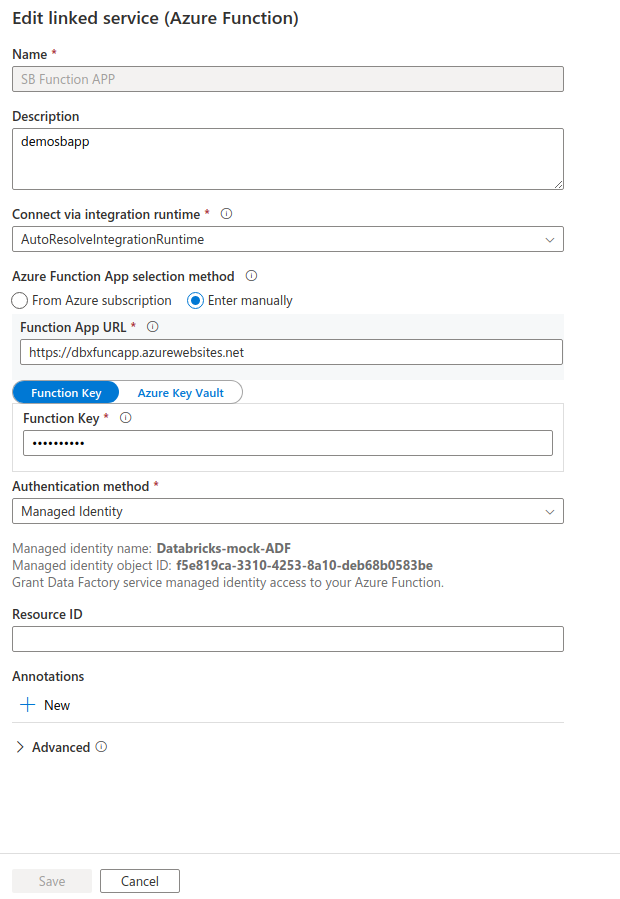
I have attached the Settings for linking the Function app here.
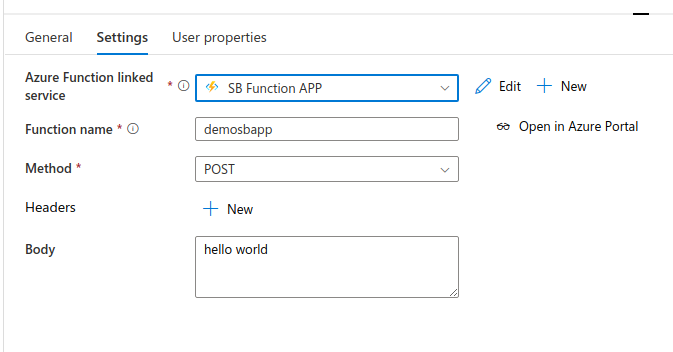
this is the link app settings
' cx='32' cy='32' r='32' /%3E%3Ctext x='50%25' y='55%25' dominant-baseline='middle' text-anchor='middle' fill='%23FFF' %3ESS%3C/text%3E%3C/svg%3E)
Hi @Rajamannar A K ,
Thanks for using Microsoft Q&A !!
What do you mean by Service Queue Function App ? Can you please provide more details ?
Also, did you configure Identity provider for your working vs non-working azure function?
Thanks
Saurabh
' cx='32' cy='32' r='32' /%3E%3Ctext x='50%25' y='55%25' dominant-baseline='middle' text-anchor='middle' fill='%23FFF' %3EA%3C/text%3E%3C/svg%3E)
Our Azure faced the same problem. No solutions found.
There was an error while calling endpoint with error message - 'Failed to get MI access token. The error message is: Acquire MI token from AAD failed. ErrorCode: invalid_resource, Message: AADSTS500011: The resource principal named https://******.azurewebsites.net was not found in the tenant named *******.'
In Our Azure, there is only a function called 'Data' store in Azure Functions App. I called function from ADF by debug the pipeline and error occured.
Any solutions?
Hi @Saurabh Sharma
I meant this
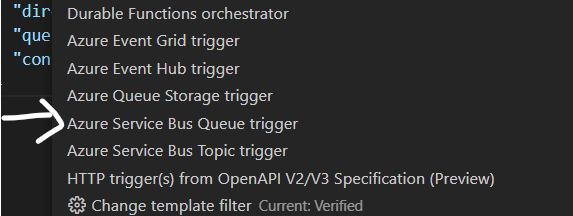
Sorry, It doesn‘t seems to be resovled.
After test, if I remove all component in Data Factory and recreate again. This issue will be disappered in 30 minutes.
After about 30 minutes, this issue will appear again.
Please help.
Solve.
This is a bug in data factory. If you open the functions connection in link service of data factory. The authentication in pop up window will show "Managed Source Identity" by default. But actually it is "Anonymous" really. I think the binding in view modal is lossed. You need to change to it to "Anonymous".
I solve it.
The reason is that the system administrator gave me wrong AAD role. My AAD role should be AAD Global Administrator but the administrator gave me AAD Global Viewer.
And my functions using private links to prevent outbound access. And I created a managed private endpoint in ADF, but cause I am only a viewer, this endpoint doesn't obtain permissions to access fqDNS setting in another private endpoint.
And that fqDNS is https://******.azurewebsites.net
To solve it, you need to remove maneged private endpoint, obtain correct role and create it again.
Hi @Rajamannar A K ,
You normally get this error as you need to pass ResourceId when using Managed Identity for Authentication. In order to get the ResourceID you need to follow the below steups -
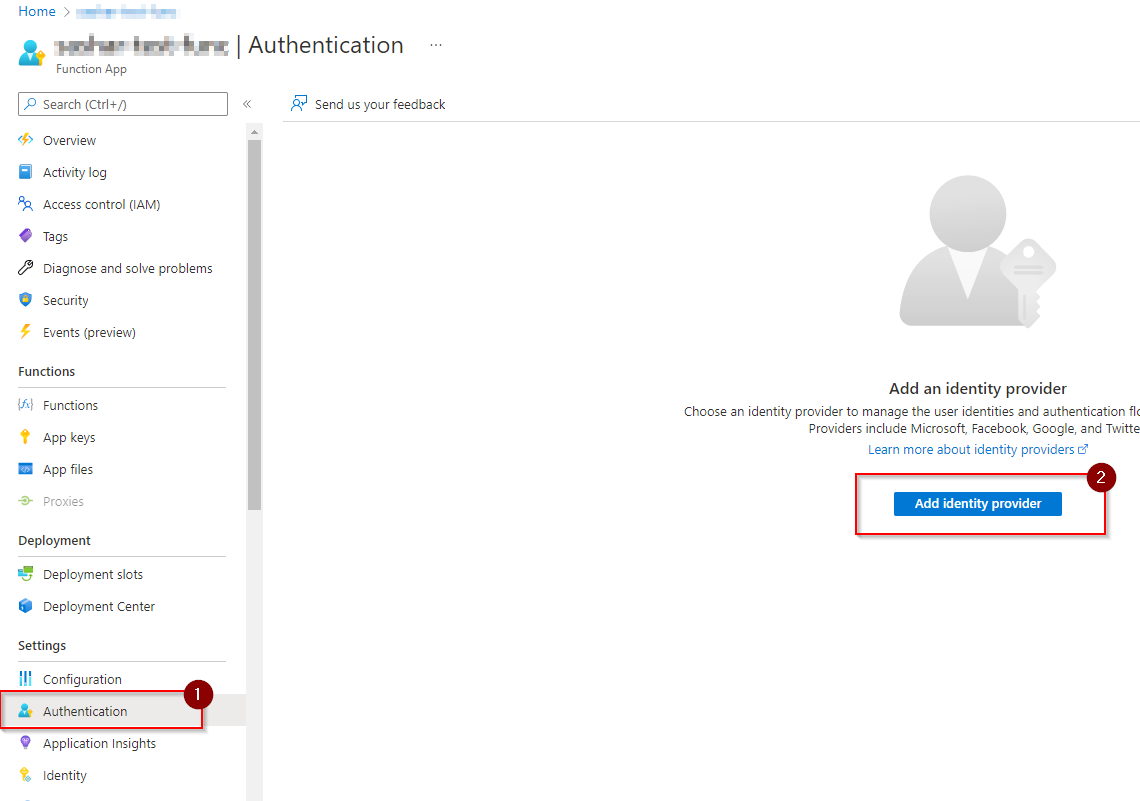
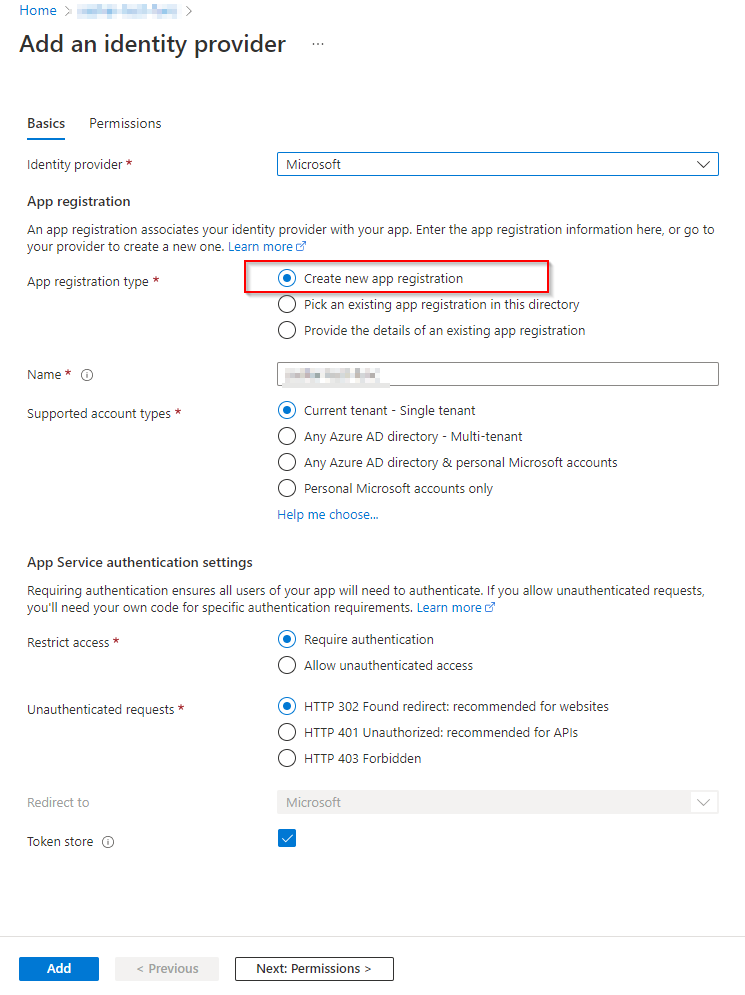
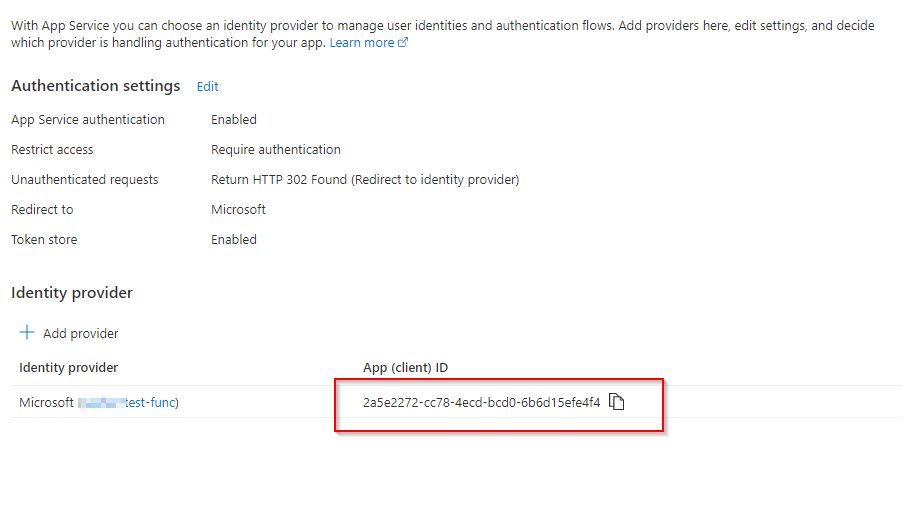

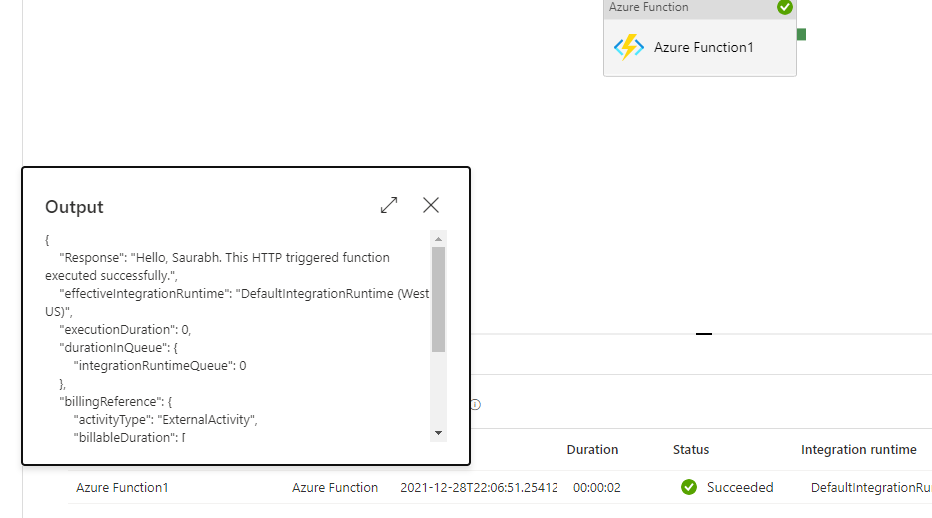
The above results are based on HTTP based trigger as I believe this is the only supported one in Azure Data Factory.
Please let me know if you have any questions.
But can you please elaborate why you need an Azure Service Bus queue trigger function as this function is invoked only when a queue or a topic is created?
Thanks
Saurabh
Hi @Rajamannar A K ,
We haven't heard back from you. Just wanted to check if you are you still facing the issue?
Thanks
Saurabh
Hi @Rajamannar A K ,
Following up as I haven't heard back. Please let me know if you need any help.
Thanks
Saurabh