Microsoft 365 and Office | SharePoint | For business | Windows
A group of Microsoft Products and technologies used for sharing and managing content, knowledge, and applications.

This browser is no longer supported.
Upgrade to Microsoft Edge to take advantage of the latest features, security updates, and technical support.
' cx='32' cy='32' r='32' /%3E%3Ctext x='50%25' y='55%25' dominant-baseline='middle' text-anchor='middle' fill='%23FFF' %3EE3%3C/text%3E%3C/svg%3E)
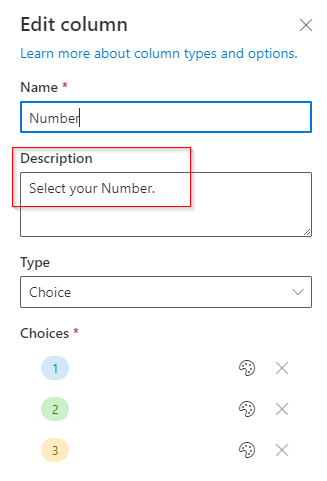
I had a column named Number in SharePoint List. And I added descriptions in column description area.
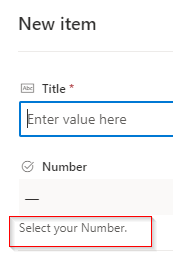
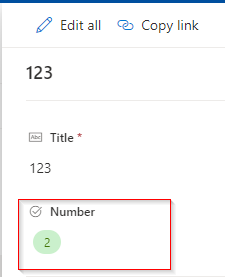
I can see the description when adding new items. But cannot see it when editing items.
I want to see it when editing items. Do you have any solution to solve it?

Hi @eric-3590
There is some little difference when we edit item by double clicking it and clicking "Edit".
This is the form we get by double click:
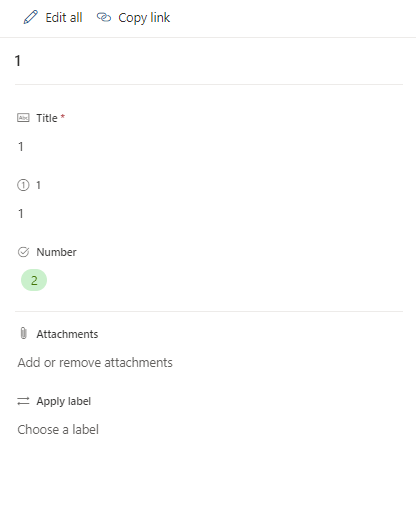
This is the form we get by clicking "Edit":
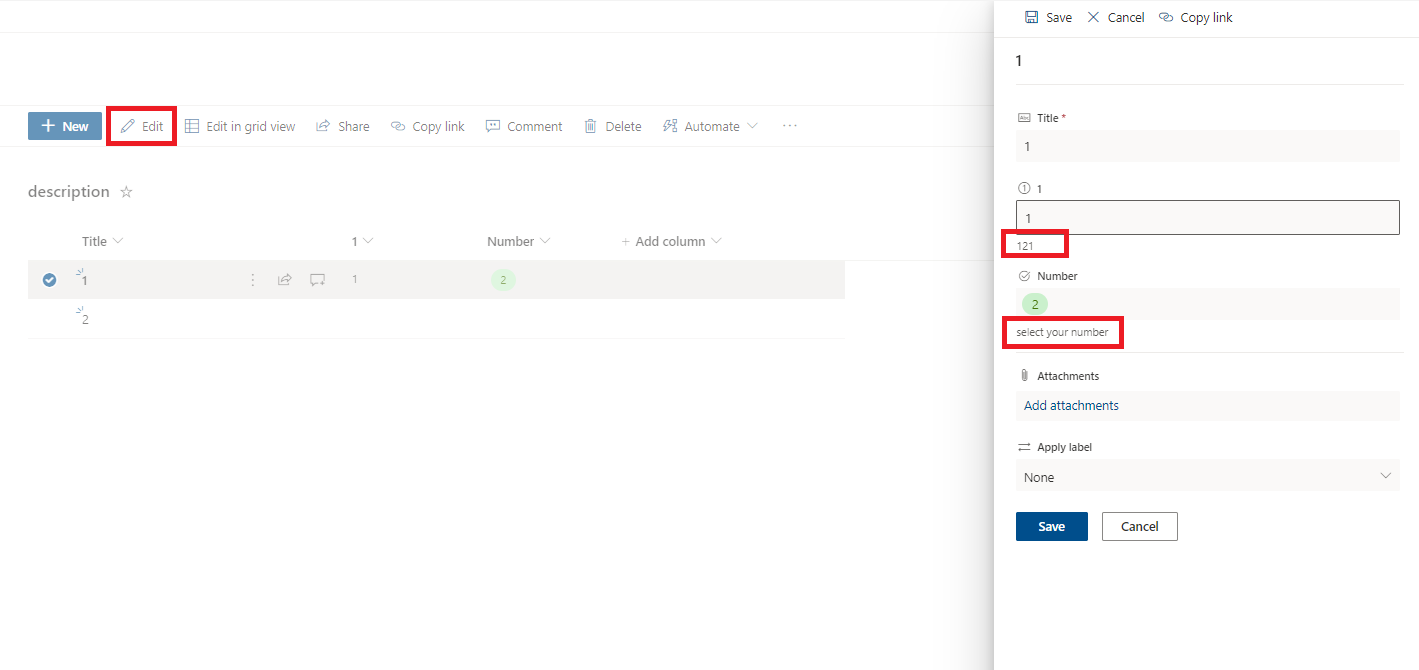
We could notice that the description will appear when we click "Eidt"
If the answer is helpful, please click "Accept Answer" and kindly upvote it. If you have extra questions about this answer, please click "Comment".
Note: Please follow the steps in our documentation to enable e-mail notifications if you want to receive the related email notification for this thread.
@Yi Lu_MSFT Do you find any solution to display description when double click the items?
Hi @eric-3590
This is more relate to power apps, you can raise a new thread in Community for power apps. Experts there will give you instant and professional suggestion. Thanks for your understanding. Have a nice day :-)
@Yi Lu_MSFT Thank you. I tried in my side. Same as you said.