Microsoft Security | Microsoft Graph
An API that connects multiple Microsoft services, enabling data access and automation across platforms

This browser is no longer supported.
Upgrade to Microsoft Edge to take advantage of the latest features, security updates, and technical support.
' cx='32' cy='32' r='32' /%3E%3Ctext x='50%25' y='55%25' dominant-baseline='middle' text-anchor='middle' fill='%23FFF' %3ESB%3C/text%3E%3C/svg%3E)
Im using MS Graph API to send emails using a service account. I have followed the official documentation provided by Microsoft for the same operation https://learn.microsoft.com/en-us/graph/api/user-sendmail?view=graph-rest-1.0&tabs=csharp
Im not able to figure out why SendMail(message).Request().PostAsync() doesnot send email but SendMail(message).Request().PostResponseAsync().GetAwaiter().GetResult() does.
Need help with the reason behind it. Thanks in advance
An API that connects multiple Microsoft services, enabling data access and automation across platforms

After testing, I reproduced your problem locally and it is indeed not possible to use C# to call users/{user id} to send mail (testing with postman seems to work). I will submit this bug with the graph product team later, please wait for my update.
I tested this code snippet and it doesn't seem to be a problem, I can send emails correctly. After the code is working correctly, you still haven't received any mail in outlook?
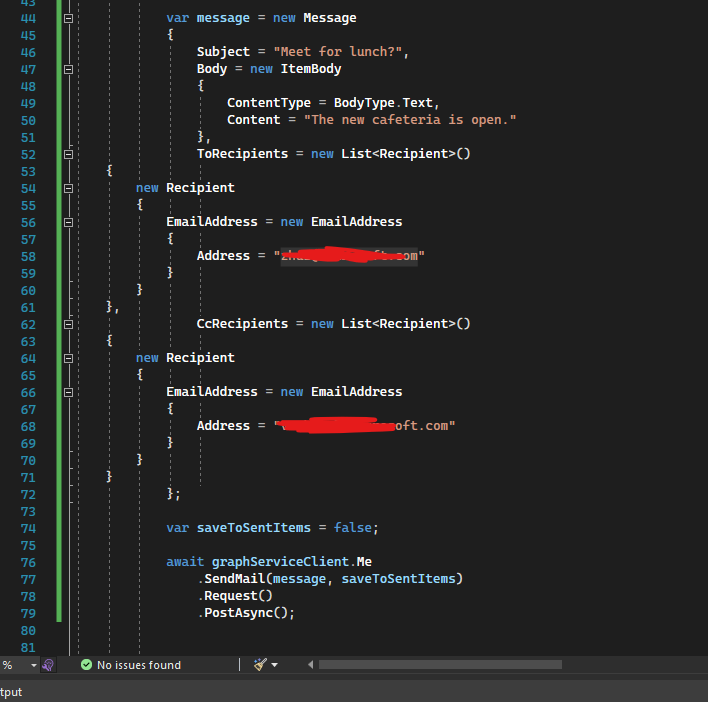
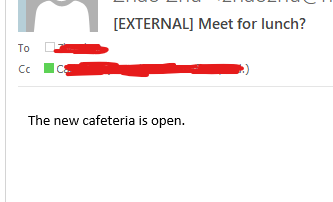
If the answer is helpful, please click "Accept Answer" and kindly upvote it. If you have extra questions about this answer, please click "Comment".
Note: Please follow the steps in our documentation to enable e-mail notifications if you want to receive the related email notification for this thread.
Yes I tried the same code, and I did not got any email. Only change in our code is you have used me.sendmail and i have used user[userobjectid].sendmail . Can it be a possible issue?
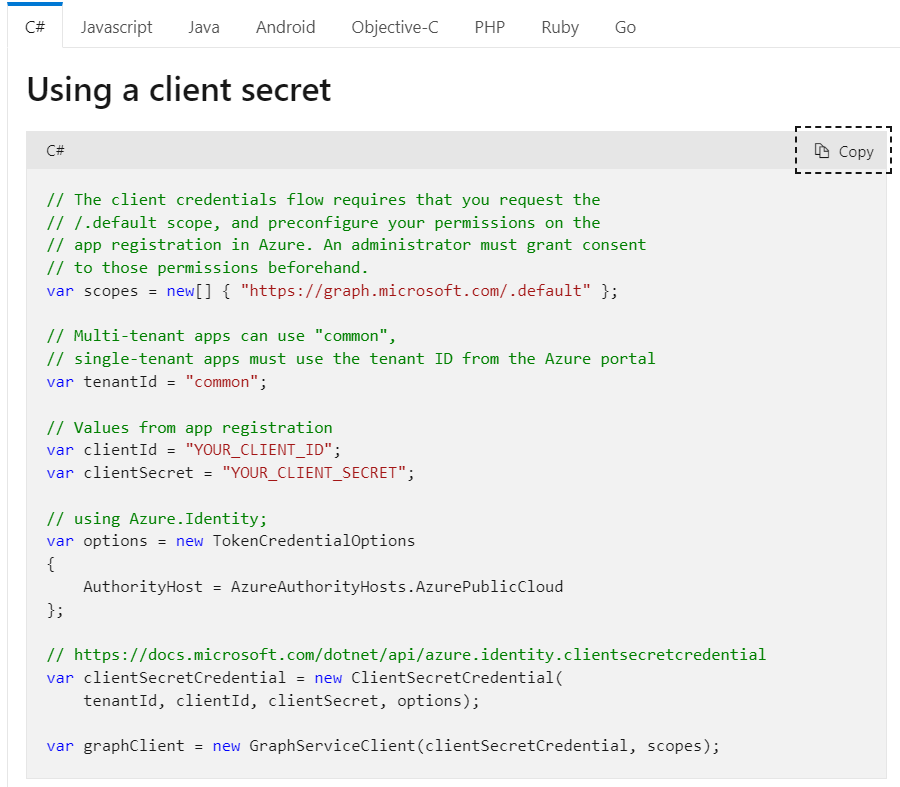
What authentication flow are you using?
Im using client secret, attached below the image of same code block from https://learn.microsoft.com/en-us/graph/sdks/choose-authentication-providers?tabs=CS#next-steps
After testing, I reproduced your problem locally and it is indeed not possible to use C# to call users/{user id} to send mail (testing with postman seems to work). I will submit this bug with the graph product team later, please wait for my update!
Great. It would be a great help if you can provide more details on why it cannot be possible to send email with this approach using c#? I'm have planned to use this but if its not possible as of now, then I have to restructure my code.
Yes, this really blows my mind, empirically it should work, but it doesn't, please wait for my update.
Great. Will wait for an update from you. Really appreciate your efforts. Thanks
I actually tried with wait statement in the end also, providing 2000ms as wait time, and in that case it got delivered but I didnot want to use any such wait statement so just curious to know the whole mechanism behind.
Hi Carl, any update on this issue?
I am discussing this with graph product support. You can follow this thread: https://github.com/microsoftgraph/msgraph-sdk-dotnet/issues/1286. Also, you can check if your previous send emails are classified as spam.
Hi Carl, Any reason you found out on this issue? I did checked the thread you shared but it seems stale now and got closed with out any proper reason.
Hi Carl, I did follow the discussion link you shared and your conversation but it does not lead to any conclusion. You have any solution for the issue we faced? Please help .
' cx='32' cy='32' r='32' /%3E%3Ctext x='50%25' y='55%25' dominant-baseline='middle' text-anchor='middle' fill='%23FFF' %3EJP%3C/text%3E%3C/svg%3E)