
The earlier post was not specific to Windows.
This browser is no longer supported.
Upgrade to Microsoft Edge to take advantage of the latest features, security updates, and technical support.
' cx='32' cy='32' r='32' /%3E%3Ctext x='50%25' y='55%25' dominant-baseline='middle' text-anchor='middle' fill='%23FFF' %3EI%3C/text%3E%3C/svg%3E)
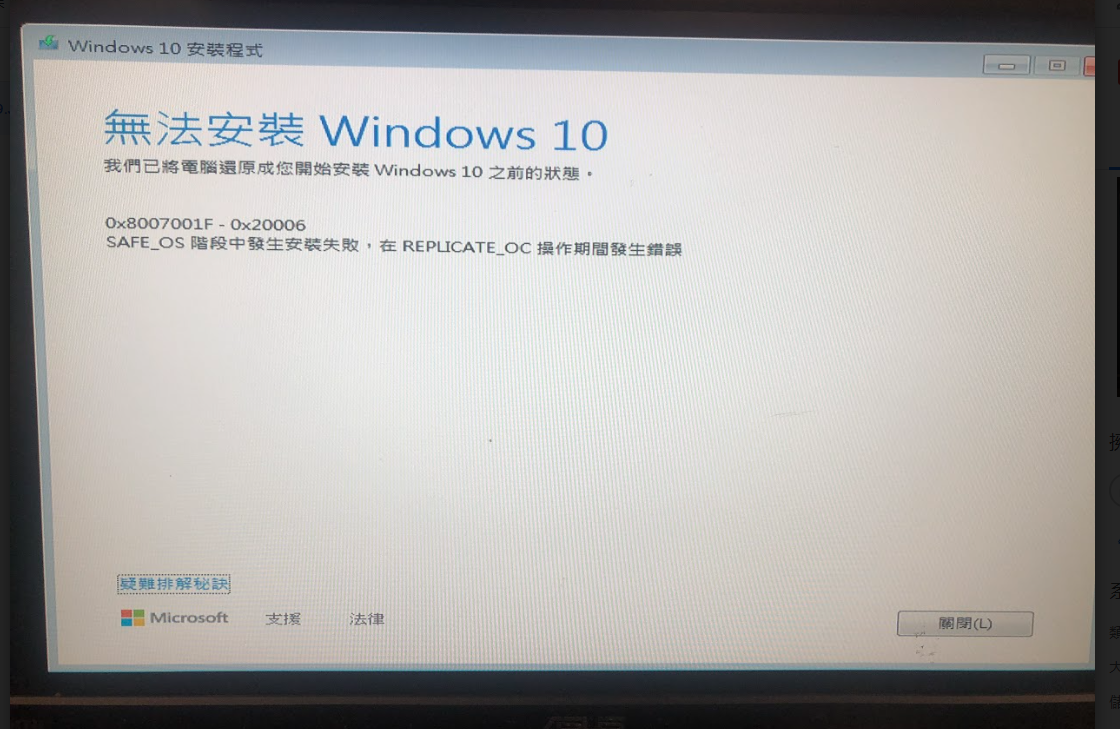
when I updae from Windows 7 to Windows10 it show 0x8007001F - 0x200006 error,Need help ~thanks~
i tried use method from this URL:https://learn.microsoft.com/en-us/answers/questions/45179/windows-10-update-error.html
but it can't solve my problem.....
' cx='32' cy='32' r='32' /%3E%3Ctext x='50%25' y='55%25' dominant-baseline='middle' text-anchor='middle' fill='%23FFF' %3ED%3C/text%3E%3C/svg%3E)
The earlier post was not specific to Windows.
The logs displayed piracy / crack.
Hi
i use genuine win7 license key,it's obtained from the Microsoft volume Licensing Service Center
and i re-enter the key re-update win10 it's show next error... next help~~thanks~
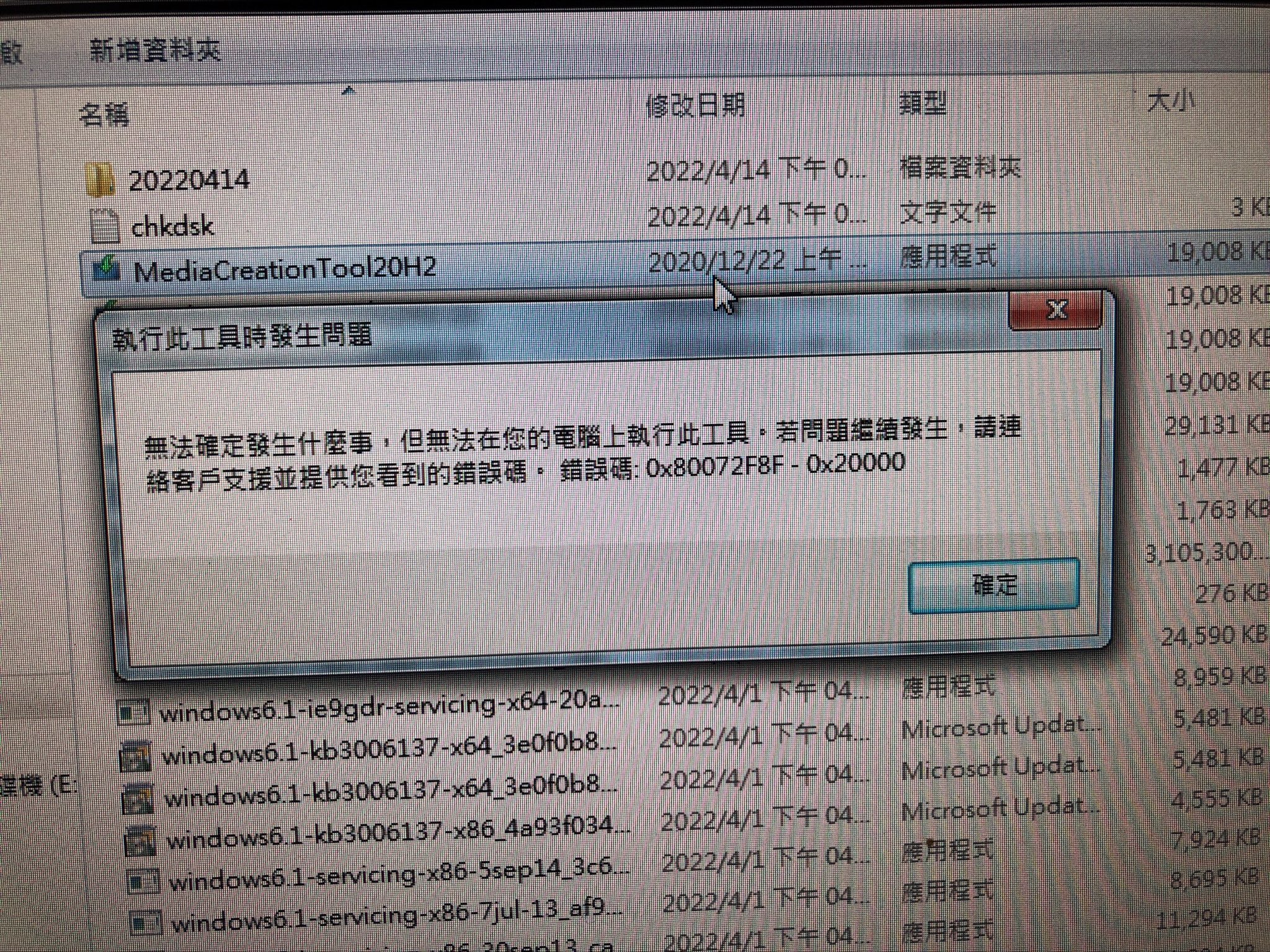
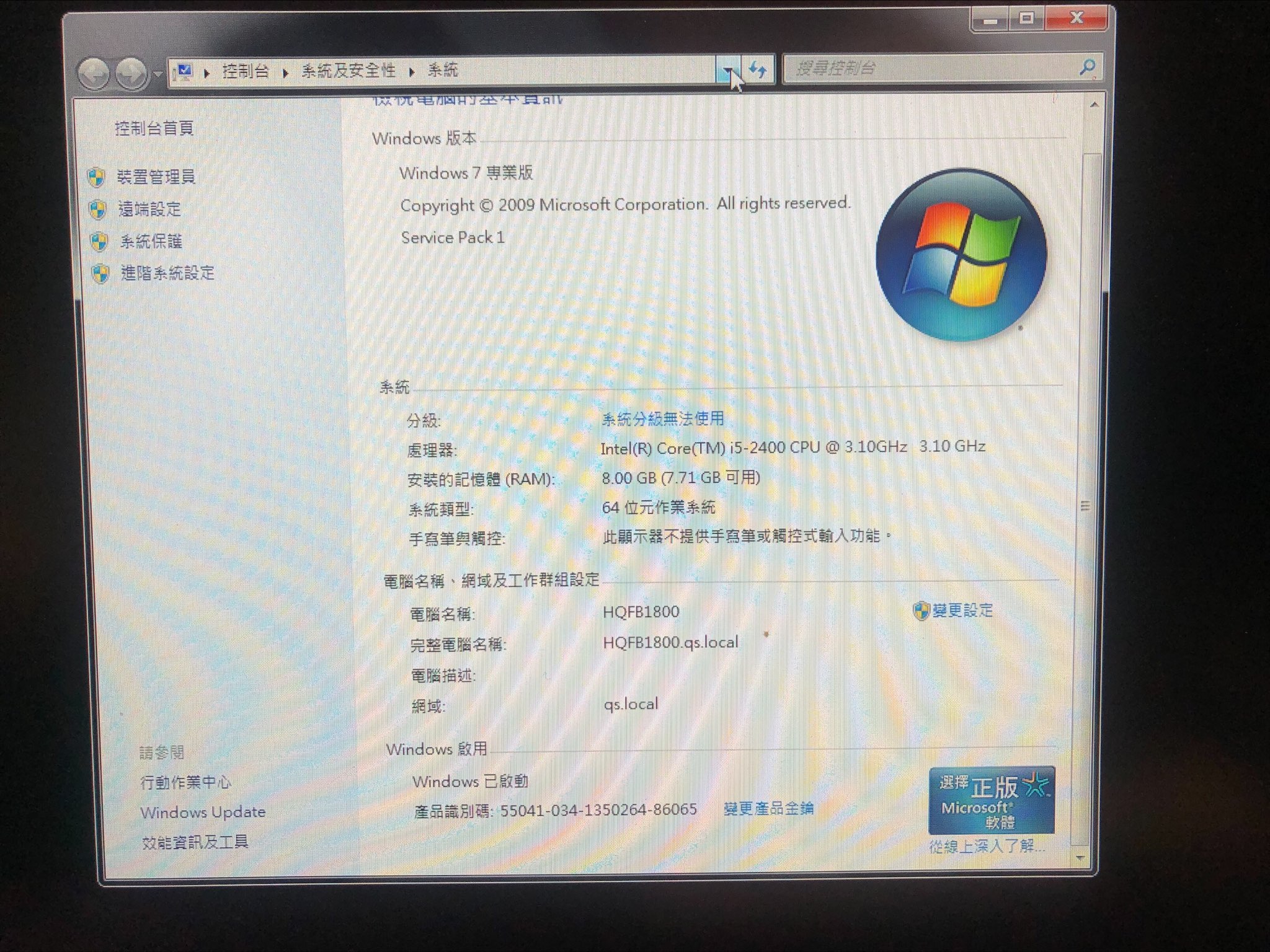
When posting share links please make them available without logon.
Please use English as the default language so that log files can be scanned,
https://www.tenforums.com/tutorials/3813-add-remove-change-display-language-windows-10-a.html
https://www.tenforums.com/tutorials/136792-change-display-language-windows-10-a.html
Please run the DM log collector and post a share link into this thread using one drive, drop box, or google drive.
https://www.tenforums.com/bsod-crashes-debugging/2198-bsod-posting-instructions.html
.
.
.
.
.
Please remember to vote and to mark the replies as answers if they help.
On the bottom of each post there is:
Propose as answer = answered the question
On the left side of each post there is /\ with a number: click = a helpful post
.
.
.
.
.
hi~~
i collect log use it
log link:https://drive.google.com/file/d/1zDQx50pUIL9M0iHAiHGXOY-55kOlMvbb/view?usp=sharing
need help~thanks~
In addition to the post that failed to immediately post (Microsoft Q&A spam filter problem) there are options to clean install Windows 10 without having to troubleshoot the Windows 7 to 10 upgrade failure.
Important files would need to be backed up and drivers and applications would need to be reinstalled.
After completing the steps in the troubleshooting check list plan to perform the next in place upgrade using a Windows 10 iso installed on a bootable flash drive (in place upgrade repair).
During the in place upgrade repair select to not perform updates during the repair.
Updates are only performed after a successful in place upgrade repair.
For any in place upgrade repair failures run setupdiag:
https://learn.microsoft.com/en-us/windows/deployment/upgrade/setupdiag
For share links please use one drive, drop box, or google drive.
.
.
.
.
.
Please remember to vote and to mark the replies as answers if they help.
On the bottom of each post there is:
Propose as answer = answered the question
On the left side of each post there is /\ with a number: click = a helpful post
.
.
.
.
.
Hi Docs-4663
my log link https://drive.google.com/file/d/1BB4wvQGU901IIj5Z0ya7nHQ6QvUMiLAa/view?usp=sharing
Need help with analysis log ~~thanks~~~
This is an upgrade checklist: (modified for upgrading 7 to 10)
UPGRADE CHECK LIST:
Run through this check list before the next upgrade attempt:
1) remove nonessential hardware
docks
USB devices
printers
headset
speakers
joysticks
projectors
scanners
plotters
portable optical drives (CD, DVD)
microphones
cameras
webcams
smartphones
bluetooth devices
USB drives (other than a windows 10 iso if used for the upgrade)
USB Wireless Mouse or Keyboard Receiver, USB Wireless Network Card
secondary monitors
2) These should be the only attached devices:
wired mouse
wired keyboard
monitor
Any of these that have been done in the past week are not necessary to repeat:
3) open administrative command prompt and type or copy and paste: (repair file system)
chkdsk /r /v C:
This may take many hours so plan to run overnight
Find the chkdsk report in the event viewer using the information in this link and
post into the thread:
https://www.sevenforums.com/tutorials/433-disk-check.html
https://www.sevenforums.com/tutorials/96938-check-disk-chkdsk-read-event-viewer-log.html
4) open administrative command prompt and copy and paste: (repair operating system)
sfc /scannow
When this has completed > right click on the top bar or title bar of the administrative command prompt
box > left click on edit then select all > right click on the top bar again > left click on edit
then copy > paste into the thread
5) update windows (have all recommended updates installed) and reboot after updates
6) List and uninstall all non-Microsoft antivirus software
(This includes always on and manual software.)
(This includes running the applicable antivirus uninstall tools for any AV that could have been
incompletely uninstalled)
https://www.bitdefender.com/consumer/support/answer/2625/
(And this includes uninstalling Microsoft Security Essentials (MSE) immediately before the
upgrade attempt)
7) List and uninstall all non-Microsoft firewall software
8) List all Microsoft and non-Microsoft drive encryption software.
Uninstall all non-Microsoft disk encryption software
9) Run disk cleanup to clean temporary and system files
https://www.sevenforums.com/tutorials/818-disk-cleanup-open-use.html
10) Create and verify that the drive has > 32 GB free space
https://www.sevenforums.com/tutorials/129976-hard-disk-space-free-up-recover.html
https://www.sevenforums.com/tutorials/274797-disk-management-post-screen-capture-image.html
11) Consider placing the computer in clean startup:
https://www.sevenforums.com/tutorials/179159-troubleshoot-application-conflicts-performing-clean-startup.html
12) Detach all SATA devices other than the disk drive that has the Windows operating system
(Make sure that the only disk drive that is attached to the computer at the time of the upgrade attempt
is the disk drive containing Windows)
(Other disk drives may be able to be detached by disconnecting cables or if necessary to remove the drive
from the computer)
13) Make sure that there is no metered connection:
https://support.microsoft.com/en-us/help/17452/windows-metered-internet-connections-faq
14) Consider making a free backup image:
https://www.sevenforums.com/tutorials/73828-imaging-free-macrium.html
https://www.sevenforums.com/tutorials/218920-macrium-reflect-create-bootable-rescue-usb-drive.html
15) Test the drive: (Sea Tools long generic and Crystal Disk SMART)
https://www.sevenforums.com/tutorials/313457-seatools-dos-windows-how-use.html
https://www.seagate.com/support/downloads/seatools/seatools-win-master/
Crystal Disk standard edition:
https://crystalmark.info/en/software/crystaldiskinfo/