Azure Network Watcher
An Azure service that is used to monitor, diagnose, and gain insights into network performance and health.
This browser is no longer supported.
Upgrade to Microsoft Edge to take advantage of the latest features, security updates, and technical support.

When I execute the following commands in the Azure PowerShell (in the Azure Portal) I get an error.
>New-AzResourceGroup -Name rg-latencydemo -Location westeurope

>New-AzNetworkWatcher -Name nw-latencydemo –ResourceGroupName rg-latencydemo -Location westeurope

>$nw = Get-AzNetworkWatcher -Name nw-latencydemo -ResourceGroupName rg-latencydemo

>New-AzNetworkWatcher -Name nw-latencydemo –ResourceGroupName rg-latencydemo -Location westeurope
The last command results in...
Get-AzNetworkWatcherReachabilityReport: Long running operation failed with status 'InternalServerError'.
StatusCode: 500
ReasonPhrase: Internal Server Error
ErrorCode: InternalServerError
ErrorMessage: An error occurred.
An Azure service that is used to monitor, diagnose, and gain insights into network performance and health.
' cx='32' cy='32' r='32' /%3E%3Ctext x='50%25' y='55%25' dominant-baseline='middle' text-anchor='middle' fill='%23FFF' %3ELR%3C/text%3E%3C/svg%3E)
Hi @Heiko Alexander Munz if you are interested in measuring the network latency between specific workloads you may want to try the new Azure Internet Analyzer tool (in public preview):
https://learn.microsoft.com/en-us/azure/internet-analyzer/internet-analyzer-overview
If you prefer to explore other options, apart from Psping or AzureSpeed tool you could use Sockperf (Linux) or Latte (Windows):
https://learn.microsoft.com/en-us/azure/virtual-network/virtual-network-test-latency#tools-for-testing
I hope this helps
' cx='32' cy='32' r='32' /%3E%3Ctext x='50%25' y='55%25' dominant-baseline='middle' text-anchor='middle' fill='%23FFF' %3ECM%3C/text%3E%3C/svg%3E)
Thank you @Luis Rodriguez , for providing details on the new Azure Internet Analyzer tool (in public preview). I will work with the Doc author and see if we can add a note about this new tool in this Network watcher documentation for calculating latency.
@Heiko Alexander Munz , hope this helps answer your query. Please let us know if you have any additional questions. Thank you!
' cx='32' cy='32' r='32' /%3E%3Ctext x='50%25' y='55%25' dominant-baseline='middle' text-anchor='middle' fill='%23FFF' %3ET%3C/text%3E%3C/svg%3E)
Thanks for mentioning the source links. We were facing this issue from the last 2 week due to which I haven't updated my rabi crops list site. After checking the souce link I got quite enough information that I fixed the issue easily.
Answer accepted by question author
Hello @Heiko Alexander Munz , Welcome to the Microsoft Q&A forum
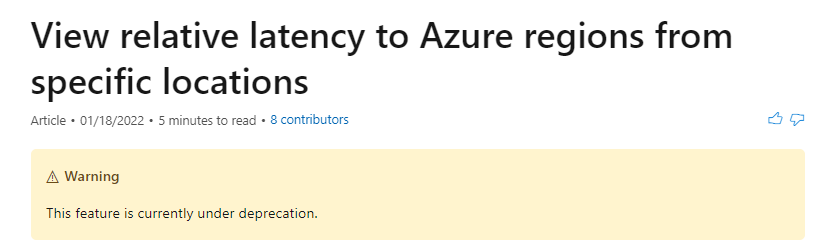
I tried the Get-AzNetworkWatcherReachabilityReport on my end and got the internal server error as well. As per this documentation looks like this feature has been deprecated, hence the internal server error.
A work-around in this scenario will be to use tools like PsPing to test the latency or to use some open source projects on internet which offer similar functionality like https://www.azurespeed.com/Azure/Latency.
Hope this helps! Please let me know if you have any additional questions. Thank you!