You may be hitting an issue that appeared last week for a day, went away, but seems to have come back. Check this thread from last week for a possible resolution.
SQL Server 2019 developer
' cx='32' cy='32' r='32' /%3E%3Ctext x='50%25' y='55%25' dominant-baseline='middle' text-anchor='middle' fill='%23FFF' %3EN%3C/text%3E%3C/svg%3E)
Nina
1
Reputation point
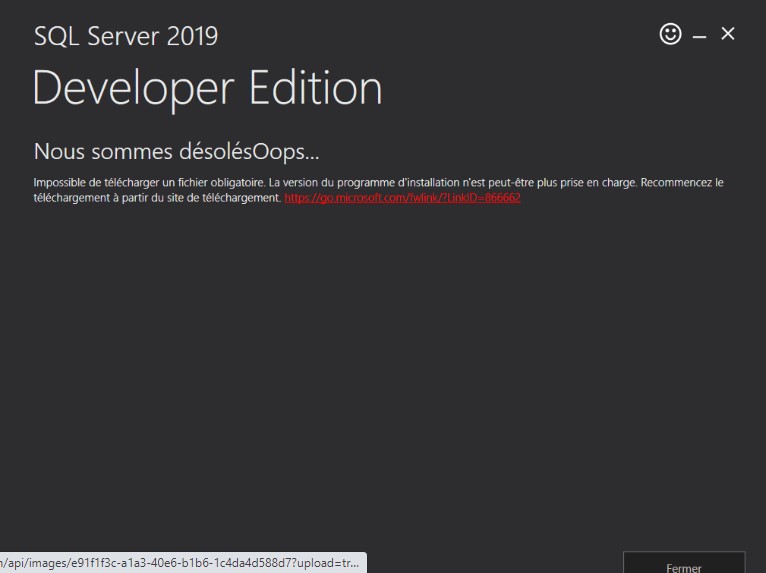
i couldn't install SQL server 2019 devl here attached the error message that i got
SQL Server | Other
{count} votes
-
' cx='32' cy='32' r='32' /%3E%3Ctext x='50%25' y='55%25' dominant-baseline='middle' text-anchor='middle' fill='%23FFF' %3EAM%3C/text%3E%3C/svg%3E) AmeliaGu-MSFT 14,011 Reputation points Microsoft External Staff
AmeliaGu-MSFT 14,011 Reputation points Microsoft External Staff2022-04-21T07:26:19.687+00:00 Hi Nina-9598,
How are things going? Is the answer helpful?
Please feel free to let us know if you have any other question. If the post in the thread is helpful, you could kindly accept it as answer.Best Regards,
Amelia
Sign in to comment
2 answers
Sort by: Most helpful
-
 Erland Sommarskog 129.6K Reputation points MVP Volunteer Moderator
2022-04-17T09:21:24.63+00:00 -
Erland Sommarskog 129.6K Reputation points MVP Volunteer Moderator
2022-04-17T11:51:46.923+00:00 I have researched this a little more, and it's apparently the case that Microsoft has broken something. You may want to wait a few days to come back and download a new version of the installation program. (I tried both the current download as well as an old download. The old one works. The new one produces the error above directly when I start it.)
It seems that running these updates to the registry fixes the issue:
Set-ItemProperty -Path 'HKLM:\SOFTWARE\Wow6432Node\Microsoft\.NetFramework\v4.0.30319' -Name 'SchUseStrongCrypto' -Value '1' -Type Dword
    Set-ItemProperty -Path 'HKLM:\SOFTWARE\Microsoft\.NetFramework\v4.0.30319' -Name 'SchUseStrongCrypto' -Value '1' -Type Dword
Note there are some versions of this script out there with a backslash missing, so make sure you use the above.