Microsoft 365 and Office | SharePoint | For business | Windows
A group of Microsoft Products and technologies used for sharing and managing content, knowledge, and applications.

This browser is no longer supported.
Upgrade to Microsoft Edge to take advantage of the latest features, security updates, and technical support.
' cx='32' cy='32' r='32' /%3E%3Ctext x='50%25' y='55%25' dominant-baseline='middle' text-anchor='middle' fill='%23FFF' %3EL%3C/text%3E%3C/svg%3E)
Hi, i want to have a communication site on sharepoint where our employees can share news etc. I want to be able to share some of these news with some specific external users. after reading all the documents I feel like this can be achieved by setting the sharing option to New and existing guests. How does this work?
Once i send them an invitation link to view say an article i published, they can do so by signing into their personal outlook account? can they only view the news article i shared or the entire site? will they able to get access to the documents or add users or make comments etc?
A group of Microsoft Products and technologies used for sharing and managing content, knowledge, and applications.
' cx='32' cy='32' r='32' /%3E%3Ctext x='50%25' y='55%25' dominant-baseline='middle' text-anchor='middle' fill='%23FFF' %3EED%3C/text%3E%3C/svg%3E)
You cannot share some of these news with external users, you could share the entire communication site with external users to make news available.
After sharing the entire communication site with external users, they can sign in with personal outlook account, view the entire communication site, access to documents and make comments. They cannot add users.
Here're steps:
1.Go to MIcrosoft 365 admin center -> Users -> Guest users -> Add a guest user.
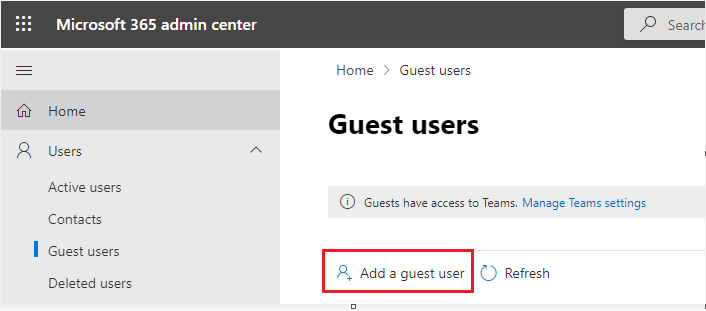
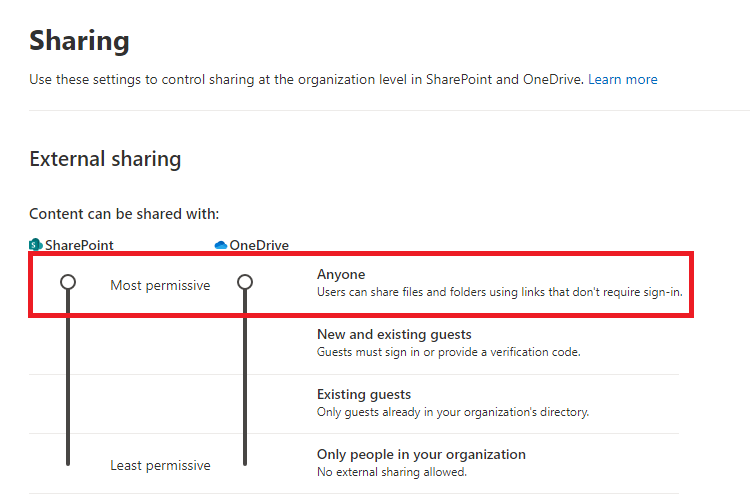
2.Enable external sharing in the tenant level. Go to SharePoint admin center -> Polices -> Sharing -> Set Anyone in the Content can be shared with section.
3.Enable external sharing in the tenant site level. Go to SharePoint admin center -> Sites -> Active sites -> Select the site -> Sharing -> Set Anyone in the External shaing.
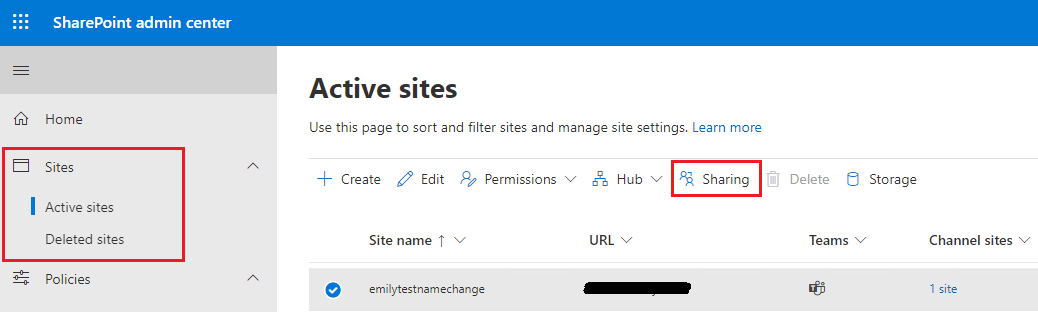
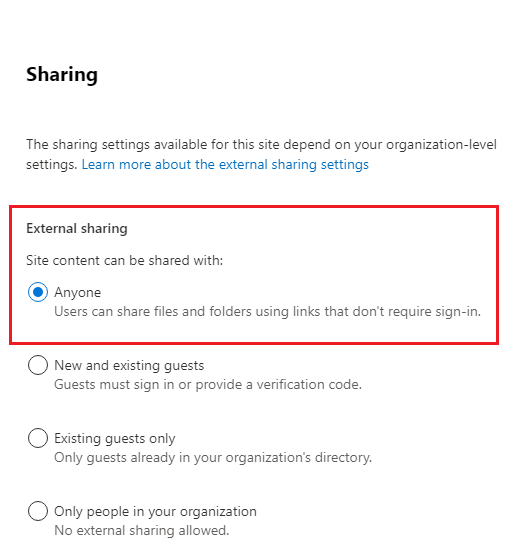
4.Go to the communication site -> Site permissions -> Share the site -> Add the guest user account.
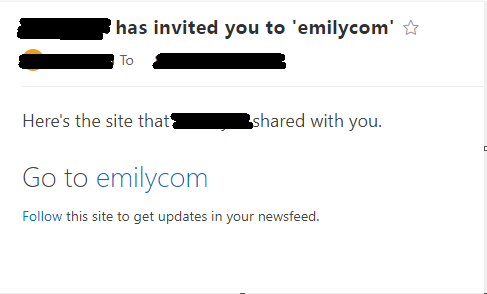
5.Guest users will receive an email invitation, click the URL in the email invitation, go to the communication site.
If the answer is helpful, please click "Accept Answer" and kindly upvote it. If you have extra questions about this answer, please click "Comment".
Note: Please follow the steps in our documentation to enable e-mail notifications if you want to receive the related email notification for this thread.
I’m checking how the things are going on about this issue. Whether the answer helps you?
If there is any problem with this issue, feel free to let me know.