Developer technologies | C#
An object-oriented and type-safe programming language that has its roots in the C family of languages and includes support for component-oriented programming.
This browser is no longer supported.
Upgrade to Microsoft Edge to take advantage of the latest features, security updates, and technical support.

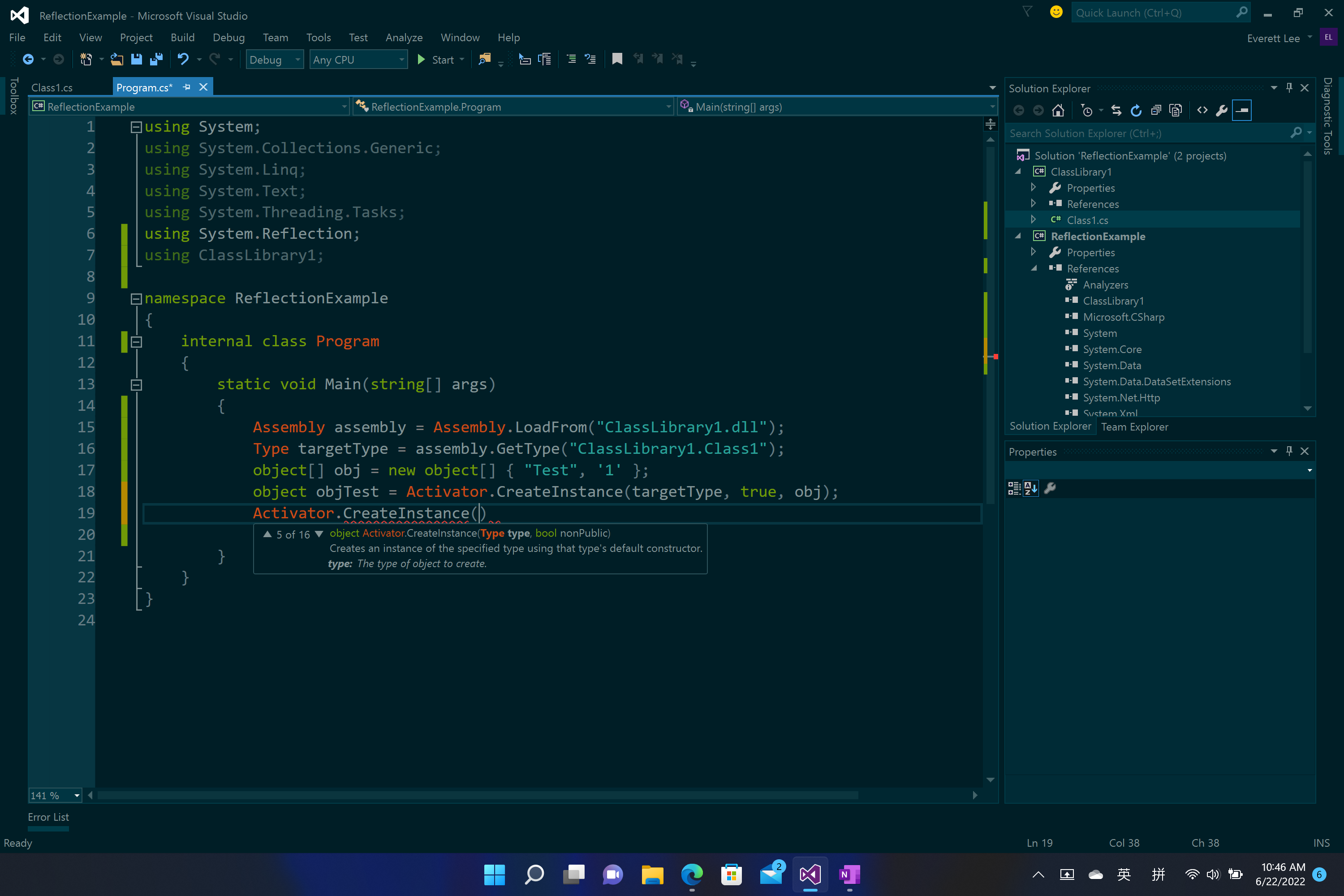
It is easy to create a private constructor without parameters.
Blockquote object Activator.Createlnstance (Type type, bool nonPublic)
Blockquote Creates an instance of the specified type using that type's default constructor.
Blockquote type: The type of object to create.
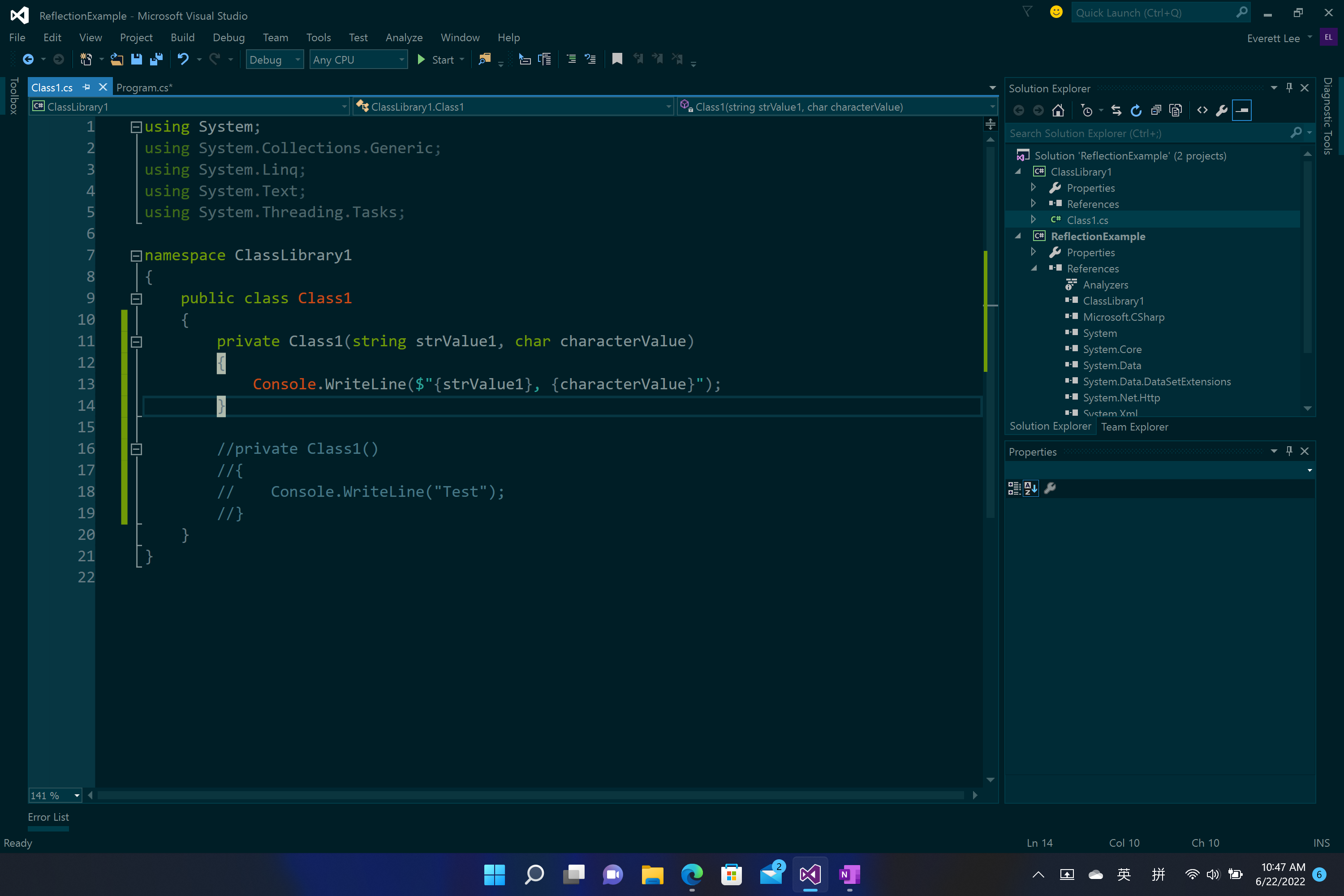
But how to create a private constructor with parameters?
The following is my code(in the pictures).
An object-oriented and type-safe programming language that has its roots in the C family of languages and includes support for component-oriented programming.

@Everett Lee , is any update? Do you have time to check if my answer works for you?
I am sorry for accepting your answer late, your code works very well! Thanks.
Answer accepted by question author
@Everett Lee , Welcome to Microsoft Q&A, you could try to use Type.GetConstructor Method to get the correspond Constructor and use invoke method to create the instance.
Here is a code example you could refer to.
        Assembly assembly = Assembly.LoadFrom("ClassLibrary1.dll");
        Type type = assembly.GetType("ClassLibrary1.Class1");
        object [] paramValues = new object[] { "Test1",'1'};
        Type[] paramTypes = new Type[] { typeof(string), typeof(char) };
        object instance=type.GetConstructor(BindingFlags.Instance | BindingFlags.NonPublic,null, paramTypes, null).Invoke(paramValues);
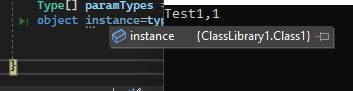
Result:
Best Regards,
Jack
If the answer is the right solution, please click "Accept Answer" and upvote it.If you have extra questions about this answer, please click "Comment".
Note: Please follow the steps in our documentation to enable e-mail notifications if you want to receive the related email notification for this thread.