Developer technologies | C#
An object-oriented and type-safe programming language that has its roots in the C family of languages and includes support for component-oriented programming.
This browser is no longer supported.
Upgrade to Microsoft Edge to take advantage of the latest features, security updates, and technical support.
' cx='32' cy='32' r='32' /%3E%3Ctext x='50%25' y='55%25' dominant-baseline='middle' text-anchor='middle' fill='%23FFF' %3ER%3C/text%3E%3C/svg%3E)
I try to redirect dos program output to a windows rtf box. All mt search to a working example leads to nothing I have some source from Program.cs
I do smething wrong of don't see it anymore.
The code so far
using System.Diagnostics;
using System.Text;
using static DOSstart.ConsoleAutomatorBase;

namespace DOSstart
{
    public partial class Form1 : Form
    {

        public Form1()
        {
            InitializeComponent();
            rtfDosBox.Text = Directory.GetCurrentDirectory();

        }

        private void Form1_Load(object sender, EventArgs e)
        {

        }

        private void button1_Click(object sender, EventArgs e)
        {
            var filenaam = Environment.CurrentDirectory + "\\binkd.exe";
            var processStartInfo = new ProcessStartInfo
            {
                FileName = filenaam,
                RedirectStandardInput = true,
                RedirectStandardOutput = true,
                UseShellExecute = false,
                Arguments = "-h",
            };
            var process = Process.Start(processStartInfo);
            var automator = new ConsoleAutomator(process.StandardInput, process.StandardOutput);

            // AutomatorStandardInputRead is your event handler
            automator.StandardInputRead += Automator_StandardInputRead;
            automator.StartAutomate();

            // do whatever you want while that process is running
            process.WaitForExit();
            automator.StandardInputRead -= Automator_StandardInputRead;
            process.Close();
        }

        private static void Automator_StandardInputRead(object sender, ConsoleInputReadEventArgs e)
        {
            Console.WriteLine($"Input: {e.Input}, size: {e.Input.Length}");
        }
    }
    public class ConsoleInputReadEventArgs : EventArgs
    {
        public ConsoleInputReadEventArgs(string input)
        {
            this.Input = input;
        }

        public string Input { get; private set; }
    }

    public interface IConsoleAutomator
    {
        StreamWriter StandardInput { get; }

        event EventHandler<ConsoleInputReadEventArgs> StandardInputRead;
    }

    public abstract class ConsoleAutomatorBase : IConsoleAutomator
    {
        protected readonly StringBuilder inputAccumulator = new StringBuilder();

        protected readonly byte[] buffer = new byte[256];

        protected volatile bool stopAutomation;

        public StreamWriter StandardInput { get; protected set; }

        protected StreamReader StandardOutput { get; set; }

        protected StreamReader StandardError { get; set; }

        public event EventHandler<ConsoleInputReadEventArgs> StandardInputRead;

        protected void BeginReadAsync()
        {
            if (!this.stopAutomation)
            {
                this.StandardOutput.BaseStream.BeginRead(this.buffer, 0, this.buffer.Length, this.ReadHappened, null);
            }
        }

        protected virtual void OnAutomationStopped()
        {
            this.stopAutomation = true;
            this.StandardOutput.DiscardBufferedData();
        }

        private void ReadHappened(IAsyncResult asyncResult)
        {
            var bytesRead = this.StandardOutput.BaseStream.EndRead(asyncResult);
            if (bytesRead == 0)
            {
                this.OnAutomationStopped();
                return;
            }

            var input = this.StandardOutput.CurrentEncoding.GetString(this.buffer, 0, bytesRead);
            this.inputAccumulator.Append(input);

            if (bytesRead < this.buffer.Length)
            {
                this.OnInputRead(this.inputAccumulator.ToString());
            }

            this.BeginReadAsync();
        }

        private void OnInputRead(string input)
        {
            var handler = this.StandardInputRead;
            if (handler == null)
            {
                return;
            }

            handler(this, new ConsoleInputReadEventArgs(input));
            this.inputAccumulator.Clear();
        }

        public class ConsoleAutomator : ConsoleAutomatorBase, IConsoleAutomator
        {
            public ConsoleAutomator(StreamWriter standardInput, StreamReader standardOutput)
            {
                this.StandardInput = standardInput;
                this.StandardOutput = standardOutput;
            }

            public void StartAutomate()
            {
                this.stopAutomation = false;
                this.BeginReadAsync();
            }

            public void StopAutomation()
            {
                this.OnAutomationStopped();
            }
        }
    }
}
An object-oriented and type-safe programming language that has its roots in the C family of languages and includes support for component-oriented programming.

What happens if you place a breakpoint on Console.WriteLine($"Input: {e.Input}, size: {e.Input.Length}"); is it hit and if yes can values be seen in the local window?
Answer accepted by question author

This test works for me, with a RichTextBox named richTextBox1
As I cannot post code as usually, a link : Console to RichTextBox
(function DoWork)
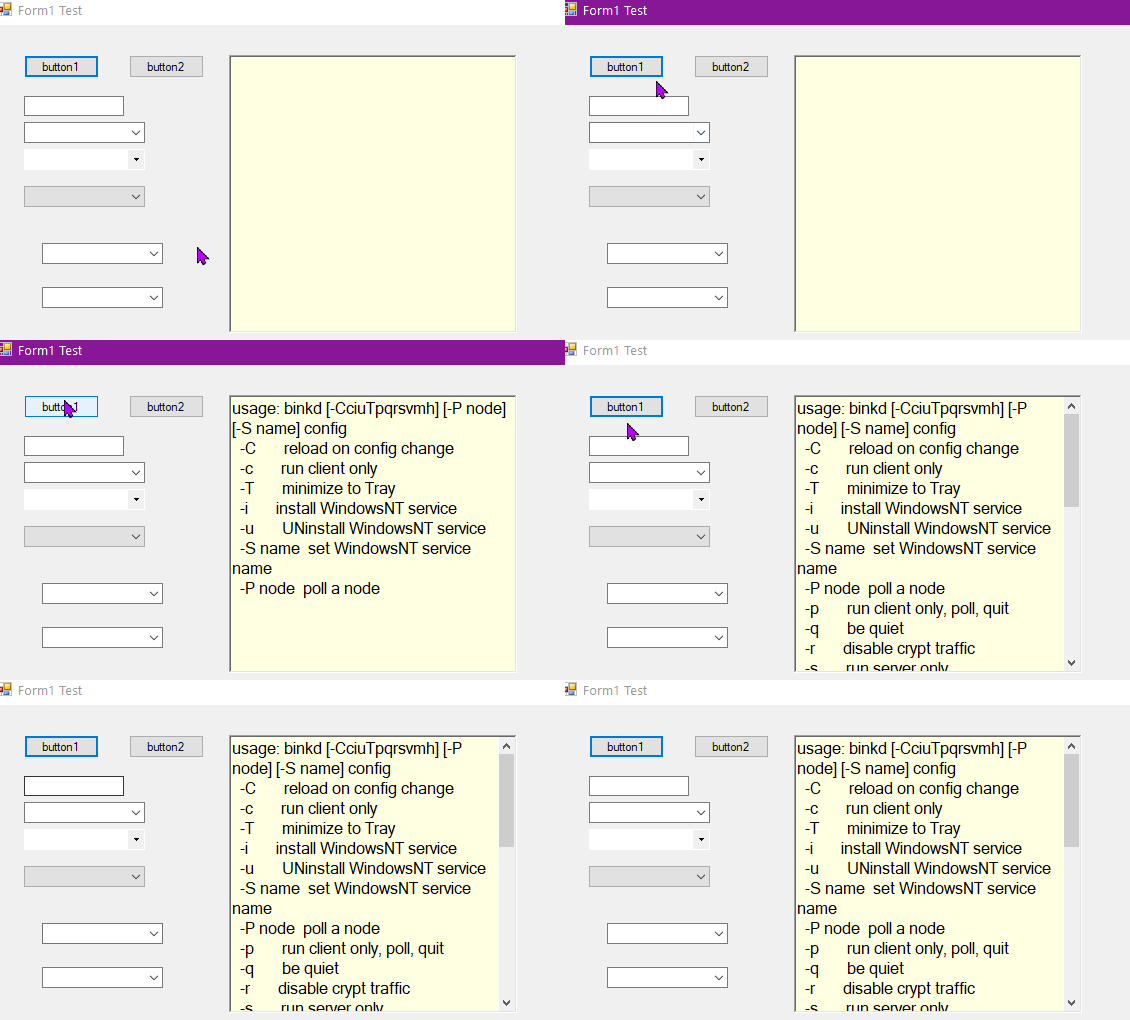
hi @Castorix31
a good configure cfg I have but there are passwords and privacy materail in it but there are several commandline switched, the -P<nodenumber> is the adress to call. I have tryed several exe's who is calling binkp.exe. I tryed to connect the maker of binkd.exe but adres is in KIev
@Castorix31
It's working but if I give parameters where the program must act, nobody home. Argument -P2:280/5555 config.cfg does not work. Looks like he don't accept windows arguments > Origionally it run's from a cmd windows or a LNK.
I have set -h as parameter like you did, but I don't know which valid arguments should work (I copied a random binkd.cfg from Google, but it does not seem valid...)
@Karen Payne MVP
Yes it's in e.input thee I get a hit
can oly not access the RTF form trough this.
Are you indicating Console.WriteLine works or that you see values in the local window? If only in the local window and this is a .NET Core project replace Console.WriteLine with Debug.WriteLine