Outlook | Windows | Classic Outlook for Windows | For business
Using classic Outlook for Windows in business environments

This browser is no longer supported.
Upgrade to Microsoft Edge to take advantage of the latest features, security updates, and technical support.
' cx='32' cy='32' r='32' /%3E%3Ctext x='50%25' y='55%25' dominant-baseline='middle' text-anchor='middle' fill='%23FFF' %3EMA%3C/text%3E%3C/svg%3E)
hello, Is there anyway I can take off my profile picture on my Outlook 365 email? Its not professional for school I would like to completely take it off.
Using classic Outlook for Windows in business environments
' cx='32' cy='32' r='32' /%3E%3Ctext x='50%25' y='55%25' dominant-baseline='middle' text-anchor='middle' fill='%23FFF' %3EJL%3C/text%3E%3C/svg%3E)
Hi @Moore, Alejandra I ,
Is there anyway I can take off my profile picture on my Outlook 365 email?
Do you want to turn your Outlook picture to the default of your initials?
If so, it’s suggested to log in your account to the Office portal and remove your photo by steps below(Personal info>Change photo>click the “x”)
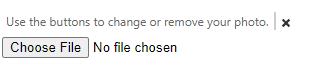
Besides, as I know, the admin in your organization also could help you to remove the uploaded photo via the PowerShell command: Remove-UserPhoto. If you cannot change the settings by steps mentioned above, please try to contact with your admin to configure it, and you could see the default picture after they run this command successfully.
If this is not your case, please give me more information and I would provide you with more targeted help.
If the response is helpful, please click "Accept Answer" and upvote it.
Note: Please follow the steps in our documentation to enable e-mail notifications if you want to receive the related email notification for this thread.
Hi @Moore, Alejandra I ,
Does this issue have any upgrades? If it has been resolved, please click "Accept as answer" to mark useful post or share your solution, your action would benefit others who have similar issues. If you have any questions or need further assistance, please feel free to post back. Thanks!
Hi @Moore, Alejandra I ,
Has your issue been solved after so long?
If not, please provide me with more information about your issue for further analysis.Thanks!
' cx='32' cy='32' r='32' /%3E%3Ctext x='50%25' y='55%25' dominant-baseline='middle' text-anchor='middle' fill='%23FFF' %3EA%3C/text%3E%3C/svg%3E)
Try replacing it with another image.
--please don't forget to Accept as answer if the reply is helpful--