Microsoft Teams | Microsoft Teams for business | Other
Additional features, settings, or issues not covered by specific Microsoft Teams categories

This browser is no longer supported.
Upgrade to Microsoft Edge to take advantage of the latest features, security updates, and technical support.
' cx='32' cy='32' r='32' /%3E%3Ctext x='50%25' y='55%25' dominant-baseline='middle' text-anchor='middle' fill='%23FFF' %3EMS%3C/text%3E%3C/svg%3E)
Is there way assign tasks to team members and notify when tasks are completed.
Additional features, settings, or issues not covered by specific Microsoft Teams categories
' cx='32' cy='32' r='32' /%3E%3Ctext x='50%25' y='55%25' dominant-baseline='middle' text-anchor='middle' fill='%23FFF' %3EKY%3C/text%3E%3C/svg%3E)
Do you have any questions or need further help?
If any, please feel free to post back.
If the question has been answered, please accept the helpful reply as the answer to the question.
It would also be helpful to other community members.
Thanks for your understanding.

Here is a way to send an e-mail using Planner when a task has been completed:
1) Use the Power Automate Template:
2) Configure your organization e-mail when prompted (to authenticate sending the notifcations)
3) Create your flow > Add the Team you want this to coordinate with > Choose the Planner name (Tasks in the example) > Choose who to send e-mail to > Click Save
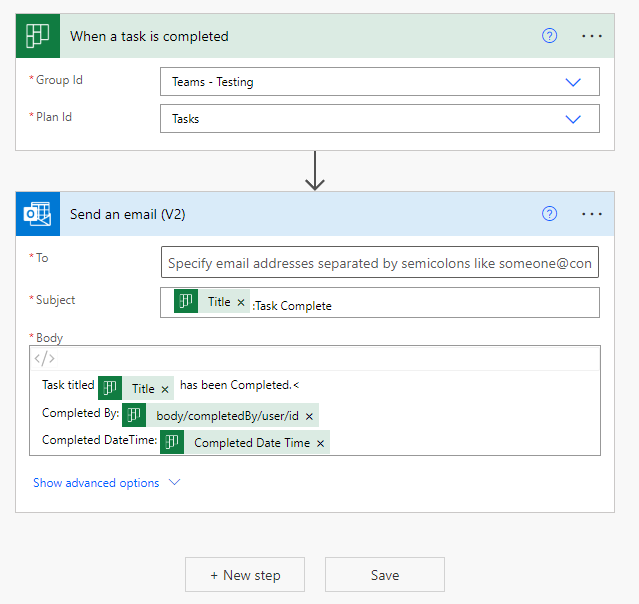
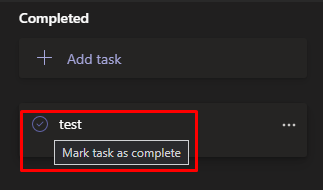
4) Now when you complete a task you should receive an e-mail notification.
If this is helpful please mark as correct answer.