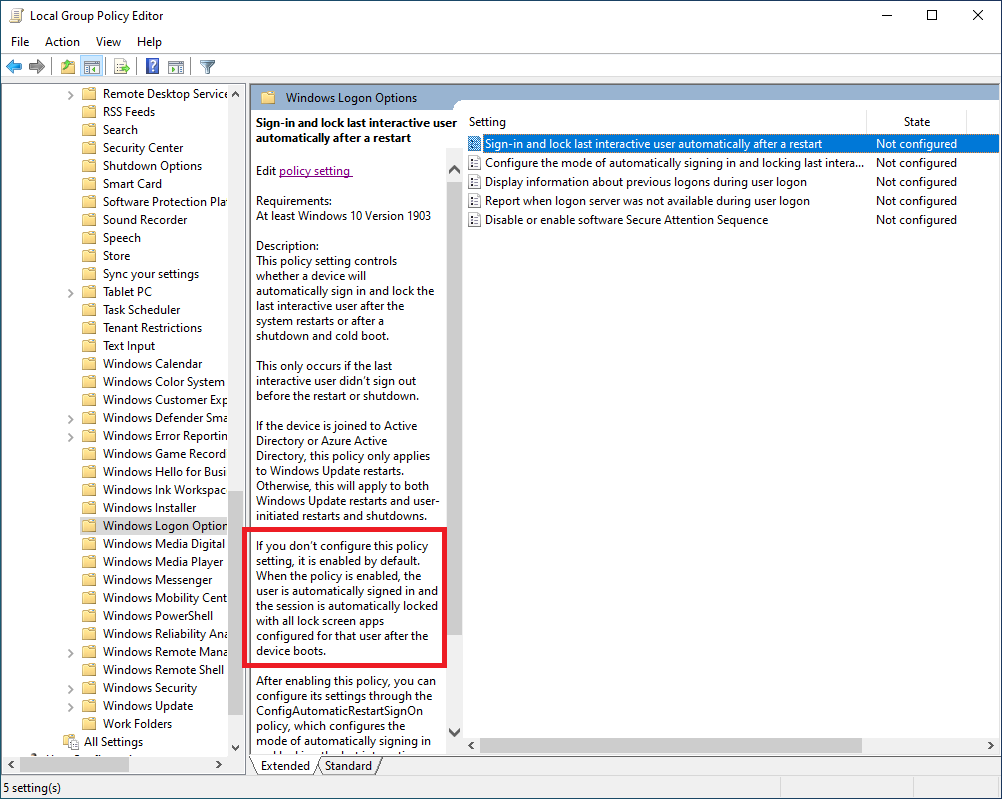
I have a problem with LockWorkStation function that this function main process is to lock the system whenever we call the function. But it is not reflecting in few scenarios even if all conditions are satisfied. If I am trying to lock the screen after restart by using this function it is not locking the screen but the logs are showing as the function is success. "When I restart the system by using the keyword (alt + f4), the function is called and it's working, but whenever I try to restart the system using start menu, the screen is not locked even if the function succeeded. I also tried to make the process in interactive mode but still it won't work." And When I use a MessageBox before this function, It will work in all scenarios. But without MessageBox it's not working in manual Windows restart from start menu.
This is the code I use:
#include<Windows.h>
    #include <iostream>

    using namespace std;
    int main()
    {

        BOOL result = LockWorkStation();
        if (!result)
        {
            cout << GetLastError();

        }
    }
When I place a messageBox in the following code it works:
 #include<Windows.h>
   #include <iostream>

    using namespace std;
    int main()
    {
        MessageBox(NULL, L"Before", L"Status", MB_OK);
        BOOL result = LockWorkStation();
        if (!result)
        {
            cout << GetLastError();
        }
    }
I am calling this .exe from my source code as below:
CreateProcessAsUser(
                    hUserToken,
                    L"D:\\New folder\\LockScreen\\x64\\Release\\LockScreen.exe",
                    (LPWSTR)L" ",
                    NULL,
                    NULL,
                    FALSE,
                    CREATE_UNICODE_ENVIRONMENT | CREATE_NEW_CONSOLE,
                    pEnv,
                    NULL,
                    &si,
                    &pi
                );
Now, I want to successfully run this code in all cases without using any MessageBox.
' cx='32' cy='32' r='32' /%3E%3Ctext x='50%25' y='55%25' dominant-baseline='middle' text-anchor='middle' fill='%23FFF' %3ESP%3C/text%3E%3C/svg%3E)


' cx='32' cy='32' r='32' /%3E%3Ctext x='50%25' y='55%25' dominant-baseline='middle' text-anchor='middle' fill='%23FFF' %3EDL%3C/text%3E%3C/svg%3E)