Note
Access to this page requires authorization. You can try signing in or changing directories.
Access to this page requires authorization. You can try changing directories.
Use sensitive data discovery in Microsoft Defender for Cloud to find cloud resources that expose sensitive information. This article shows you how to open sensitive data findings in the Data and AI security dashboard and investigate related recommendations and alerts. If you plan to follow these steps, complete the prerequisites in the next section first.
Prerequisites
Before you can discover sensitive data in your cloud resources, complete the following prerequisites:
- Enable Defender cloud security posture management (Defender CSPM). For setup instructions, see Enable Defender CSPM.
- Enable sensitive data discovery. For setup instructions, see Enable Defender CSPM plan components.
- Enable Defender for Storage. For setup instructions, see Enable Defender for Storage.
- Enable Defender for Databases. For setup instructions, see Enable Defender for Databases.
- Register each relevant Azure subscription to the Microsoft.Security resource provider. For setup instructions, see Register resource provider.
View resources with sensitive data
Resources with sensitive data are at risk of unauthorized access. Use this procedure to identify those resources and investigate the related findings.
Sign in to the Azure portal.
Go to Defender for Cloud > Data and AI security dashboard.
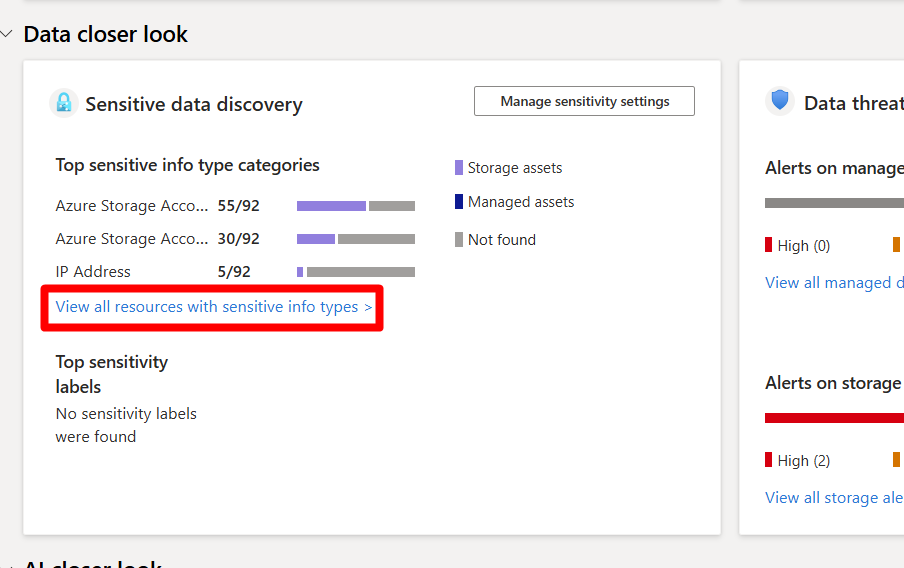
In Data closer look, select View all resources with sensitive info types.
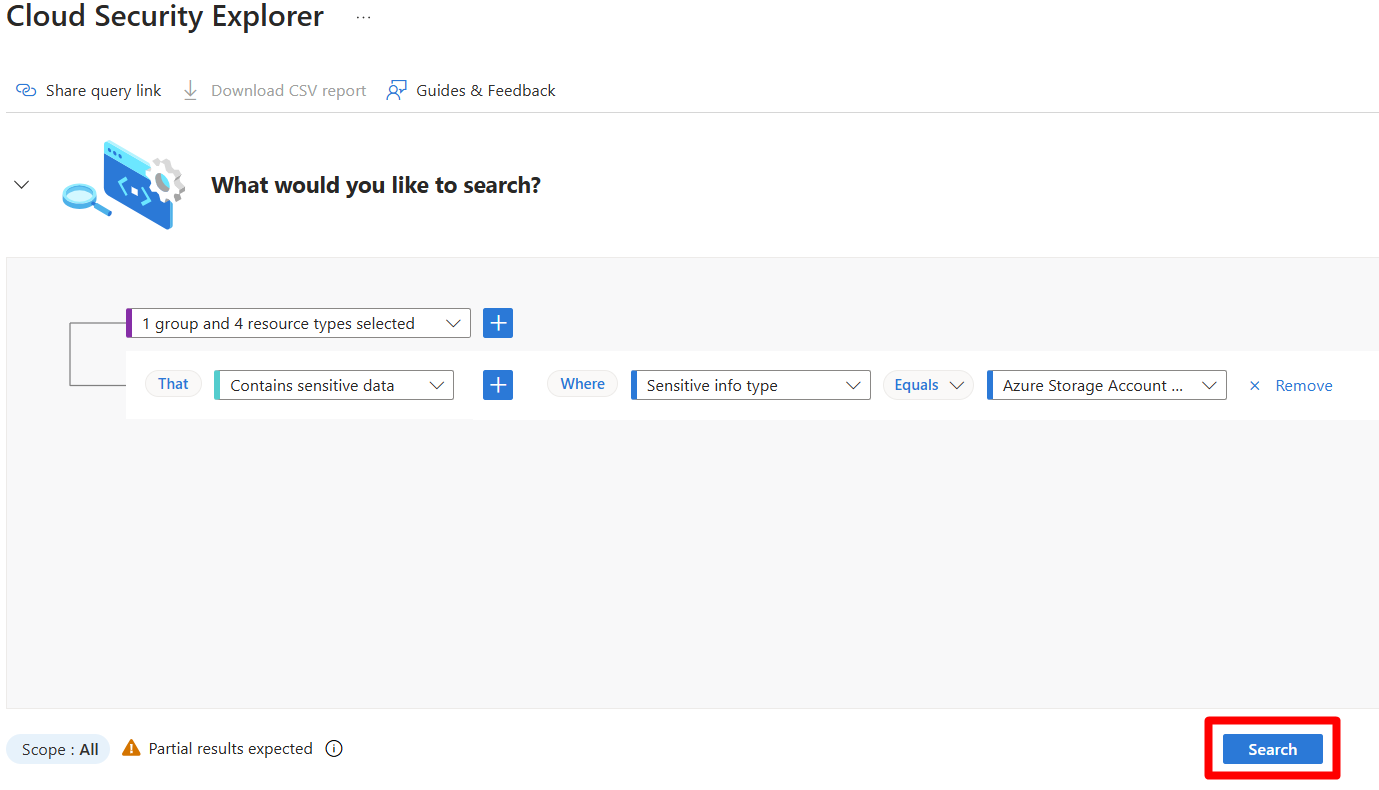
Select Search.
Review each record found and select View details to see more information about the resource.
Select the resource name to view all recommendations and alerts associated with that resource.
Remediate recommendations. For guidance, see Implement security recommendations.
Respond to the related alerts. For guidance, see Respond to a security alert.
