Note
Access to this page requires authorization. You can try signing in or changing directories.
Access to this page requires authorization. You can try changing directories.
In addition to Microsoft's standalone web, desktop, and mobile apps, Dragon Copilot offers integration tools that you can use to embed Dragon Copilot functionality in your own desktop and mobile apps. Collectively, these tools are the Dragon Copilot Developer Kit. The developer kit components you choose depend on how deeply you want your solution to integrate with Dragon's conversational and generative AI.
This article presents the various SDKs and integration tools that you can use to integrate Dragon Copilot. It helps you choose the tools you need based on your solution's architecture and intended use cases.
Understanding Dragon Copilot
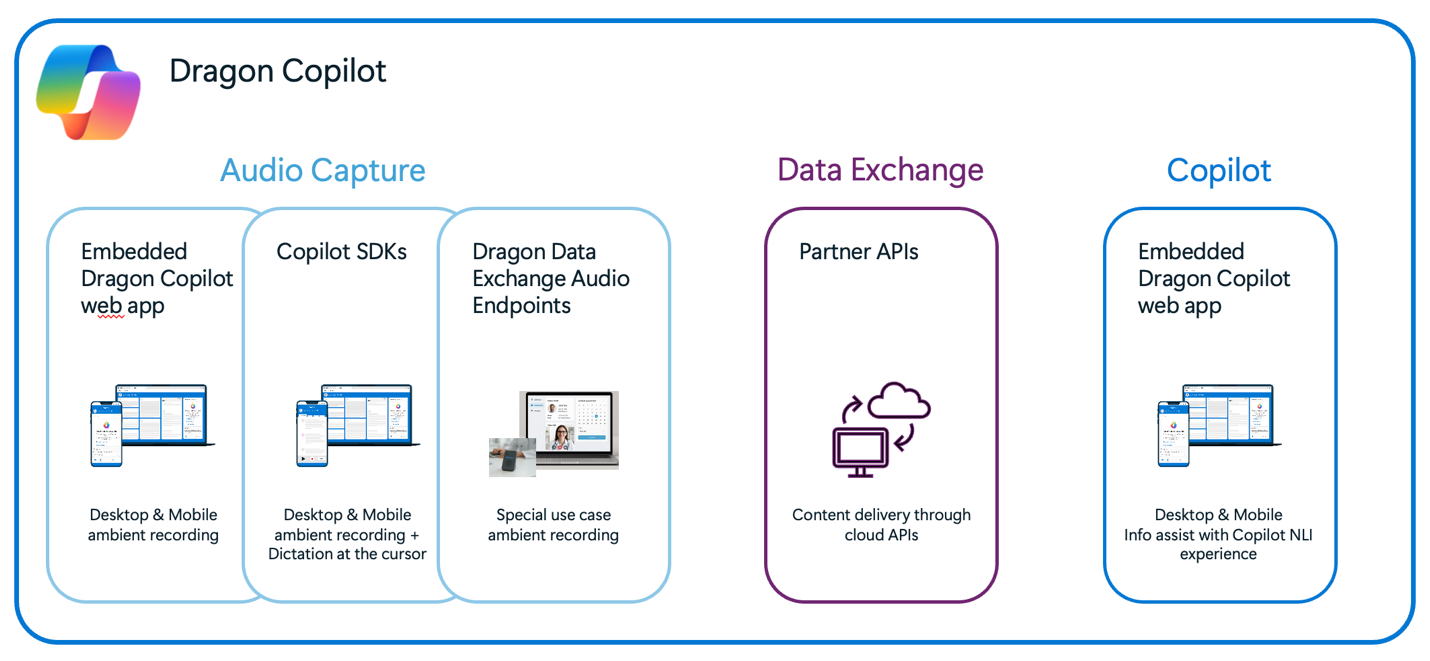
The Dragon Copilot workflow has three distinct parts:
Audio capture. Dragon Copilot supports two recording modes:
- Dictation: Speech-to-text with real-time results at the cursor.
- Ambient: Recording of multiparty conversations with results after recording completion.
The Dragon Copilot Developer Kit offers multiple solutions to capture audio for both dictation and ambient recording.
Data exchange. Dragon Copilot APIs for partners are a set of REST APIs that healthcare IT partners use to integrate with Dragon Copilot. They make it easy for you to integrate clinical workflow, content, and data by using industry standard technology.
Copilot. Beyond notes, Dragon Copilot can also provide users with summarized, contextualized, clinically relevant responses from trusted internal and credible external sources within the documentation process. Natural language queries empower the user to make edits, request clarifications, create summaries, and more.
Users can access the full feature set by using the Dragon Copilot web UI, which Microsoft uses to build the standalone web, desktop, and mobile apps. The Dragon Copilot Developer Kit provides the ability to embed the web UI in your own apps, or to integrate specific features with your own UI design.
Design considerations and planning your build
Designing your integration depends on the type of integration that works best for you and the experience you want to provide in your solution. This section lists the Dragon Copilot Developer Kit components in the following way:
Each solution supports mobile and desktop platforms except where noted.
Audio capture design
| Component | Description | OS Support | Features | Example image |
|---|---|---|---|---|
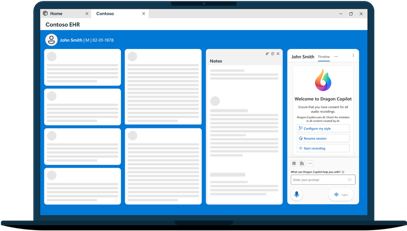
| Dragon Copilot web app for desktop | The full Dragon Copilot web app embedded in your desktop or web solution. | Desktop OS | - Dictation (limited to web app). - Ambient recording. - Access to Dragon Copilot settings. - View and edit the note. - Natural language queries. - Supports third-party extensions. |
|
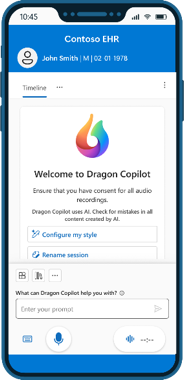
| Dragon Copilot web app for mobile | The full Dragon Copilot web app embedded in your iOS and Android apps. | iOS, Android | - Dictation (limited to web app). - Ambient recording. - Access to Dragon Copilot settings. - View and edit the note. - Natural language queries. - Supports third-party extensions. |
|
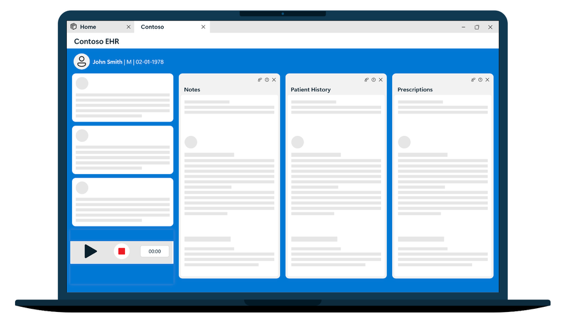
| Dragon Copilot SDK for JavaScript | JavaScript SDK for dictation and ambient recording. | All | - Dictation in native edit controls. - Ambient recording. - Partner-provided capture UI. - Requires launching Dragon Copilot web app to access settings. |
|
| Dragon Copilot SDK for Android DAXKit SDK for iOS |
Native iOS and Android SDKs for ambient recording. | iOS, Android | - Ambient audio capture. - Partner-provided capture UI. - Supports offline recording. - Requires launching Dragon Copilot web app to access settings. |
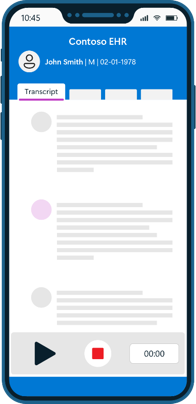
|
| Ambient audio streaming service | APIs for sending streaming audio. | All | - Query configurations. - Stream audio. - Start processing files. |
The end user sees your own UI design. |
Use cases
Dragon Copilot supports the following integration scenarios:
- Embed the full Dragon Copilot experience inside your solution's UI
- Integrate ambient and mobile recording into your own app with your own UI
- Integrate dictation at the cursor into your own app
Embed the full Dragon Copilot experience inside your solution's UI
Scenario:
You want providers to launch the full Dragon Copilot UI from within your solution, enabling them to use all capabilities (ambient capture, summarization, structured extraction, workflows) without switching applications.
Tools you need:
| Component | Why this fits the use case | Best for | Pros and cons |
|---|---|---|---|
| Dragon Copilot web app for desktop Dragon Copilot web app for mobile |
- Embeds the full Dragon Copilot UI directly into your desktop or mobile app. - Requires you to present a launcher or button in your UI. |
✓ Fastest integration path. ✓ Minimal custom development. ✓ Gives clinicians the complete out‑of‑the‑box Dragon Copilot experience. ✓ You want speed and lowest engineering effort. ✓ You don't need to customize the UI. ✓ You want all features immediately (ambient, dictation, generative AI). |
✓ Fastest to market. ✓ No audio-pipeline engineering. ✓ Always up-to-date capabilities. ⚠︎ UI isn't customizable. ⚠︎ Integration is mostly "launch & return", not deep workflow stitching. |
Integrate ambient and mobile recording into your own app with your own UI
Scenario:
You want to capture ambient audio within your app by using your own UI and send it to Dragon Copilot for processing instead of launching the Dragon Copilot web app. Providers still need the Dragon Copilot web app to access settings.
Tools you need:
| Component | Why this fits the use case | Best for | Pros and cons |
|---|---|---|---|
| Dragon Copilot SDK for Android DAXKit SDK for iOS |
- Provides APIs and components for mobile audio capture, including offline capabilities. - Handles recording, data management, and secure communication with Dragon backend. |
✓ Building your own mobile UX. ✓ Incorporating recording into existing apps. ✓ High customization while using Dragon's backend and AI. ✓ You have an existing clinical mobile app. ✓ You need integrated mobile audio capture. |
✓ Full native mobile UX control. ✓ Seamless embedding into rounding, bedside, and in-field workflows. ⚠︎ You must manage the recording lifecycle. ⚠︎ Only provides audio capture and delivery to Dragon Copilot; Dragon Copilot features and settings must be handled separately. |
| Ambient audio streaming service | - Provides APIs for batch upload and streaming audio. | ✓ Building your own UX. ✓ Incorporating recording into existing apps. ✓ Complete control of the ambient recording process - your app handles recording, manages interruptions, and offline use cases. |
✓ Full native UX control. ⚠︎ You must manage the recording lifecycle and interruption handling. ⚠︎ Only provides audio delivery to Dragon Copilot; the audio capture UI and Dragon Copilot features must be handled separately. |
| Dragon Copilot SDK for JavaScript | - Provides APIs and components for desktop OS audio capture and dictation. - Handles recording, data management, and secure communication with Dragon backend. |
✓ Building your own UX. ✓ Incorporating recording into existing apps. ✓ High customization while using Dragon's backend and AI. |
✓ Full native UX control. ✓ Seamless embed into rounding, bedside, and in-field workflows. ⚠︎ You must manage the recording lifecycle. ⚠︎ Only provides audio capture and delivery to Dragon Copilot; Dragon Copilot features and settings must be handled separately. |
Integrate dictation at the cursor into your own app
Scenario:
You want to include dictation within your app. Providers still need the Dragon Copilot web app to access settings.
Tools you need:
| Component | Why this fits the use case | Best for |
|---|---|---|
| Dragon Copilot SDK for JavaScript | - Provides APIs and components for desktop OS audio capture and dictation. - Handles recording, data management, and secure communication with Dragon backend. |
✓ Building your own mobile UX. ✓ Incorporating dictation into existing apps. |
SDK decision guide
This table summarizes the preceding information. It helps you choose the right SDK for your solution based on how you want your users to interact with the Dragon Copilot functionality that you integrate.
| What do you want to do? | Recommended SDKs | Benefits of this choice |
|---|---|---|
| Do you need to show the full Dragon Copilot UI? | Dragon Copilot web app for desktop Dragon Copilot web app for mobile |
- Fastest path. - Lowest cost. - No audio engineering. |
| Are you building a mobile experience that supports offline recording and handles interruptions? | DAXKit SDK for iOS Dragon Copilot SDK for Android |
- Full control over your UI design. - No audio engineering. |
| Are you building a desktop experience that requires ambient recording and/or dictation in native edit controls and you want an SDK to handle the audio management? | JavaScript SDK | - Full control over your UI design. - No audio engineering. - Supports dictation at the cursor. |
| Are you building a mobile or desktop experience and you plan to handle recording in your own app? | Ambient audio streaming service | - Complete control of the recording process. - Supports use cases where an SDK isn't practical (for example, custom hardware). |