Note
Access to this page requires authorization. You can try signing in or changing directories.
Access to this page requires authorization. You can try changing directories.
This article shows how to preview a locally running app in a Copilot Managed Runtime partner integration, inside the same app host boundary used after deployment. The local-preview flow wraps the partner dev server in Local Play, confirms nested-iframe readiness, and prepares the required embedding-domain and Content Security Policy (CSP) configuration.
Load a local preview in the Copilot Managed Runtime app host
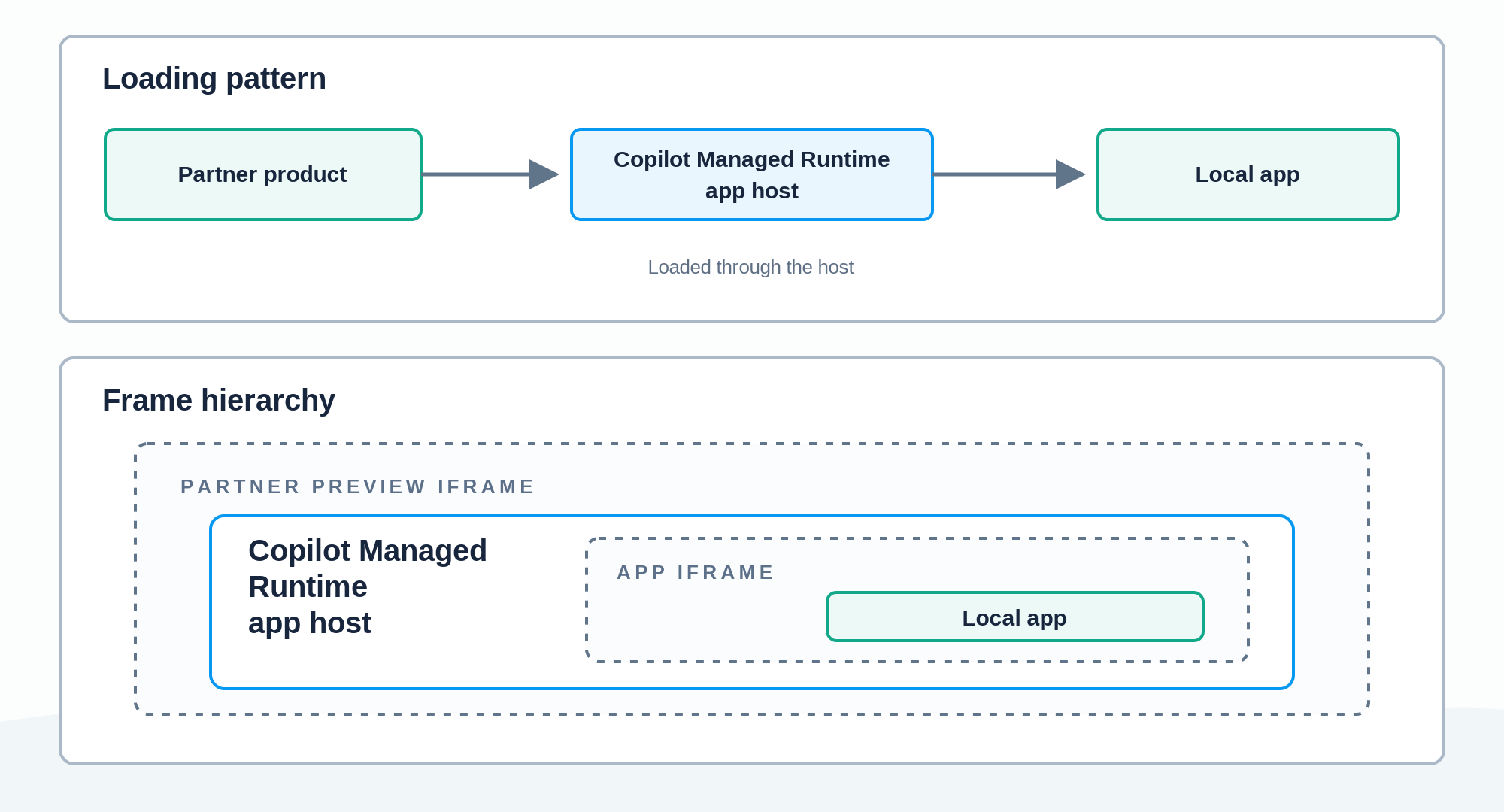
Partner products must embed the app frame in the Copilot Managed Runtime app host.
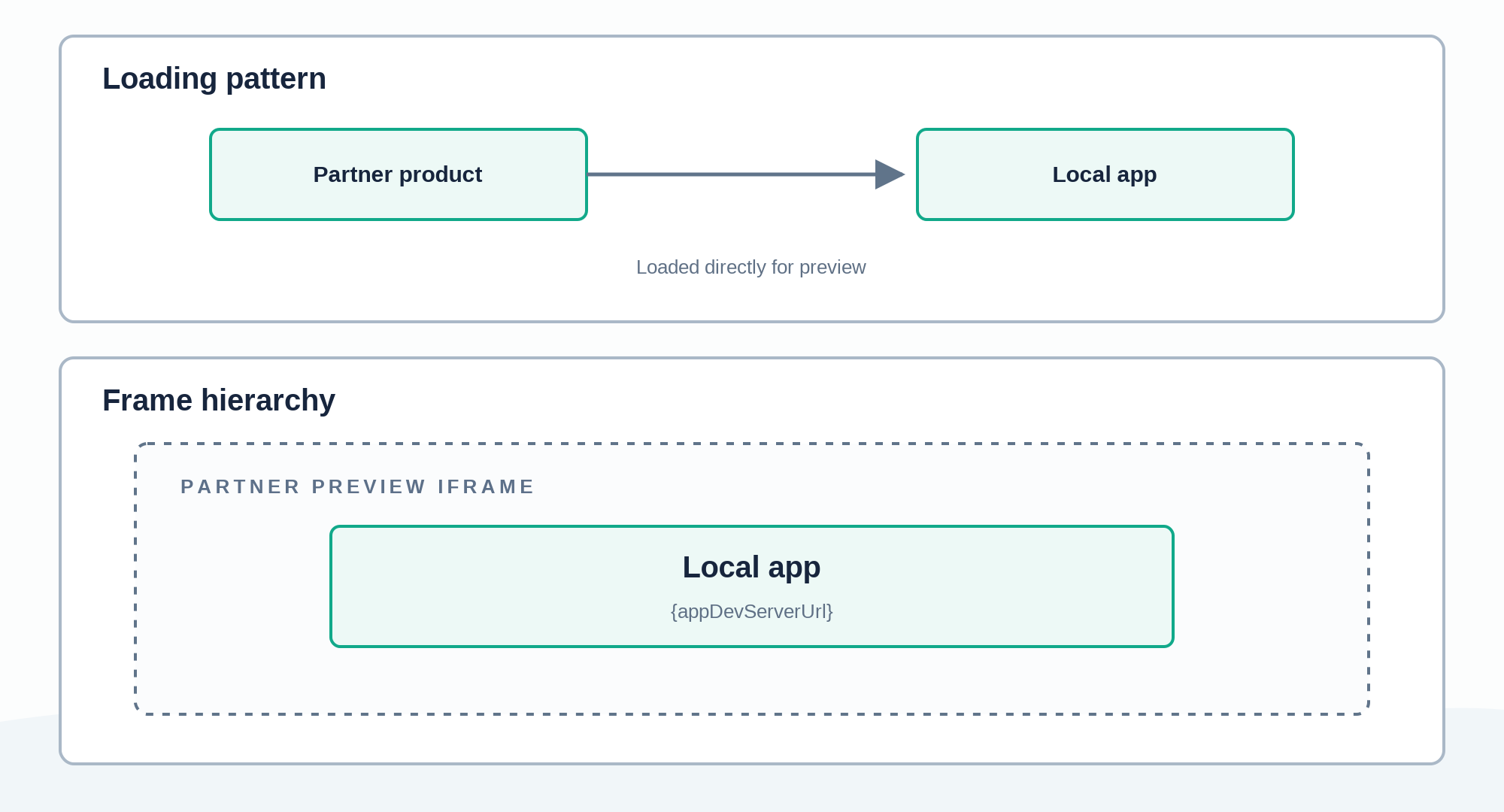
Before integration, the partner product loads the local app directly:
After integration, the partner product loads the Copilot Managed Runtime app host, which nests the local app iframe:
For the standard edit, run, commit, and preview cycle around this integration, see Build, preview, and deploy apps.
Start local play
Let the CLI start the app dev script and config server:
ms app dev
If the partner already manages the dev server:
ms app dev \
  --config-only \
  --local-app-url http://localhost:3000
Keep the CLI process alive for the duration of the development session.
For complete command and option details, see
ms app dev and
ms app play.
Embed Local Play
Embed the exact URL that the CLI prints:
<iframe
  title="App preview"
  src="{localPlayUrl}"
  allow="clipboard-read; clipboard-write; local-network-access"
></iframe>
Local Play loads from a public HTTPS host while reaching the app on localhost,
so Chrome and Microsoft Edge require local-network-access for embedded
scenarios. Partners must delegate this permission on the Local Play iframe they
own, as shown in the preceding section. For browser and enterprise-policy guidance, see
Build and run the app locally.
An example of the Local Play URL that the CLI currently emits is:
https://play.managedapps.cloud.microsoft/apps/dev?ms_appUrl={urlEncodedAppDevServerUrl}&ms_appConfigUrl={urlEncodedAppConfigUrl}
Note
/apps/dev is the dedicated local-preview route; dev isn't a registered
app ID. Use the exact URL emitted by the CLI rather than substituting an app
ID or constructing the URL yourself.
The play-host origin and URL shape can vary by cloud and release. Always use the value emitted by the CLI instead of constructing or rewriting it in production.
The app dev server and config server must both be reachable by the creator's browser. In a remote development container, don't assume the container's localhost is the maker's localhost; exposing only the app endpoint isn't sufficient. Wait for the nested app iframe before reporting that preview is ready, and don't fall back to the bare dev-server URL if host startup fails.
Request domain allow listing for Local Play
The Local Play host at the origin that the CLI emits must allow the partner editor's hostname to embed its URLs. The editor and generated app must use different hostnames. Partners should contact CMRIntegration@microsoft.com to allow list the editor's embedding hostname for the applicable play-host origin during integration planning.
This service-side play-host allow listing is distinct from app CSP
frame-ancestors, which controls where the app itself can be framed. See
Allow your app to be embedded
when configuring app CSP.