Note
Access to this page requires authorization. You can try signing in or changing directories.
Access to this page requires authorization. You can try changing directories.
Shortcuts are objects in Microsoft OneLake that point to other storage locations. The location can be internal or external to OneLake. The shortcut target path is the location the shortcut points to. The shortcut path is where the shortcut appears. Shortcuts appear as folders in OneLake, and any workload or service with access to OneLake can use them.
This article explains how to create Fabric shortcuts for external data sources and configure data quality scans for the shortcut-based assets in Microsoft Purview Unified Catalog.
With OneLake shortcuts, you can unify your data across domains, clouds, and accounts in a single virtual data lake. All Microsoft Fabric analytical engines connect directly to data sources like Azure, Amazon Web Services (AWS), and OneLake through a unified namespace. OneLake manages permissions and credentials, so you don't need to configure each Fabric workload separately.
For more information about Fabric shortcuts, see the OneLake shortcuts documentation.
Prerequisites
Before you can run data quality scans on shortcut databases, create a shortcut for your external data source. After you create the shortcut, run a Data Map scan to register the asset in Unified Catalog, then run a data quality scan.
Important
- Use a service principal or managed identity for Data Map scans, and managed identity for data quality scans.
- Any data sourced through a shortcut is processed in the same region as the Fabric workspace.
- The Fabric team needs to differentiate shortcut items from native items in the Microsoft OneLake SDK for Lakehouse subartifacts. For now, all shortcut items (tables and files) are considered as native items during Data Map scanning.
Sign in to your Microsoft Fabric workspace. Select the ellipsis button under Tables, and select New Shortcut. On the New shortcut page, you can create shortcuts for several external sources. This article covers the following:
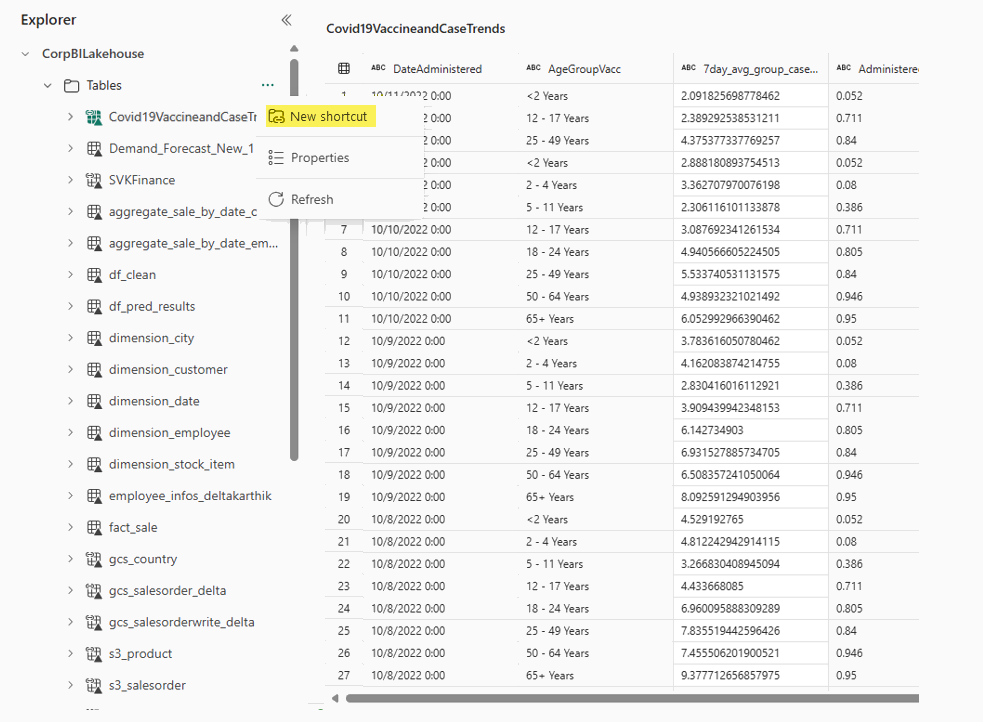
Set up an Azure Data Lake Gen2 shortcut
To create an Azure Data Lake Gen2 shortcut and scan it for data quality, complete the following steps:
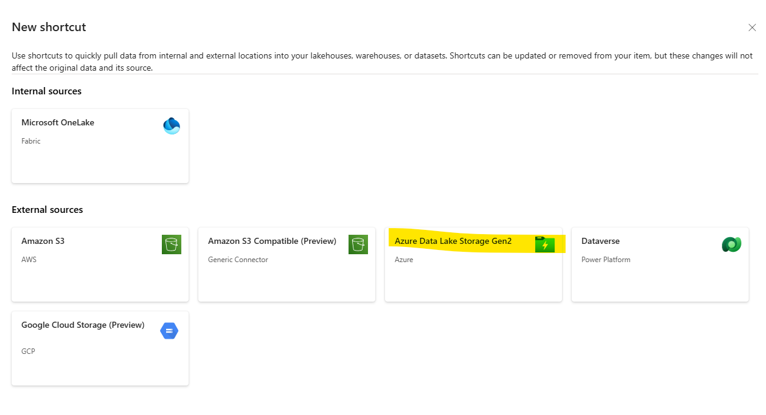
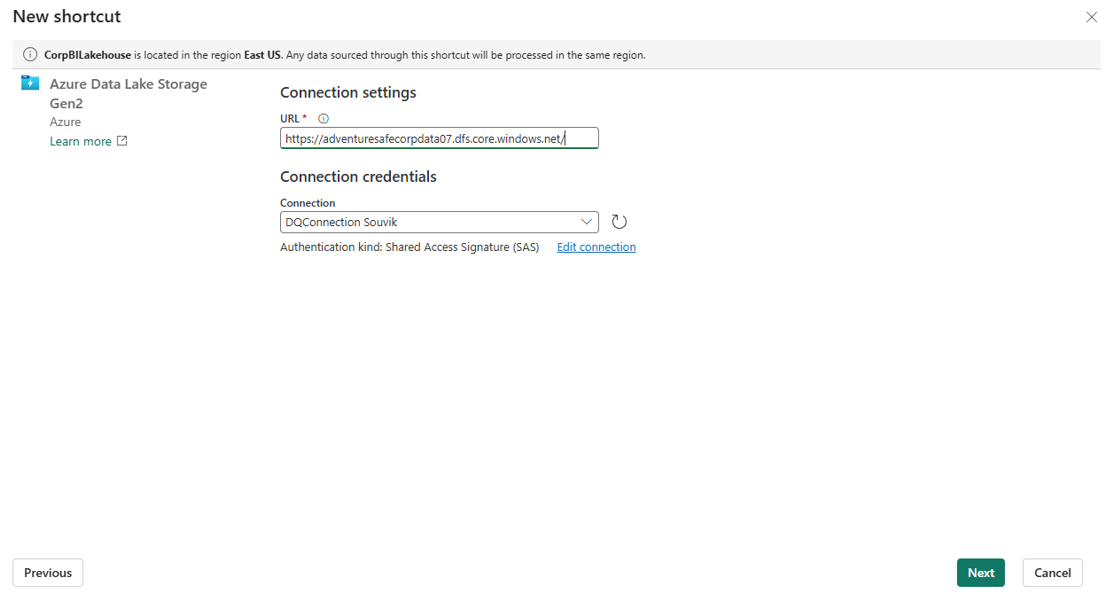
Select Azure Data Lake Storage Gen2 on the Fabric workspace New shortcut page.
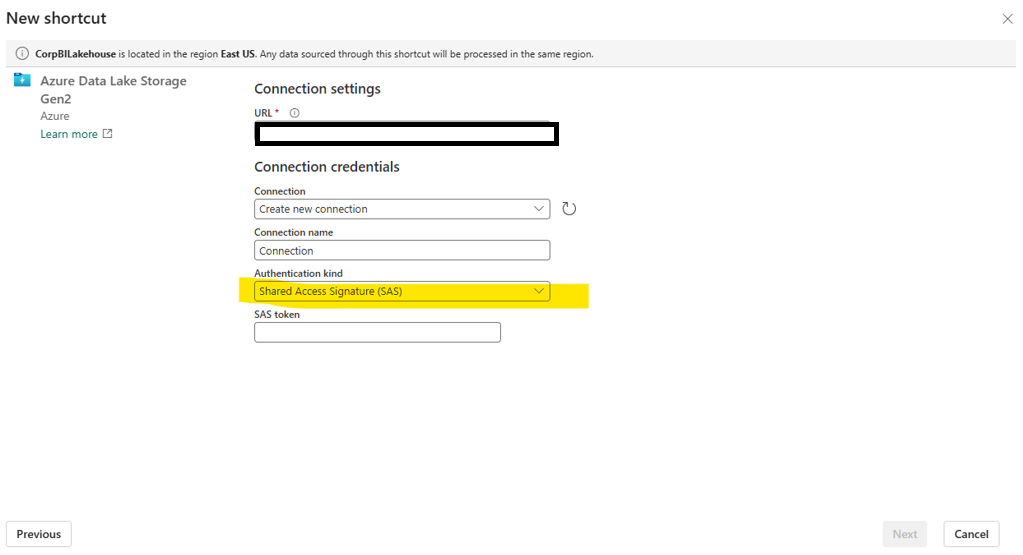
Select ADLS Gen2 SAS authentication.
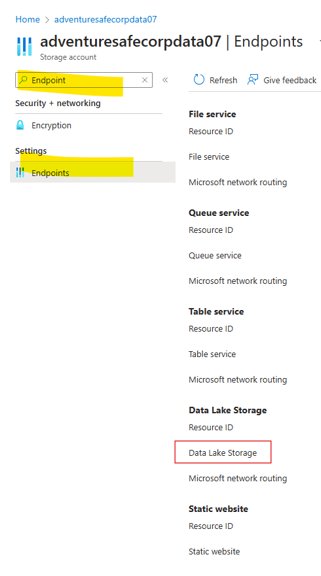
In the Azure portal, generate a shared access signature (SAS) and connection string for your ADLS Gen2 resource.
Copy the endpoint of the data lake.
Add storage details for the shortcut storage.
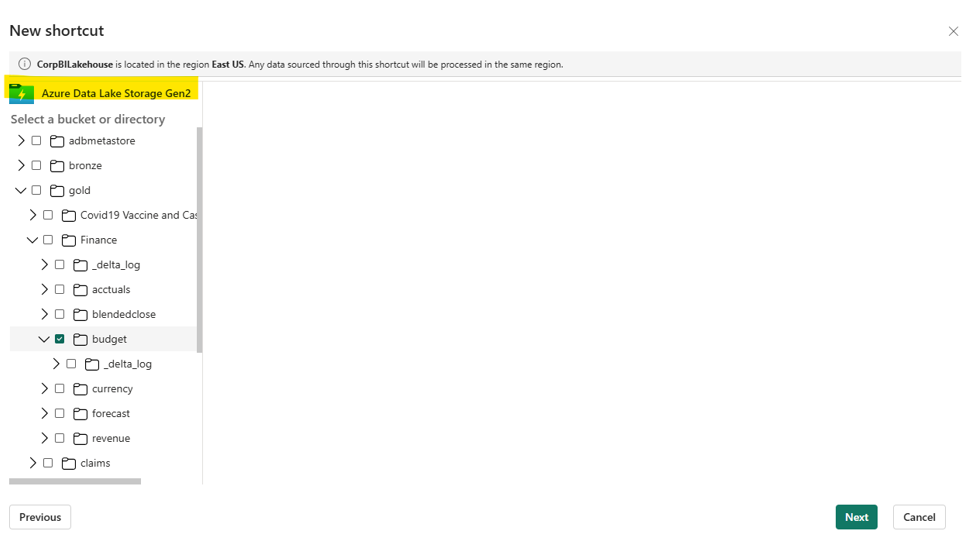
Navigate to and choose the correct delta folder.
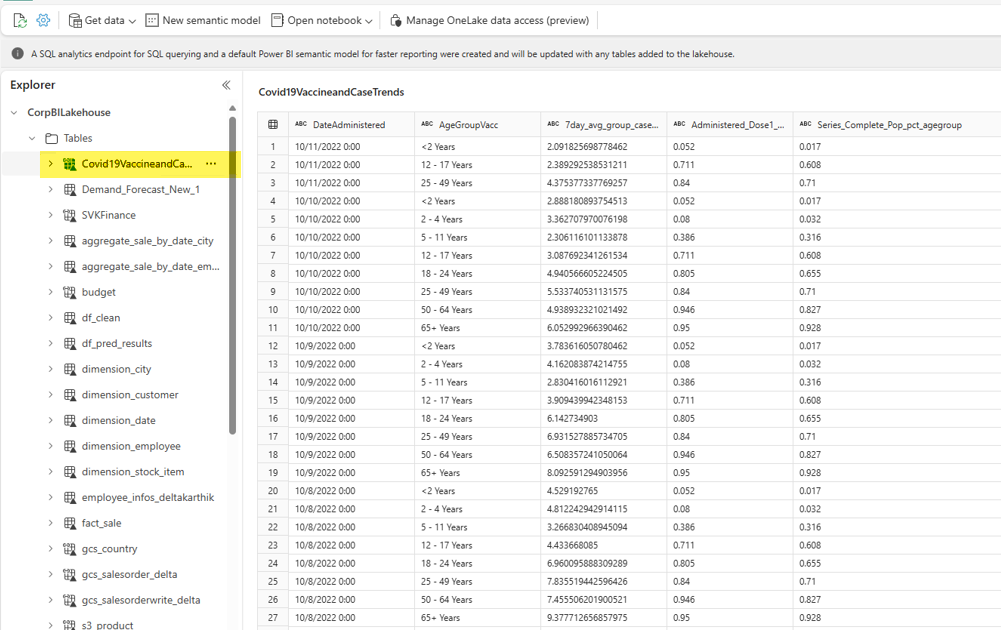
Preview the shortcut delta table in your Fabric workspace.
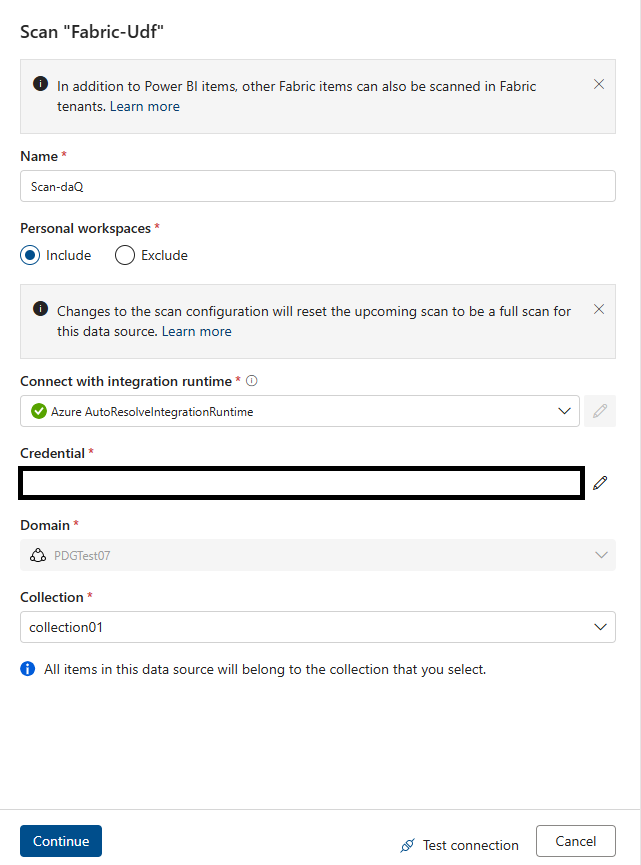
Start a Data Map scan of your Azure Data Lake Gen2 resource. Use service principal or managed identity authentication.
When the Data Map scan finishes, your asset appears in Unified Catalog as a Fabric Lakehouse table.
Associate the asset with a data product for curation and data quality assessment.
In Unified Catalog, configure and run a data quality scan or run data profiling as usual.
Set up an Amazon S3 shortcut
To create an Amazon S3 shortcut and scan it for data quality, you need the S3 bucket URL, access key ID, and secret access key. Complete the following steps:
Select New shortcut in the Microsoft Fabric workspace.
Select Amazon S3 and add the URL, access key ID, and secret access key.
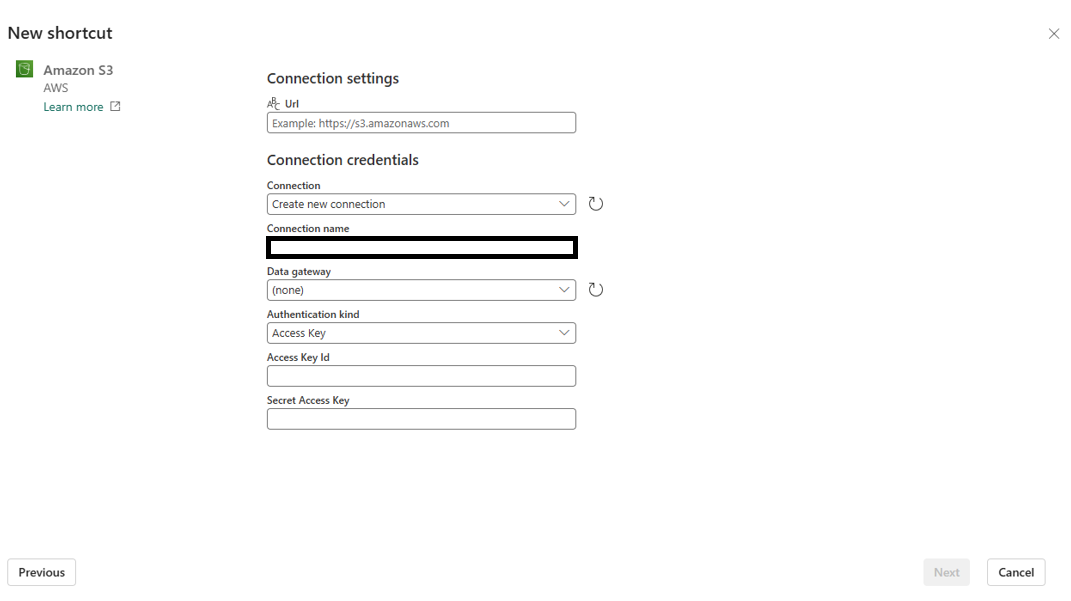
Add the connection URL and storage details.
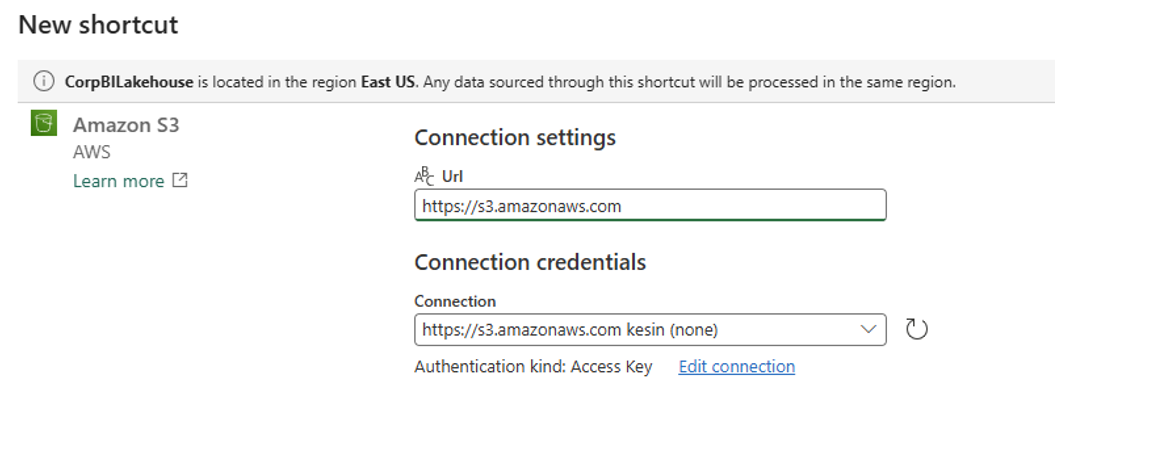
Preview the shortcut in your Fabric workspace.
Start a Data Map scan of your Amazon S3 resource. Use service principal or managed identity authentication.
When the Data Map scan finishes, your data asset appears in Unified Catalog.
Associate the asset with a data product for curation and data quality assessment.
In Unified Catalog, configure and run a data quality scan or run data profiling as usual.
Set up a Google Cloud Storage (GCS) shortcut
To create a Google Cloud Storage shortcut and scan it for data quality, you need the storage URL and HMAC access key credentials. Complete the following steps:
Select New shortcut in the Fabric workspace.
Select Google Cloud Storage and add the URL, access key ID, and access key shortcut.
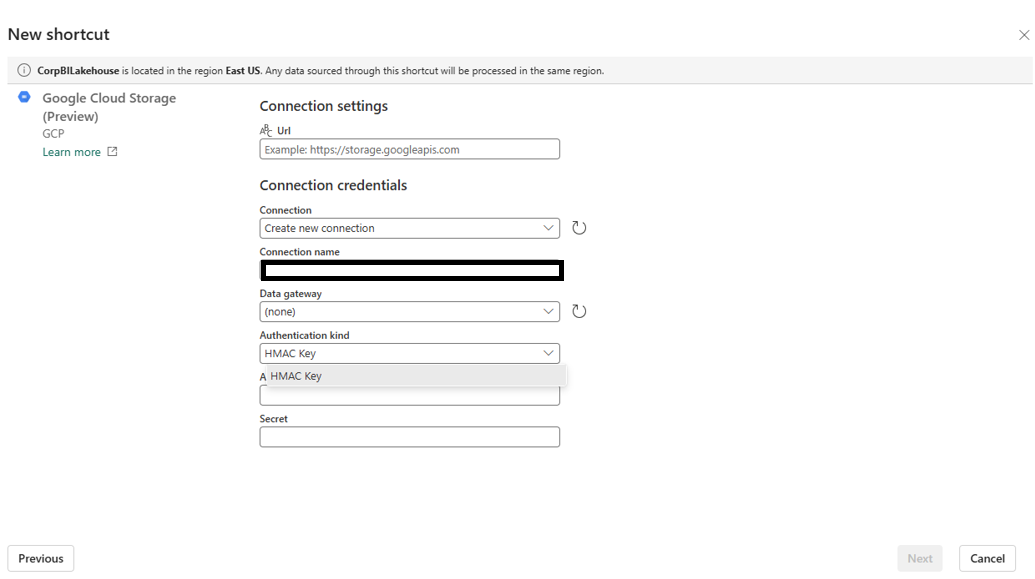
Add the connection URL and storage details.
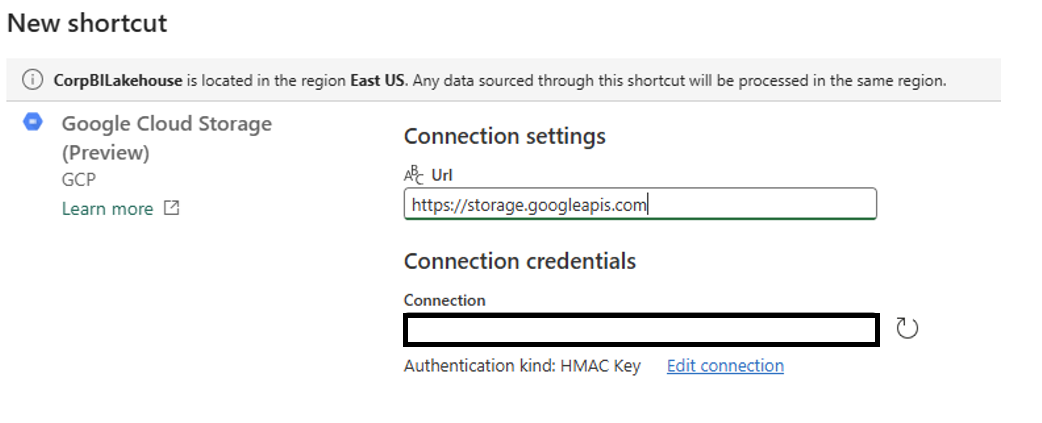
Preview the shortcut in your Fabric workspace.
Start a Data Map scan of your Google Cloud Storage resource. Use service principal or managed identity authentication.
When the Data Map scan finishes, your data asset appears in Unified Catalog.
Associate the asset with a data product for curation and data quality assessment.
In Unified Catalog, configure and run a data quality scan or run data profiling as usual.
