Note
Access to this page requires authorization. You can try signing in or changing directories.
Access to this page requires authorization. You can try changing directories.
Data-entry forms must explain requirements, identify invalid values, and prevent unsafe operations without making keyboard or assistive-technology use difficult.
WinUI 3 doesn't provide a complete form-validation framework equivalent to WPF validation or the Windows Forms ErrorProvider. Your app must define how validation rules run, how errors are exposed, and how the UI presents them.
Choose a validation strategy
Common approaches include:
- Validate values directly in a model or view model and expose error properties.
- Implement
INotifyDataErrorInfowhen your binding architecture uses its error model. - Use
ObservableValidatorfrom the Microsoft-maintainedCommunityToolkit.Mvvmpackage to combineINotifyDataErrorInfowith data-annotation attributes. - Use a dedicated validation library when your app needs cross-field rules, server validation, or a shared rules engine.
ObservableValidator is one option, not a WinUI platform recommendation. This article uses it to demonstrate a compact MVVM implementation.
Add the MVVM Toolkit
If you choose this approach, add the package:
dotnet add package CommunityToolkit.Mvvm
Define observable partial properties and attach validation attributes:
using System.ComponentModel;
using System.ComponentModel.DataAnnotations;
using System.Linq;
using CommunityToolkit.Mvvm.ComponentModel;

public partial class NewCustomerViewModel : ObservableValidator
{
    public NewCustomerViewModel()
    {
        ErrorsChanged += OnErrorsChanged;
    }

    [ObservableProperty]
    [NotifyDataErrorInfo]
    [Required(ErrorMessage = "Name is required.")]
    public partial string Name { get; set; } = string.Empty;

    [ObservableProperty]
    [NotifyDataErrorInfo]
    [Required(ErrorMessage = "Email is required.")]
    [EmailAddress(ErrorMessage = "Enter a valid email address.")]
    public partial string Email { get; set; } = string.Empty;

    public string EmailError =>
        GetErrors(nameof(Email))
            .OfType<ValidationResult>()
            .FirstOrDefault()?.ErrorMessage
        ?? string.Empty;

    private void OnErrorsChanged(
        object? sender,
        DataErrorsChangedEventArgs e)
    {
        if (e.PropertyName == nameof(Email))
        {
            OnPropertyChanged(nameof(EmailError));
        }
    }
}
The partial-property form is the current MVVM Toolkit source-generator syntax. It also allows validation attributes to apply to the generated property. Partial properties require the .NET 9 SDK or later and a C# language version that supports them. For a .NET 9 project, set <LangVersion>preview</LangVersion> in the project file.
Decide when to validate
Choose timing deliberately:
- Validate while typing when immediate feedback helps users fix a value.
- Validate when focus leaves a field when per-keystroke errors would be distracting.
- Validate the complete object before saving to catch cross-field and business rules.
- Validate again at the service or database boundary. Client-side validation is not a security boundary.
[NotifyDataErrorInfo] validates a generated property when its value changes. Call ValidateAllProperties() before saving when you need to validate the complete object.
Present errors accessibly
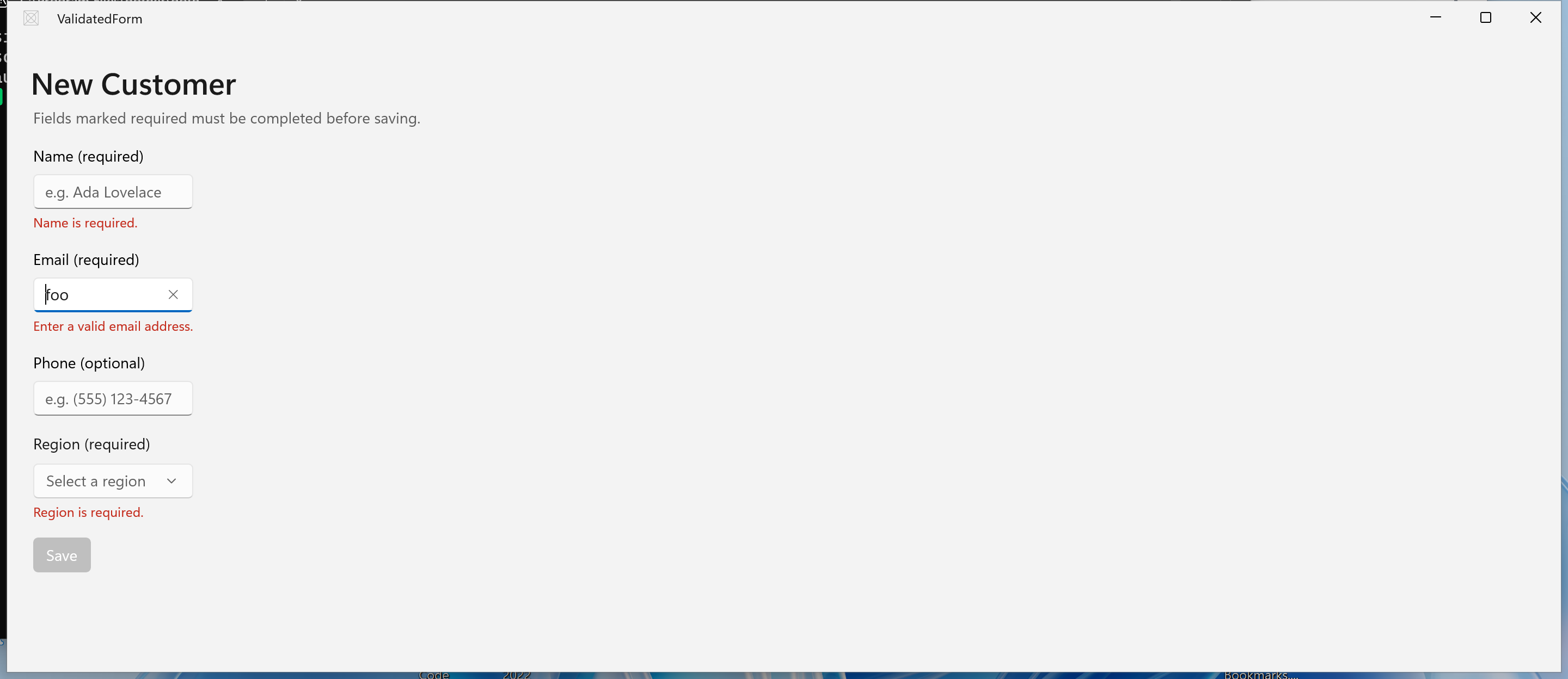
Place the message near the invalid control and update it through binding:
<TextBox
    AutomationProperties.AutomationId="EmailTextBox"
    AutomationProperties.HelpText="{x:Bind ViewModel.EmailError, Mode=OneWay}"
    Header="Email (required)"
    Text="{x:Bind ViewModel.Email, Mode=TwoWay, UpdateSourceTrigger=PropertyChanged}" />

<TextBlock
    AutomationProperties.AutomationId="EmailError"
    Foreground="{ThemeResource SystemFillColorCriticalBrush}"
    Style="{StaticResource CaptionTextBlockStyle}"
    Text="{x:Bind ViewModel.EmailError, Mode=OneWay}" />
Don't communicate an error by color alone. Include text, preserve a logical keyboard order, and move focus or provide a summary when submission fails because an error is outside the visible area.
Disable a save command only when users can understand why it is unavailable. For longer forms, allowing submission and then focusing the first invalid field can be clearer.
Handle server-side errors
Local validation can't detect every conflict. A service can reject a value because of authorization, uniqueness, or a concurrent update. Keep those errors distinct from local format errors, preserve the user's input, and provide an actionable message.
Related content
Collaborate with us on GitHub
The source for this content can be found on GitHub, where you can also create and review issues and pull requests. For more information, see our contributor guide.

Windows developer