Note
Access to this page requires authorization. You can try signing in or changing directories.
Access to this page requires authorization. You can try changing directories.
The SQL analytics endpoint gives you a read-only T-SQL query surface over the Delta tables in your lakehouse. Every lakehouse automatically provisions a SQL analytics endpoint when created — there's nothing extra to set up. Behind the scenes, the SQL analytics endpoint runs on the same engine as the Fabric Data Warehouse, so you get high-performance, low-latency SQL queries without managing infrastructure.
The SQL analytics endpoint isn't unique to lakehouses. Other Fabric items — including warehouses, mirrored databases, SQL databases, and Azure Cosmos DB — also auto-provision a SQL analytics endpoint. The experience and limitations are the same across all of them.
What you can do
The SQL analytics endpoint operates in read-only mode over Delta tables — you can't insert, update, or delete data through it. To modify data, switch to the lakehouse and use Apache Spark.
Within that read-only boundary, you can:
- Query Delta tables with T-SQL — Run SELECT statements against any Delta table in your lakehouse, including tables exposed through shortcuts to external Azure Data Lake Storage or Amazon S3.
- Create views, functions, and stored procedures — Encapsulate business logic and reusable query patterns in T-SQL objects that persist in the SQL analytics endpoint.
- Apply row-level and object-level security — Use SQL granular permissions to control which users can see which tables, columns, or rows.
- Build Power BI reports — Power BI semantic models can connect to the SQL analytics endpoint through its Tabular Data Stream (TDS) endpoint, so you can build reports over your lakehouse data.
- Query across workspaces — Use OneLake shortcuts to reference Delta tables in other lakehouses or warehouses, then join them in a single query. For more cross-workspace scenarios, see Better together: the lakehouse and warehouse.
Note
External Delta tables created with Spark code aren't visible to the SQL analytics endpoint. Use shortcuts in the Tables section to make external Delta tables visible. To learn how, see Create a shortcut to files or tables.
Access the SQL analytics endpoint
You can open the SQL analytics endpoint in two ways:
- From the workspace — In your workspace item list, find the SQL analytics endpoint item (it shares a name with your lakehouse) and select it.
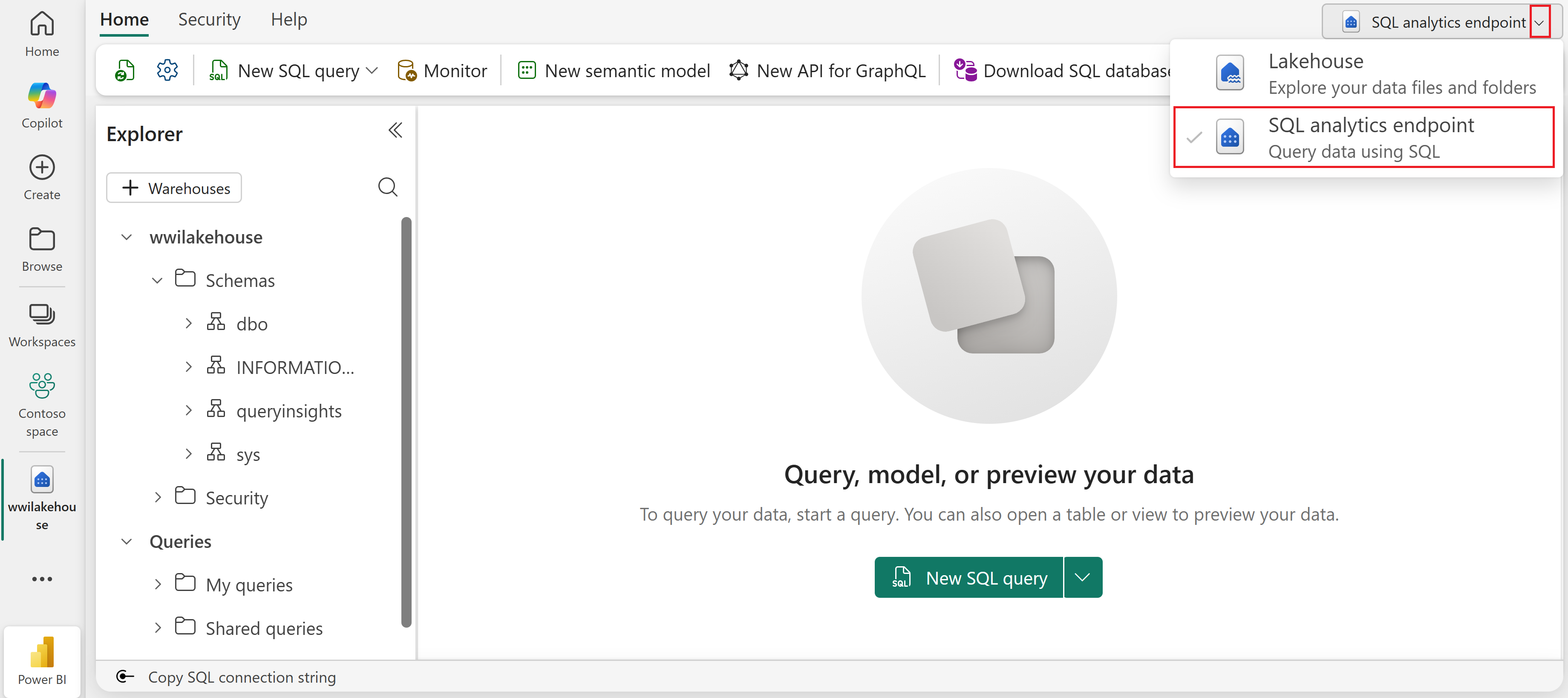
- From the Lakehouse explorer — In the top-right area of the ribbon, use the dropdown to switch to the SQL analytics endpoint view.
Either way, the query editor opens where you can write and run T-SQL queries against your Delta tables.
Security
SQL security rules set on the SQL analytics endpoint only apply when data is accessed through the endpoint. They don't apply when the same data is accessed through Spark or other tools.
To secure your data:
- Set SQL granular permissions on the SQL analytics endpoint to control access to specific tables, columns, or rows.
- Set workspace roles and permissions to control who can access the lakehouse and its data through other paths.
For more about the security model, see OneLake security for SQL analytics endpoints.
Automatic metadata sync
When you create or update a Delta table in your lakehouse, the SQL analytics endpoint automatically detects the change and updates its SQL metadata — table definitions, column types, and statistics. There's no import step and no manual sync required.
This background process reads the Delta logs from the /Tables folder in OneLake and keeps the SQL schema up to date. For details on how this sync works and factors that affect sync latency, see SQL analytics endpoint performance considerations.
Reprovisioning
If the SQL analytics endpoint fails to provision when you create a lakehouse, you can retry directly from the lakehouse UI without recreating the lakehouse.

Note
Reprovisioning can still fail, just as the initial provisioning can. If repeated attempts fail, contact support.
Limitations
The SQL analytics endpoint shares its engine with the Fabric Data Warehouse, and they share the same limitations. For the full list, see Limitations of the SQL analytics endpoint.