Note
Access to this page requires authorization. You can try signing in or changing directories.
Access to this page requires authorization. You can try changing directories.
The SharePoint app in Teams experience is available in most major languages used in Microsoft 365. Use this article to learn more about how to create and deploy the SharePoint app in Teams experience in a specific language, other than your organization’s default language.
Note
Teams and SharePoint can individually support more than the following languages.
Available languages
English
Japanese
German
Chinese (Simplified)
Spanish
French
Portuguese (Brazil)
Russian
Italian
Chinese (Traditional)
Korean
Dutch
Polish
Swedish
Turkish
Czech
Portuguese (Portugal)
Thai
Danish
Hungarian
Finnish
Indonesian
Greek
Romanian
Ukrainian
Catalan
Norwegian Bokmål
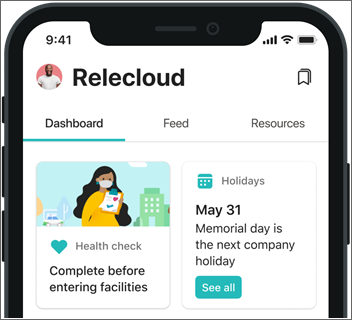
Broadly, the SharePoint app in Teams has four components that influence the end user’s overall language experience - the dashboard, news, resources, and announcements. This experience is also supported across desktop and web, and on mobile and tablet devices through the Teams mobile app.
The following steps use English as an example, but the steps apply for any one of the 27 languages specified in the available languages.
The SharePoint app in Teams dashboard
The dashboard is intended to provide quick access to content and tasks from various sources including:
- Intranet content,
- Line-of-business applications,
- HR tools,
- Frontline worker tools, and
- Internal or partner applications.
For organizations using an intranet portal (SharePoint home site)
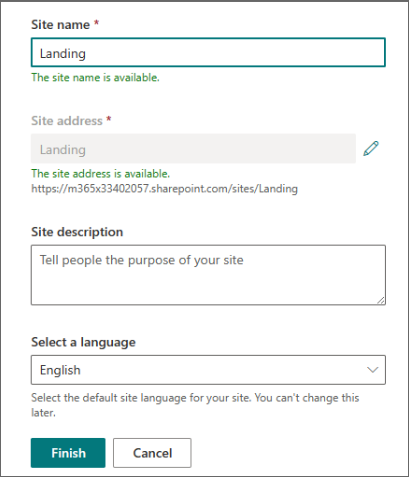
Create a communication site and make sure to select English as the default language at site creation time.
Create the SharePoint app in Teams experience using this site as your existing intranet portal.
When creating the dashboard, make sure the dashboard author is typing the content in the English language for details like card titles and descriptions – even if their own preferred language setting in Microsoft 365 isn't English.
Then, you can create dashboards in more than one language using the SharePoint multilingual feature.
Note
For custom cards on the dashboard, ask your card developer to include content localized in the English language.
News for the SharePoint app in Teams
You can configure the News web part to display SharePoint news posted from:
- SharePoint Home sites,
- SharePoint sites users frequent and follow,
- Boosted SharePoint news, and
- Trending sites and news published by people the user works with.
Organizational news
Make sure that authoritative news sites (there can be more than one organization news site) are created with English as the default language and that authors of news post are creating the news posts in English language – even if their own preferred language setting in Microsoft 365 isn't English. In order for content in the news reader to display in a language other than your organization’s default language, SharePoint news posts need to be available in more than one language.
All company Viva Engage
Announcement posts in the All-company group in Viva Engage should be created in English.
Resources web part
The Resources web part doesn't support multiple languages.
Microsoft Teams mobile app
In the Teams mobile app, SharePoint is displayed as another tab in the Teams app bar, representing the SharePoint app in Teams. The language experience of the mobile app is determined by the device language set by the user. Make sure to inform your users to set it to English for a cohesive experience – although it isn't required.
If a user has a device set to the French language, the Teams mobile app "system" strings (placeholder text Microsoft provides out-of-the-box) will be in French while the dashboard cards and news reader will appear in English if the French version of the SharePoint app in Teams experience isn't published. Resources content will also be in English.