I am struggling enabling local Windows update functions on a Windows 2016. The server some time ago was managed by a WSUS.
What I did:
- Checking both local and domain group policies. Neither implemented anything on Windows updates.
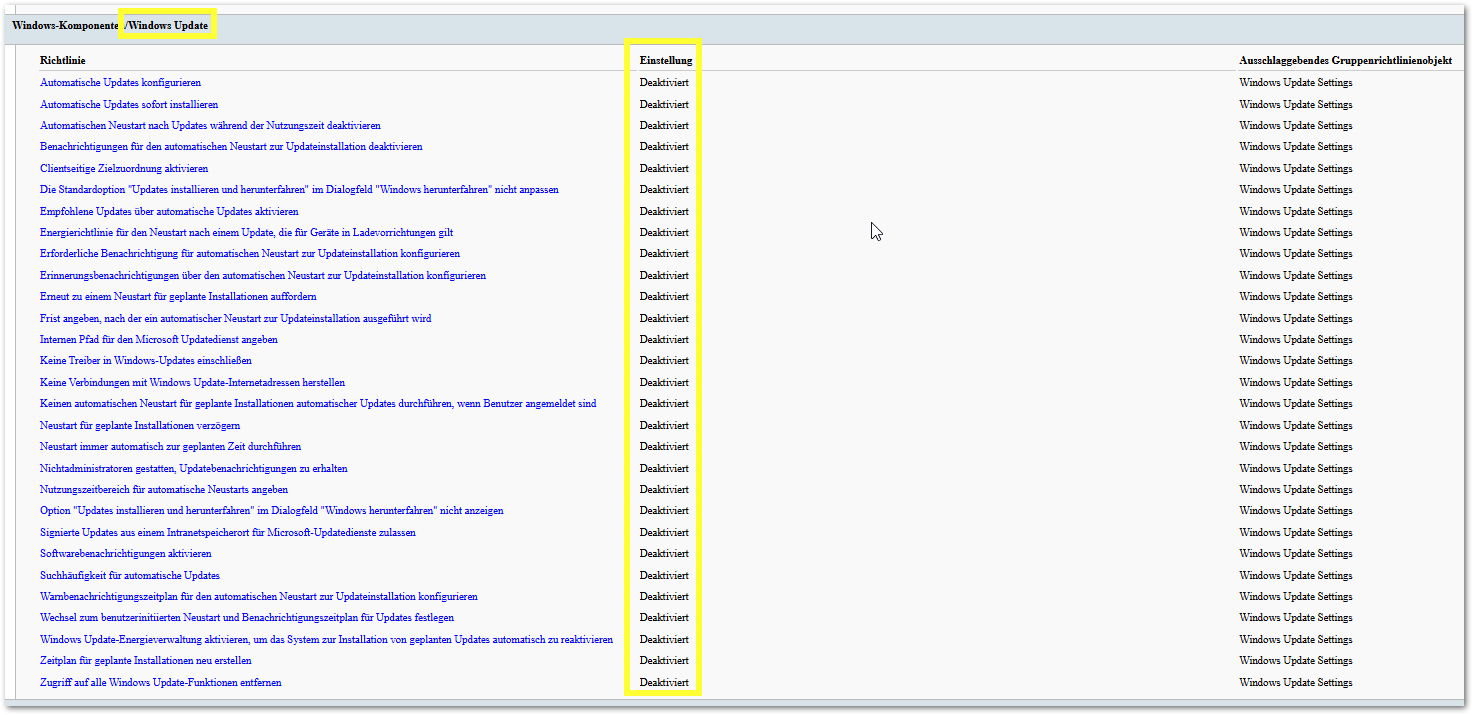
- I checked with rsop.msc and gpresult. All Windows updates settings are deactivated (sorry for the German screenshot) :
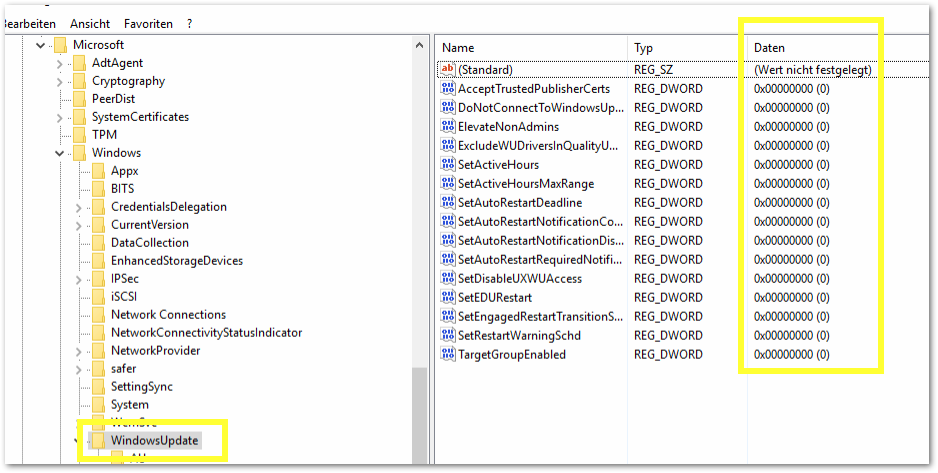
I deleted the key "HKEY_LOCAL_MACHINE\SOFTWARE\Policies\Microsoft\Windows\WindowsUpdate" and rebooted the server as suggested from Adam J. Marshall in his answer to a similar question.
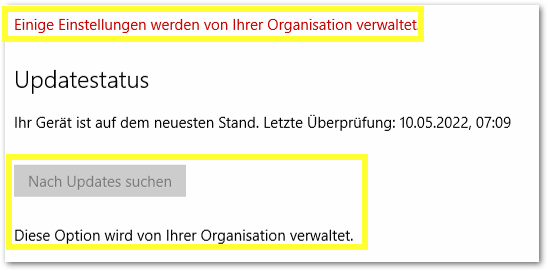
- However I still cannot start the update on the server (sorry again for the German screenshot):
What else can I do?
Regards,
Chris
' cx='32' cy='32' r='32' /%3E%3Ctext x='50%25' y='55%25' dominant-baseline='middle' text-anchor='middle' fill='%23FFF' %3EH%3C/text%3E%3C/svg%3E)

' cx='32' cy='32' r='32' /%3E%3Ctext x='50%25' y='55%25' dominant-baseline='middle' text-anchor='middle' fill='%23FFF' %3EMP%3C/text%3E%3C/svg%3E)
