' cx='32' cy='32' r='32' /%3E%3Ctext x='50%25' y='55%25' dominant-baseline='middle' text-anchor='middle' fill='%23FFF' %3EJK%3C/text%3E%3C/svg%3E)
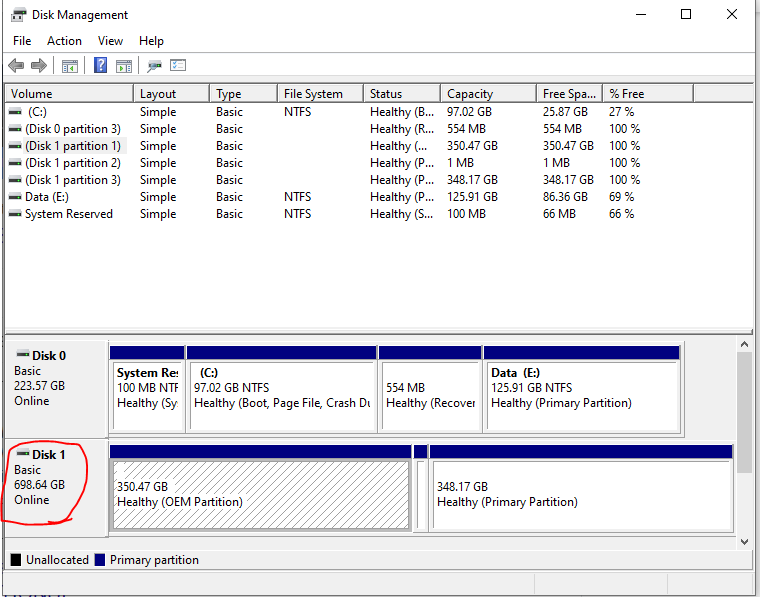




All that you need to do is to assign a drive letter to your disk partitions. Right-click each in Disk Management and select Change Drive Letter and Paths... then add a drive letter.
The "OEM" partition may have the wrong partition type. You might need to change it in Diskpart to give it a normal data partition type. There appears to be some other partition between the 2 large partitions that could possibly just be deleted and the space assigned to the preceding partition.
In diskpart, select the volume that has the OEM partition type. Then you can try detail partition to see what type it has. Use SET ID=07 OVERRIDE to change it to a normal data partition.
' cx='32' cy='32' r='32' /%3E%3Ctext x='50%25' y='55%25' dominant-baseline='middle' text-anchor='middle' fill='%23FFF' %3EA%3C/text%3E%3C/svg%3E)