' cx='32' cy='32' r='32' /%3E%3Ctext x='50%25' y='55%25' dominant-baseline='middle' text-anchor='middle' fill='%23FFF' %3ESS%3C/text%3E%3C/svg%3E)



' cx='32' cy='32' r='32' /%3E%3Ctext x='50%25' y='55%25' dominant-baseline='middle' text-anchor='middle' fill='%23FFF' %3EA%3C/text%3E%3C/svg%3E)
Hi,
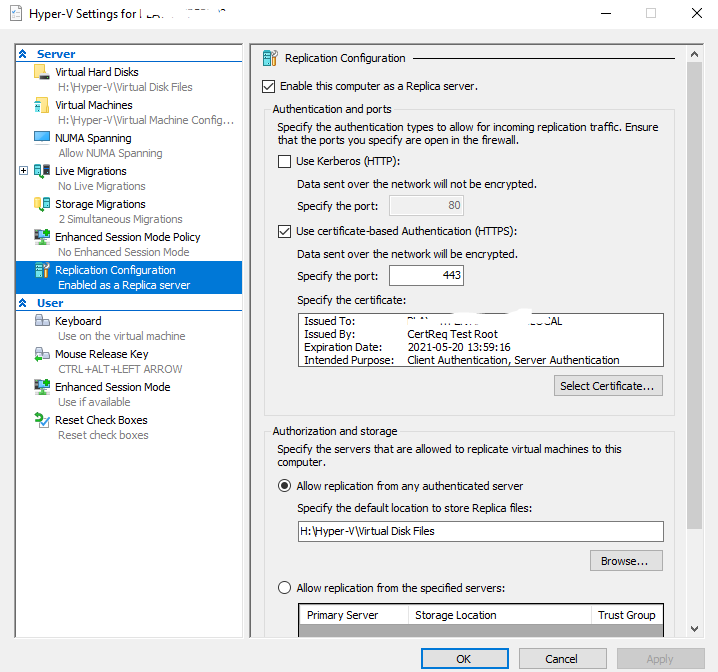
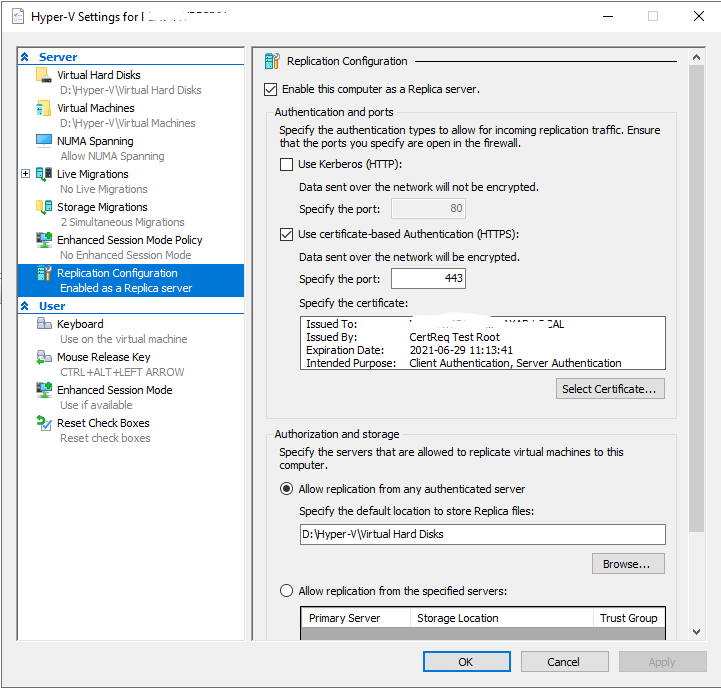
Based on the screenshots, I didn’t see any replica settings issue.
Maybe you can try this and see if it works:
On both Hyper-V Hosts run these two cmdlets (start Windows PowerShell as Administrator):
Enable-PSRemoting;
Enable-WSManCredSSP -Role server;
Next run these commands:
Set-Item WSMan:\localhost\Client\TrustedHosts -Value "fqdn-of-hyper-v-host";
Enable-WSManCredSSP -Role client -DelegateComputer "fqdn-of-hyper-v-host";
fqdn-of-hyper-v-host enter the fqdn of remote host. Example: on your primary host run this commands with fqdn of your secondary host.
You will also need to configure Group Policy (gpedit.msc)
Computer Configuration > Administrative Templates > System > Credentials Delegation > Allow delegating fresh credentials with NTLM-only server authentication
Click Enable and add wsman/fqdn-of-remote-hyper-v-host.
Run “gpupdate” in PowerShell or Command Prompt.
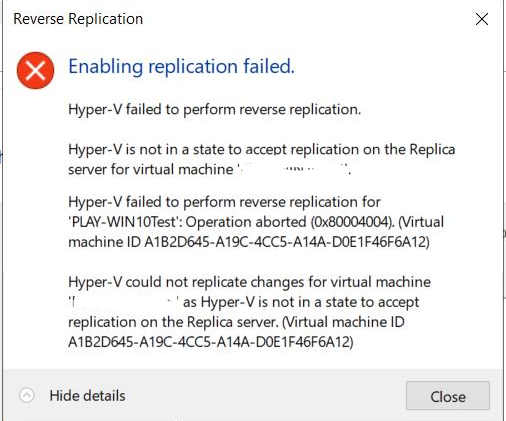
Test reverse replication with unplanned failover. This will only work if local administrator account has the same password on both Hyper-V Hosts.
For your reference:
https://social.technet.microsoft.com/Forums/ie/en-US/02abecd9-a299-4807-b958-050b89a6cd11/reverse-replication-fails-after-failover?forum=winserverhyperv
Thanks for your time.
Best regards,
Danny
-----------------------------
If the Answer is helpful, please click "Accept Answer" and upvote it.
Note: Please follow the steps in our documentation to enable e-mail notifications if you want to receive the related email notification for this thread.