Microsoft 365 and Office | SharePoint Server | For business
A family of Microsoft on-premises document management and storage systems.

This browser is no longer supported.
Upgrade to Microsoft Edge to take advantage of the latest features, security updates, and technical support.
' cx='32' cy='32' r='32' /%3E%3Ctext x='50%25' y='55%25' dominant-baseline='middle' text-anchor='middle' fill='%23FFF' %3EHS%3C/text%3E%3C/svg%3E)
Hello,
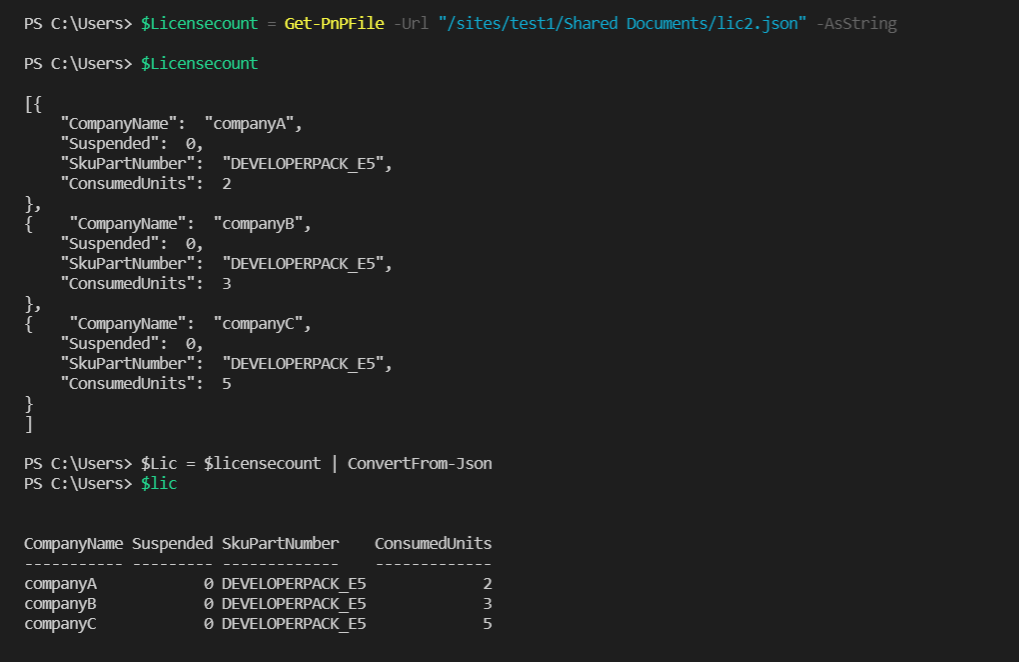
I am trying to fetch data and update data from a JSON file stored in SPO using a azure runbook. So far I am able to fetch data and use it in the powershell script/runbook but I am unable to create a new json file or update it.
Fetching data:-
 ]2
]2
I am unable to create a new json file or any file in document library

' cx='32' cy='32' r='32' /%3E%3Ctext x='50%25' y='55%25' dominant-baseline='middle' text-anchor='middle' fill='%23FFF' %3EMM%3C/text%3E%3C/svg%3E)
Hi @Hitender Singh ,
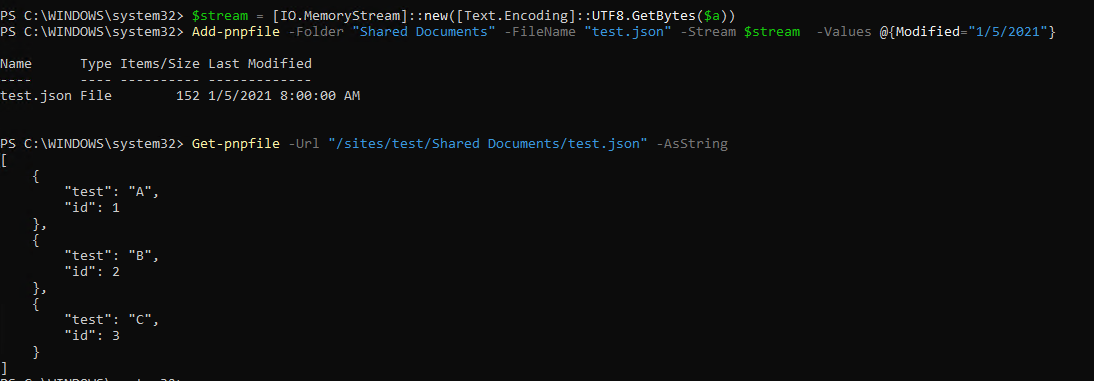
What's the type of parameter $a? Is it a string? If so you need to convert it to Stream type to make it work. Below is my demo code for you:
$a='[
    {
        "test": "A",
        "id": 1
    },
    {
        "test": "B",
        "id": 2
    },
    {
        "test": "C",
        "id": 3
    }
]'
$stream = [IO.MemoryStream]::new([Text.Encoding]::UTF8.GetBytes($a))
Add-pnpfile -Folder "Shared Documents" -FileName "test.json" -Stream $stream  -Values @{Modified="1/5/2021"}
If an Answer is helpful, please click "Accept Answer" and upvote it.
Note: Please follow the steps in our documentation to enable e-mail notifications if you want to receive the related email notification for this thread.
Thank you for the help @MichaelHan-MSFT I realized there was incorrect data in $a.
