Windows for business | Windows Server | Storage high availability | Clustering and high availability

This browser is no longer supported.
Upgrade to Microsoft Edge to take advantage of the latest features, security updates, and technical support.
' cx='32' cy='32' r='32' /%3E%3Ctext x='50%25' y='55%25' dominant-baseline='middle' text-anchor='middle' fill='%23FFF' %3EHW%3C/text%3E%3C/svg%3E)
Hi all,
I am trying to form an availability group with SQL standard edition.
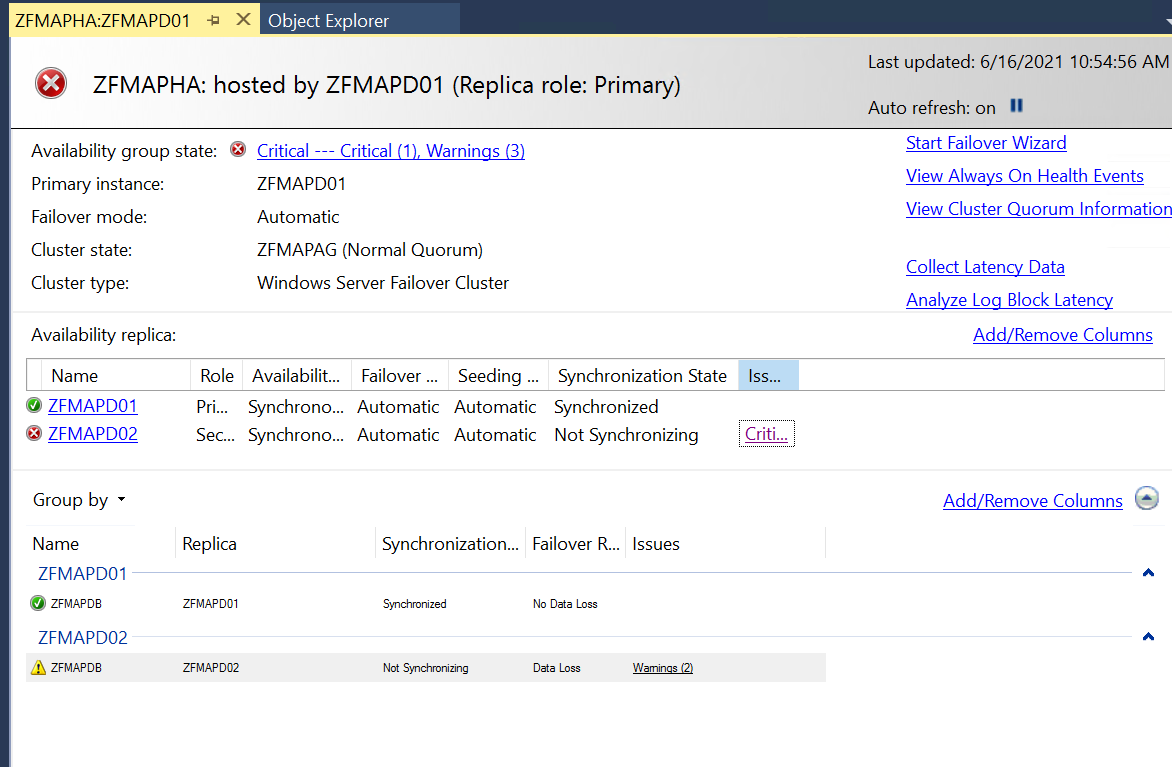
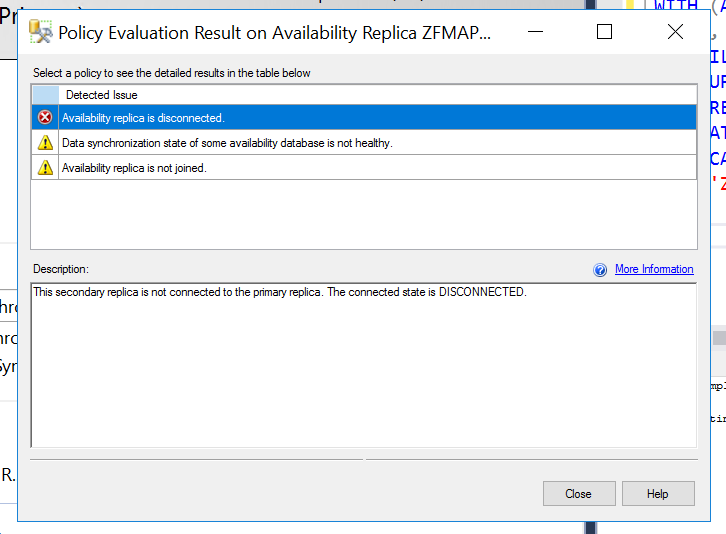
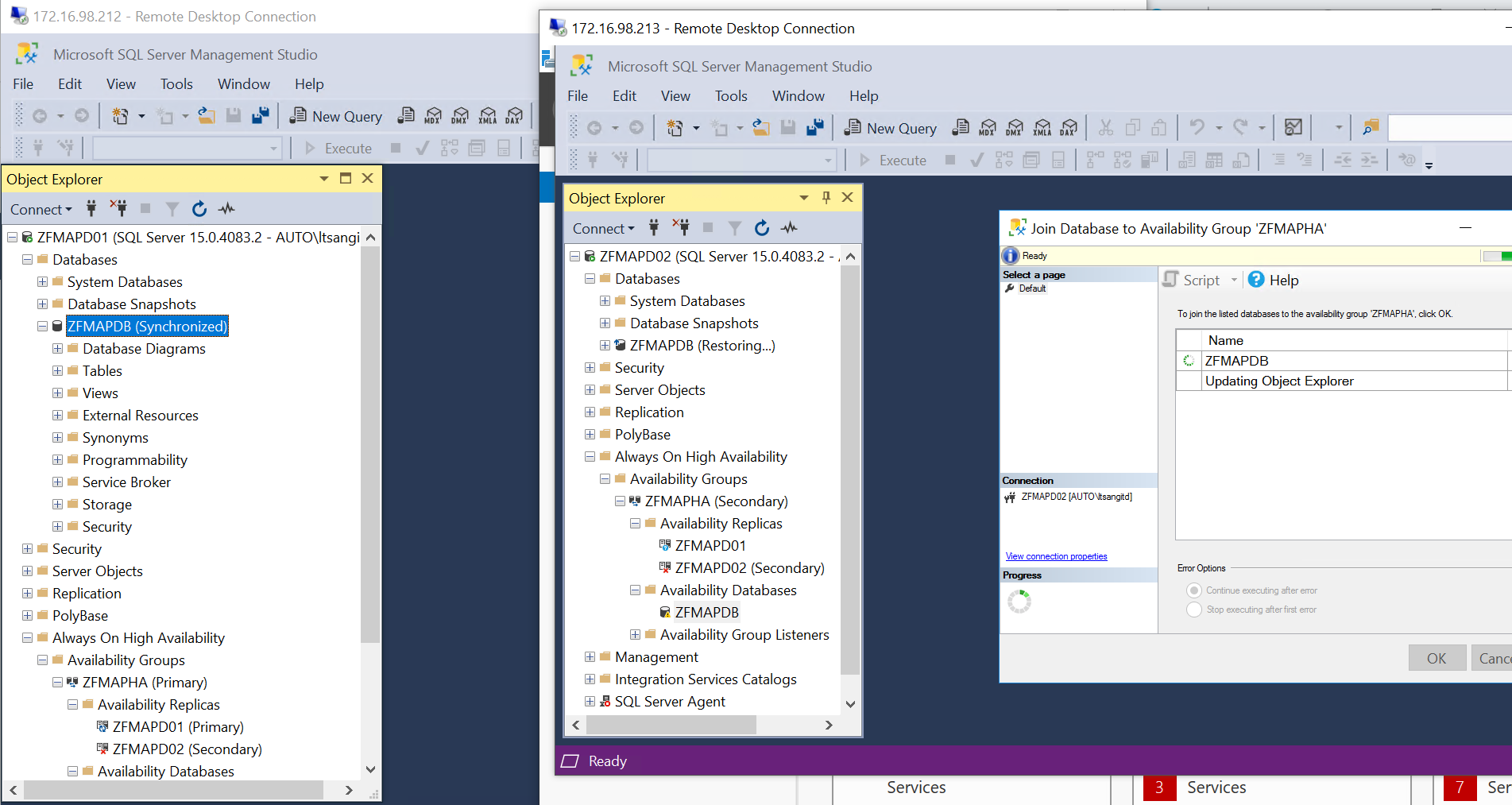
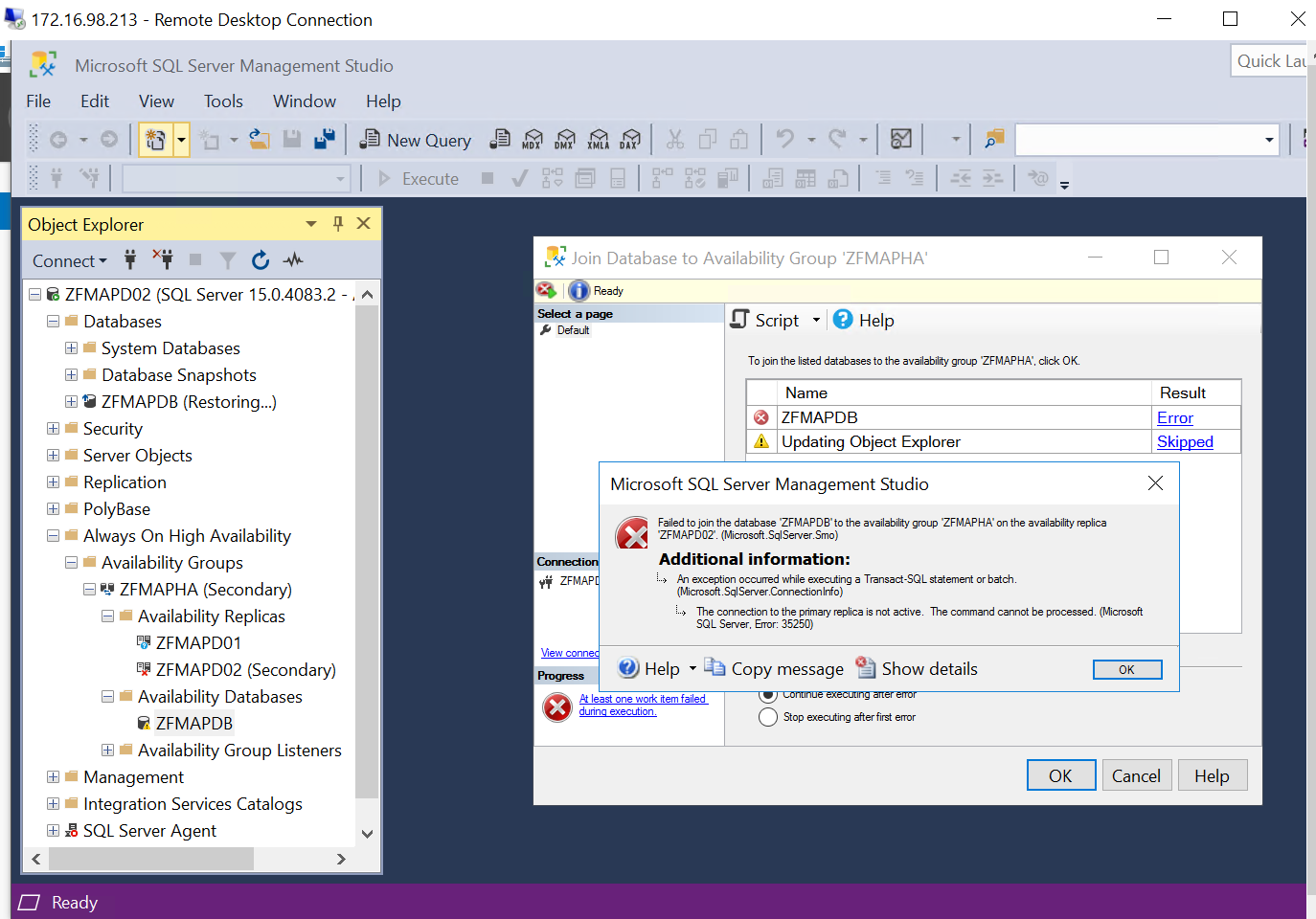
At the last step, my secondary replica cannot join to the Database with connection error message.
' cx='32' cy='32' r='32' /%3E%3Ctext x='50%25' y='55%25' dominant-baseline='middle' text-anchor='middle' fill='%23FFF' %3EAM%3C/text%3E%3C/svg%3E)
Hi HennessyWong-8921,
Welcome to Microsoft Q&A.
This error may because the connection endpoint has been deleted or has not been started, or the port traffic is blocked.
By default, AlwaysOn configures the database mirroring endpoints to use port 5022. We can query sys.tcp_endpoints on each replica to confirm which port is being used in your environment:
select name, state_desc, port from sys.tcp_endpoints where type_desc='DATABASE_MIRRORING'
go
If you find the endpoint does not exist, please create it:
create endpoint [Hadr_endpoint]
state=started
as tcp (listener_port = 5022, listener_ip = all)
for database_mirroring (role = all, authentication = windows negotiate, encryption = required algorithm aes)
go
And please make sure the port is started.
Then we can create a new Inbound Port Rule for port 5022 on the Primary and both Secondary servers.
Please refer to Create Availability Group Fails With Error 35250 and Fix SQL Server AlwaysOn Error: 35250 Failed to Join the Availability Group for more detail.
If you have any question, please feel free to let us know.
Best Regards,
Amelia
If the answer is helpful, please click "Accept Answer" and upvote it.
Note: Please follow the steps in our documentation to enable e-mail notifications if you want to receive the related email notification for this thread.
Thanks! Figured out it was the SQL service account issue, changed to domain service account and it solved the problem! Cheers!

Good day,
I am trying to form an availability group with SQL standard edition
Since you are speaking about using standard edition, I assume that you speak about the "Always On Basic Availability Groups", which is supported from version 2016 and above on Standard Edition. This feature has multiple limitations which can lead to this error. Please check the list of limitations in the official documentation first:
Thanks, I was aware the limitations.
But isn't it strange that the 2nd replicas cannot even join the availability group?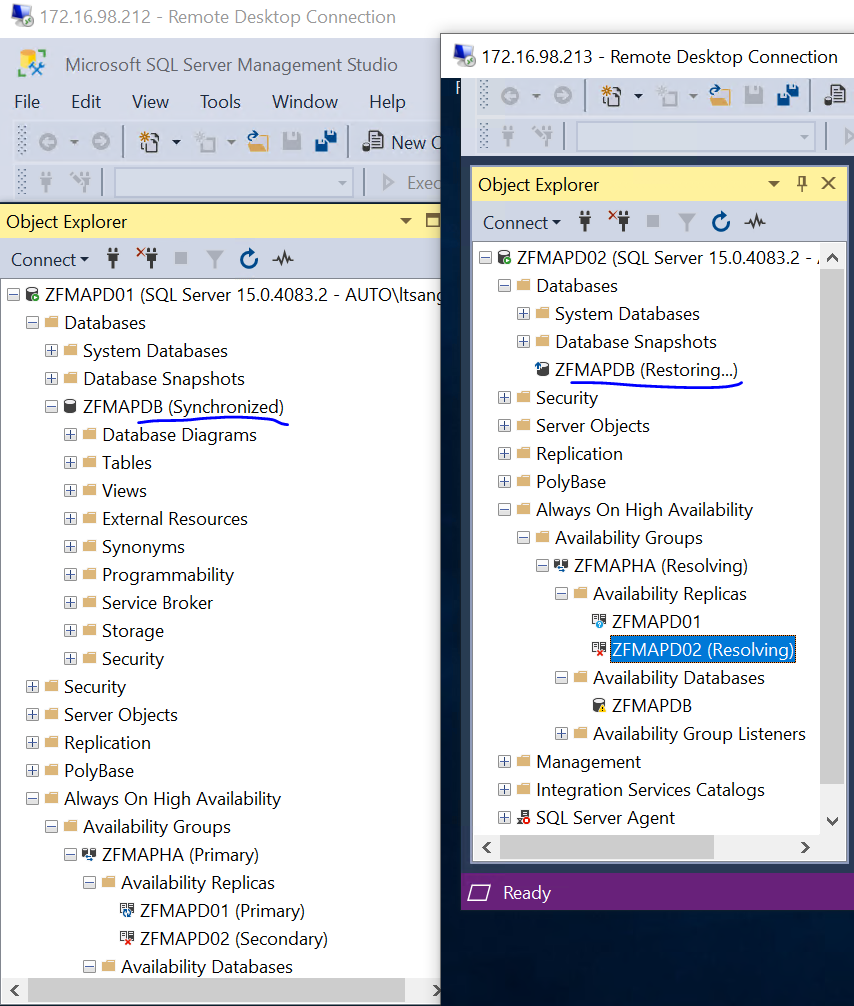
More screen shots have been uploaded.