Azure Monitor
An Azure service that is used to collect, analyze, and act on telemetry data from Azure and on-premises environments.
This browser is no longer supported.
Upgrade to Microsoft Edge to take advantage of the latest features, security updates, and technical support.
' cx='32' cy='32' r='32' /%3E%3Ctext x='50%25' y='55%25' dominant-baseline='middle' text-anchor='middle' fill='%23FFF' %3EFZ%3C/text%3E%3C/svg%3E)
Hi,
We need the event logs from Azure Databricks Cluster to monitor its health:

For example, if the metastore or dbfs goes down, actions should be taken.
My team followed the Azure Docs and set up the Databricks Diagnostic logging in Azure monitor. But we couldn't find these event logs from the Databricks Diagnostic logging in Azure monitor.
So is there a way for us to monitor the cluster's event logs in Azure Monitor?
Thank you!

Hi @Fangzhou Zhang ,
Thank you for posting query in Microsoft Q&A Platform.
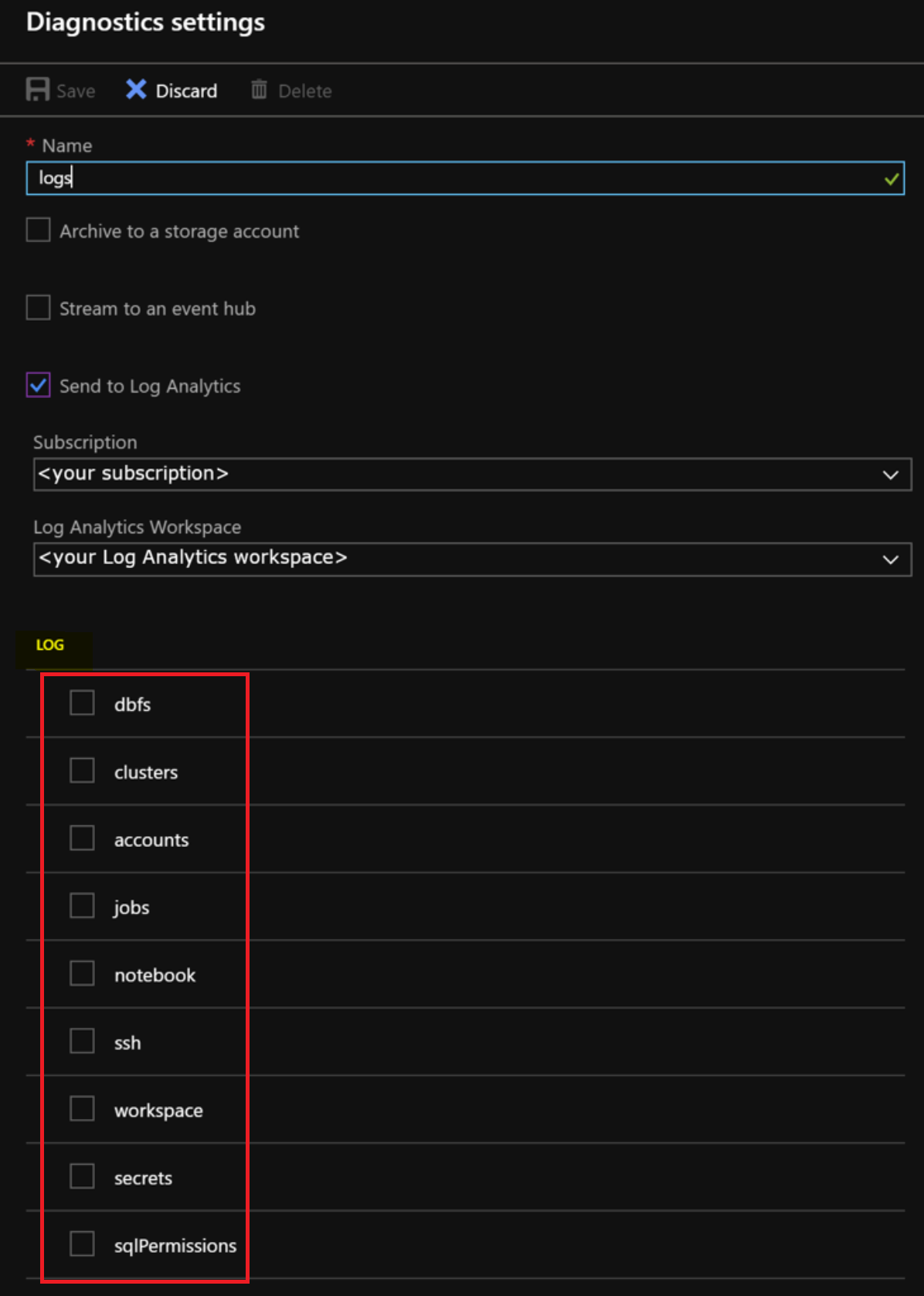
**Could you please check and confirm is your team selected all below shown services(highlighted in Red box) to log in to log analytics? **
If not, Kindly try to log all of them by selecting and then review your log analytics tables data.
Hi @ShaikMaheer-MSFT , thank you so much for your reply!
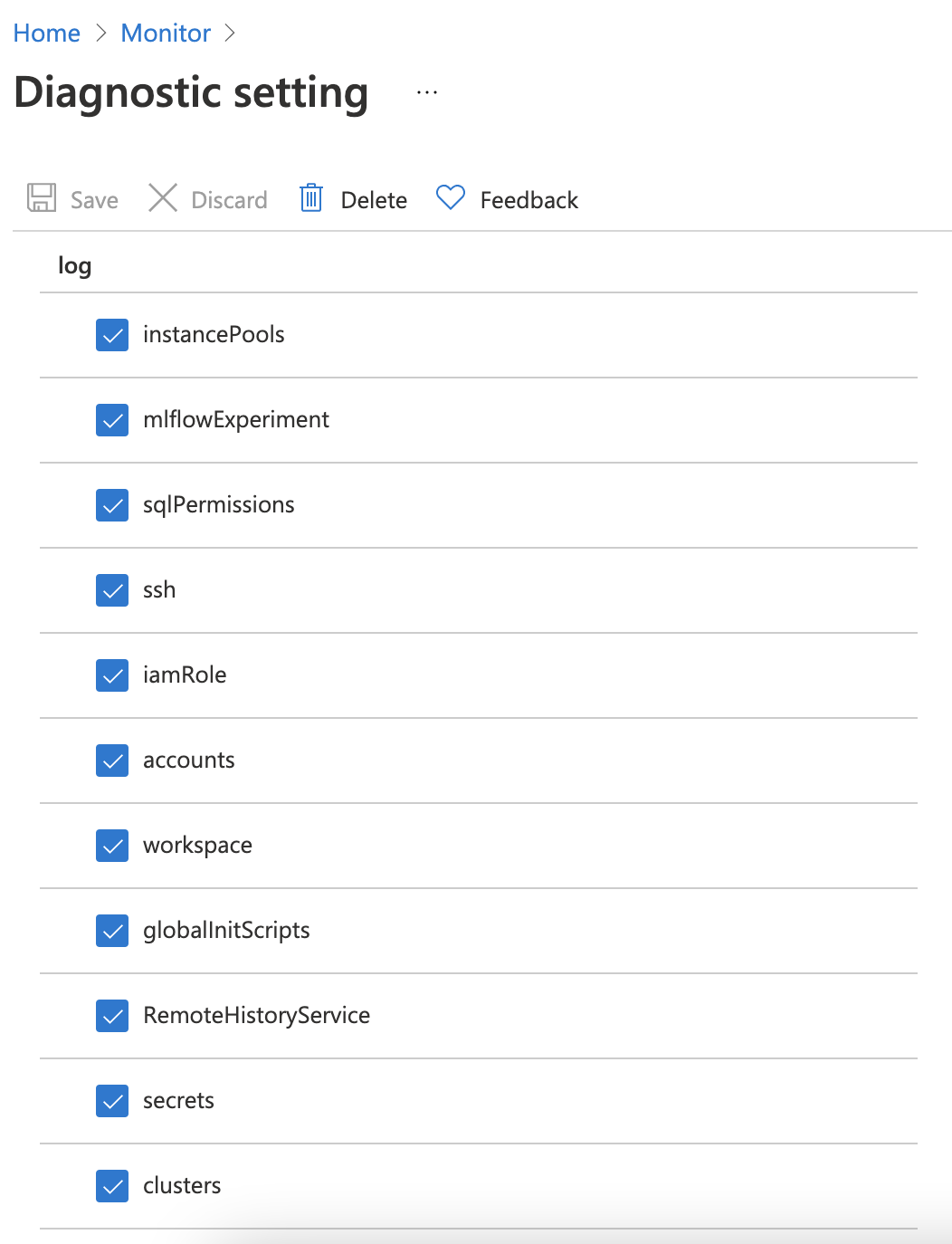
Yeah, we checked all the services in diagnostic settings, still couldn't find the event logs from Databricks clusters.
Hi @Fangzhou Zhang ,
Thank you for posting your query on Microsoft Q&A Platform.
I did research on this and found that Unfortunately, Azure Data bricks does not natively support sending event logs data to Azure monitor.
To get metric data related to an Apache Spark job, stages of the job, and tasks, you need to use a library for this functionality is available in GitHub.
Kindly check below link there similar kind of issue discussed.
https://learn.microsoft.com/en-us/answers/questions/132025/azure-databricks-queries-for-monitoring-using-log.html
Hope this will help. Please let us know if any further queries. Thank you.
---------------------------------
accept an answer if correct. Original posters help the community find answers faster by identifying the correct answer. Here is how.