Hello @Ajith Varghese,
Thank you for posting your question in the Microsoft Q&A Forum.
Your question involves migrating project plan data from Excel to Microsoft Planner Premium using the Dataverse connector in Power Automate. This is a very specific topic related to Power Automate and Dataverse, and while we would love to assist, the Microsoft Q&A forum has limited resources and expertise in this area.
To ensure you receive the most accurate and comprehensive guidance, I recommend posting your question in the Microsoft Power Platform Community, which is dedicated to Power Automate and related technologies. This community brings together the most qualified group of experts and partners who regularly share their knowledge and best practices. You’ll also can interact with others who may have faced similar scenarios.
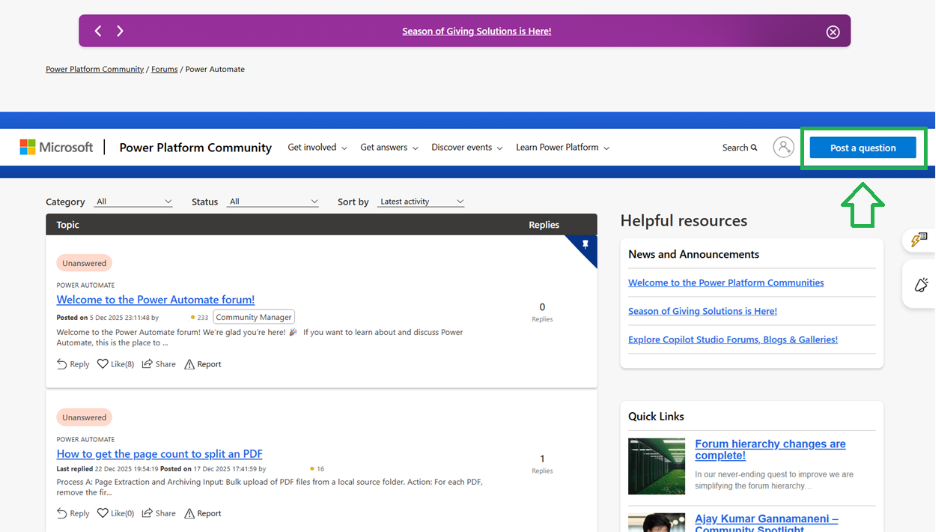
Please know that this recommendation is to help you get the best possible support for your question. If you need any assistance navigating the community or have additional questions, I’m here to help.
Thank you for your understanding, and I look forward to hearing how it goes.
Best regards,
If you have extra questions about this answer, please click "Comment".
Note: Please follow the steps in our documentation to enable e-mail notifications if you want to receive the related email notification for this thread.
' cx='32' cy='32' r='32' /%3E%3Ctext x='50%25' y='55%25' dominant-baseline='middle' text-anchor='middle' fill='%23FFF' %3EAV%3C/text%3E%3C/svg%3E)

' cx='32' cy='32' r='32' /%3E%3Ctext x='50%25' y='55%25' dominant-baseline='middle' text-anchor='middle' fill='%23FFF' %3EDN%3C/text%3E%3C/svg%3E)