Microsoft Security | Microsoft Entra | Microsoft Entra ID
A cloud-based identity and access management service for securing user authentication and resource access

This browser is no longer supported.
Upgrade to Microsoft Edge to take advantage of the latest features, security updates, and technical support.
' cx='32' cy='32' r='32' /%3E%3Ctext x='50%25' y='55%25' dominant-baseline='middle' text-anchor='middle' fill='%23FFF' %3EYL%3C/text%3E%3C/svg%3E)
Hi,
I accidently click the disable device button and it caused my Microsoft doesn't work well. I tried many time and ways to re-enable the device but unsuccessful. Any solutions for me to re-enable the device?
Appreciate for any advices. Thank you.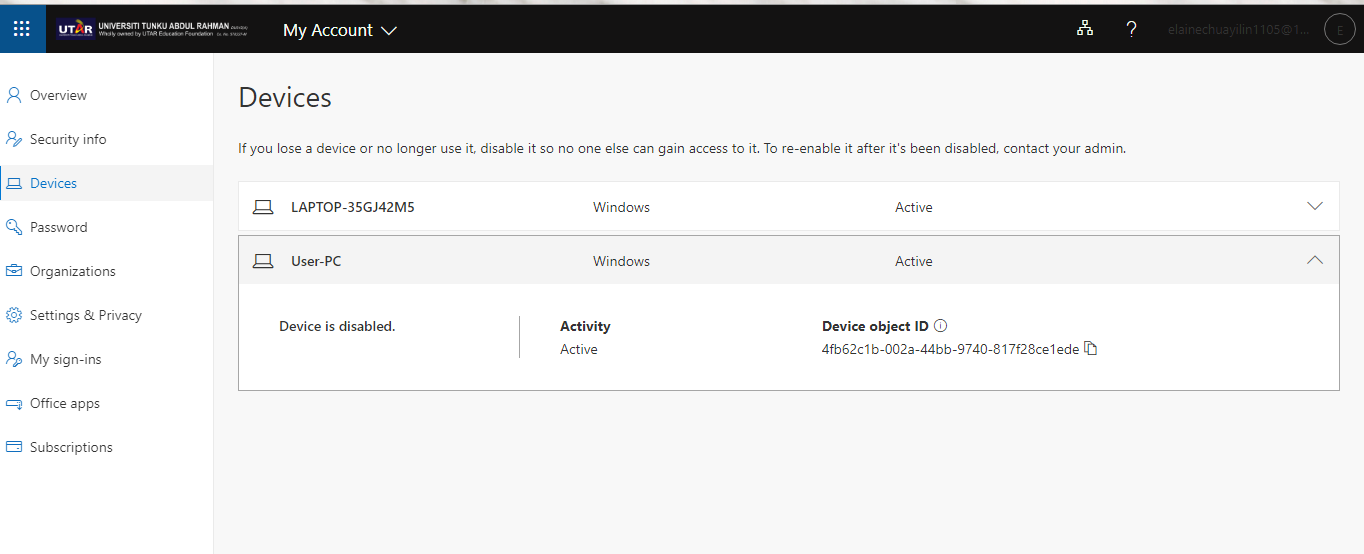
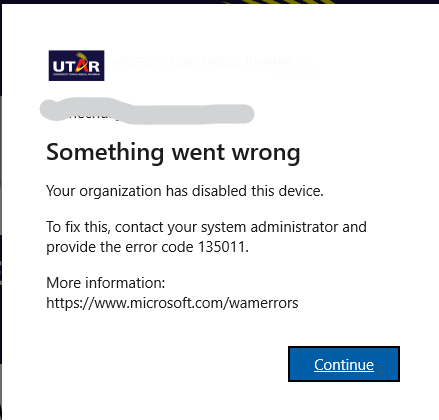

As an end user, you cannot. Contact your admins, they can re-enabled it from the Azure AD blade.
' cx='32' cy='32' r='32' /%3E%3Ctext x='50%25' y='55%25' dominant-baseline='middle' text-anchor='middle' fill='%23FFF' %3EH%3C/text%3E%3C/svg%3E)
I have the same problem and I can't solve it and I tried to use Azure and it doesn't make sense
----------
' cx='32' cy='32' r='32' /%3E%3Ctext x='50%25' y='55%25' dominant-baseline='middle' text-anchor='middle' fill='%23FFF' %3ESS%3C/text%3E%3C/svg%3E)
Hi,
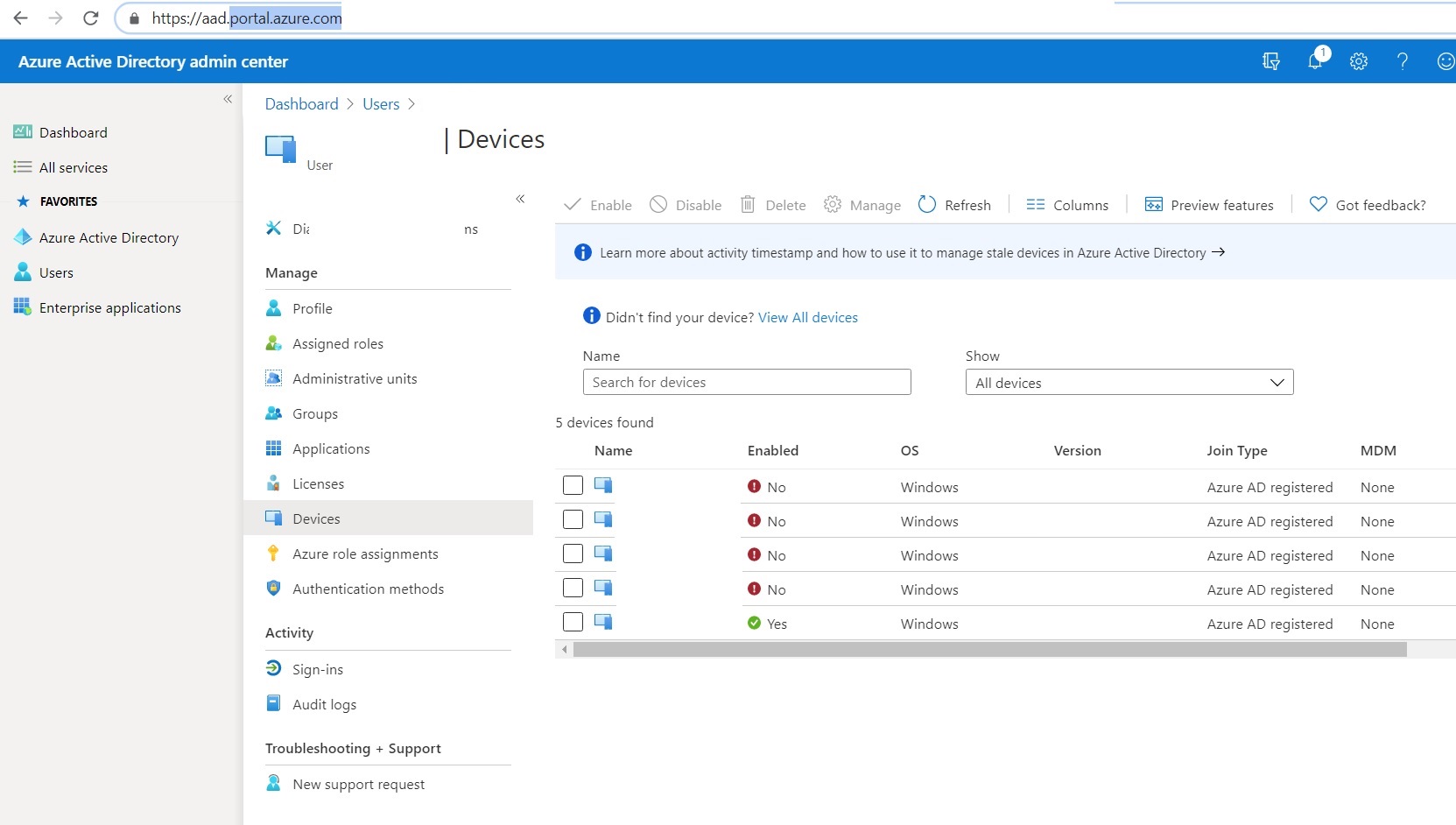
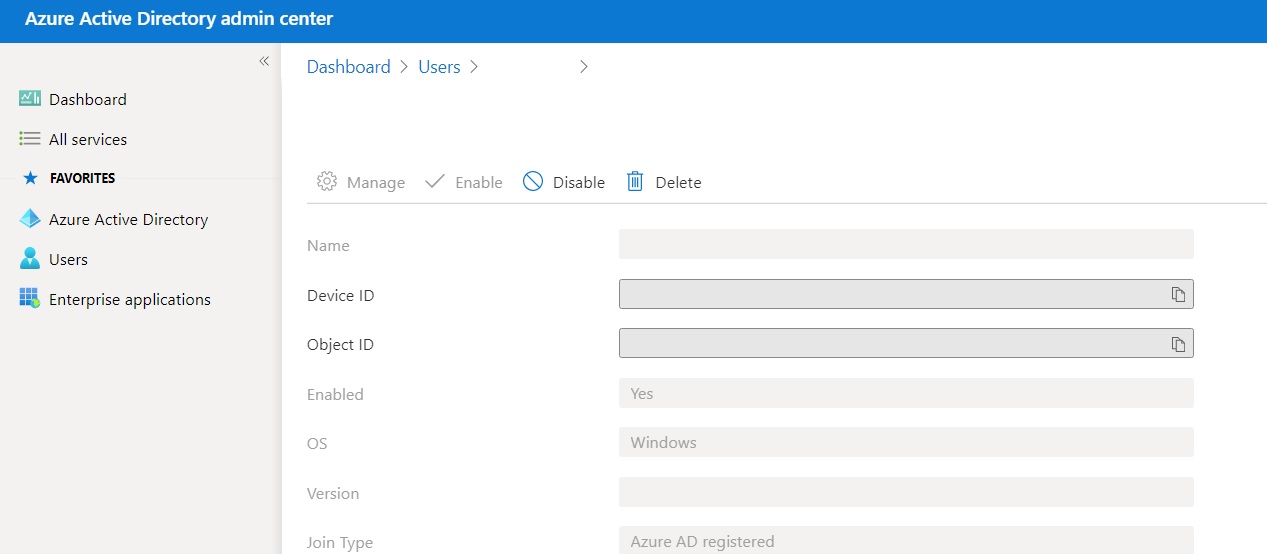
Resolved by following steps (only IT Admin can resolve this)
Go to Azure portal->dashboard->username->device>enable/disable
Please Follow and give support. Thanks.
Regards,
Alpesh Borad
Blog : https://digitalpesh.com/
Insta : https://www.instagram.com/er_alpesh_borad
' cx='32' cy='32' r='32' /%3E%3Ctext x='50%25' y='55%25' dominant-baseline='middle' text-anchor='middle' fill='%23FFF' %3ELC%3C/text%3E%3C/svg%3E)
is there a way of doing this without the azure portal?