Microsoft 365 and Office | SharePoint | For business | Windows
A group of Microsoft Products and technologies used for sharing and managing content, knowledge, and applications.

This browser is no longer supported.
Upgrade to Microsoft Edge to take advantage of the latest features, security updates, and technical support.
' cx='32' cy='32' r='32' /%3E%3Ctext x='50%25' y='55%25' dominant-baseline='middle' text-anchor='middle' fill='%23FFF' %3EAW%3C/text%3E%3C/svg%3E)
I am building a SharePoint list to sort by date and I need the null values to appear at the bottom when sorting by ascending view. I would appreciate any help.
A group of Microsoft Products and technologies used for sharing and managing content, knowledge, and applications.
Answer accepted by question author
' cx='32' cy='32' r='32' /%3E%3Ctext x='50%25' y='55%25' dominant-baseline='middle' text-anchor='middle' fill='%23FFF' %3ECM%3C/text%3E%3C/svg%3E)
Hi @Aaron Witherel ,
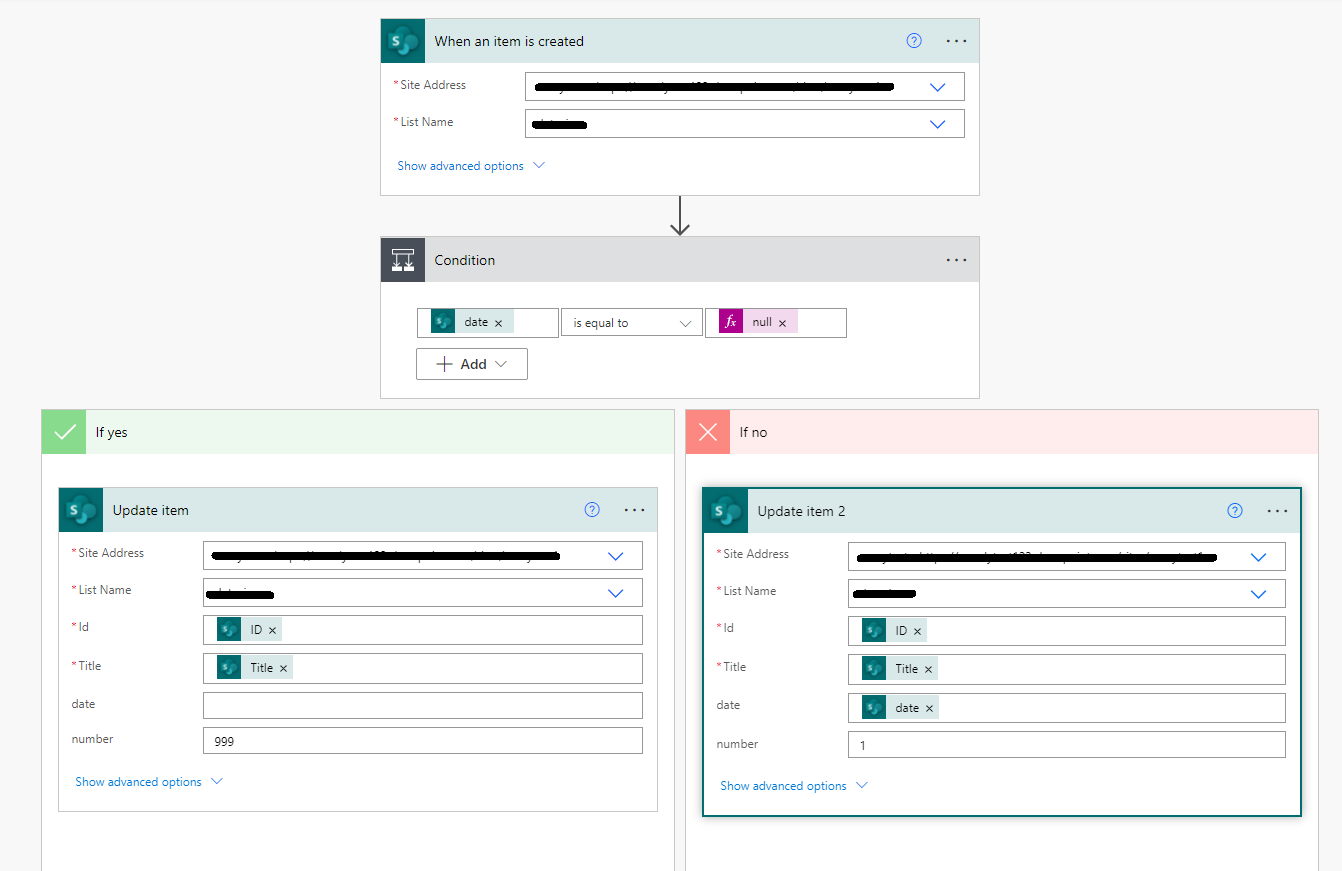
Per my test, there is no available OOTB option to sort a column in ascending order with NULL values at the end. But you could add a custom column and create a flow then use list view sort as a workaround. Here is my test steps.
1.Add a Single line of text column.
2.Create Microsoft flow.
Integrate > PowerAutomate > Create a folw > See your flows > New flow > Automate cloud flow > Select "When an item is created" > Create
Flow details:
3.Create list view.
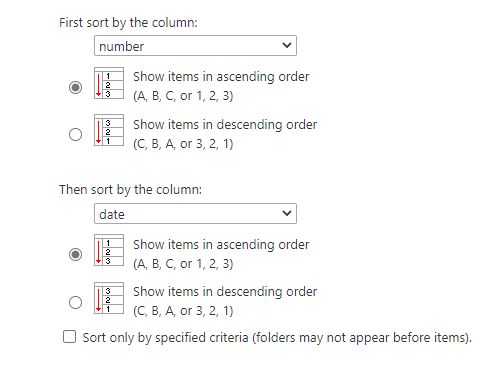
Settings > List settings > Create view > Standard View > check "Make this the default view(Applies to public views only)" > Sort > "First sort by the column:" Select the column you created in step1 > Show items in ascending order > "Then sort by the column: " Select the date column > Show items in ascending order
4.If you don't want to show the column you created in step1, you could hide this column.
Click "+Add column" > Show/hide columns
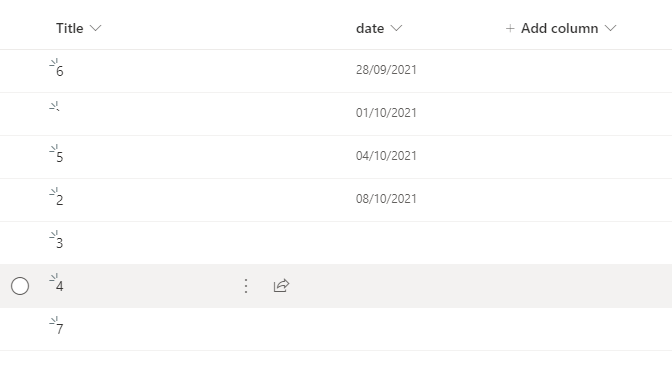
My test result:
If the answer is helpful, please click "Accept Answer" and kindly upvote it. If you have extra questions about this answer, please click "Comment".
Note: Please follow the steps in our documentation to enable e-mail notifications if you want to receive the related email notification for this thread.