Microsoft Security | Microsoft Graph
An API that connects multiple Microsoft services, enabling data access and automation across platforms

This browser is no longer supported.
Upgrade to Microsoft Edge to take advantage of the latest features, security updates, and technical support.

AOA
I hope all of you are feeling well!
Currently, we are using Graph API and our organization wants to get details of the planner using plan_Id with a delegated level token.
Problem statement: we are facing a permission issue and the error is=> "message": "You do not have the required permissions to access this item."
we have added all permission to our user but still, we are facing the same issue.
please check below step one by one
For getting plan user needs below permission
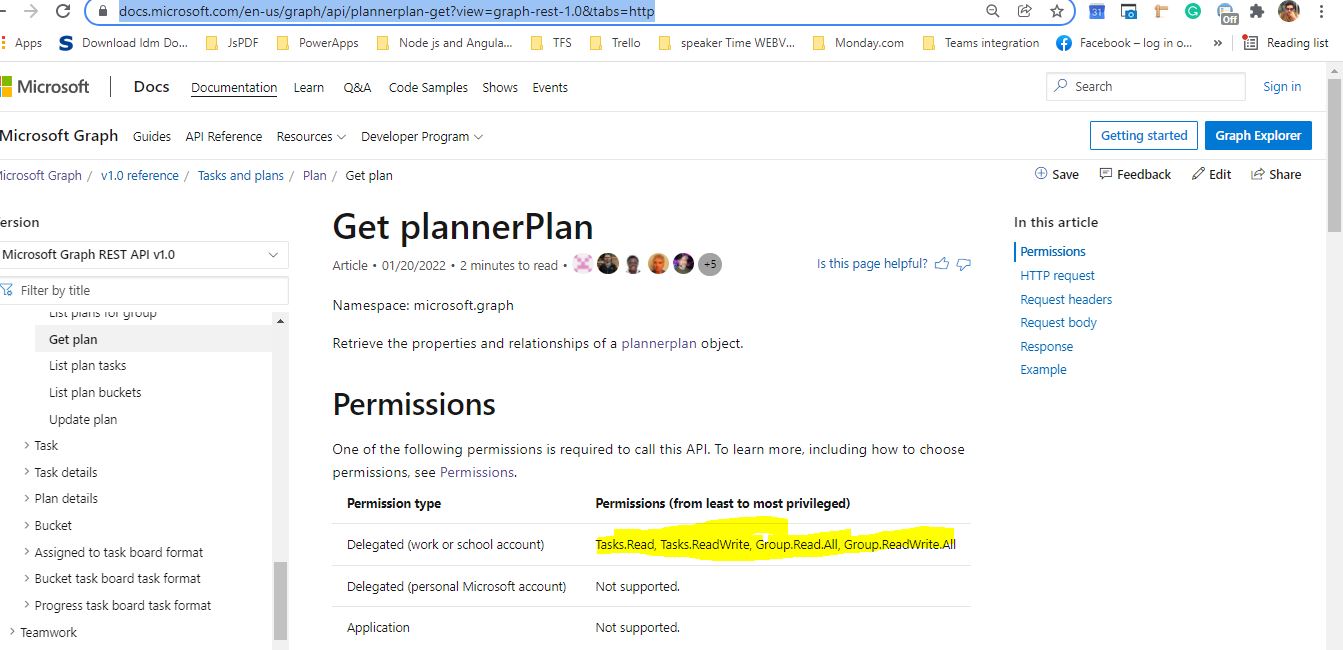
We have added all permission to our user please check below screenshot


But still, we are facing a permission error please check below screenshot
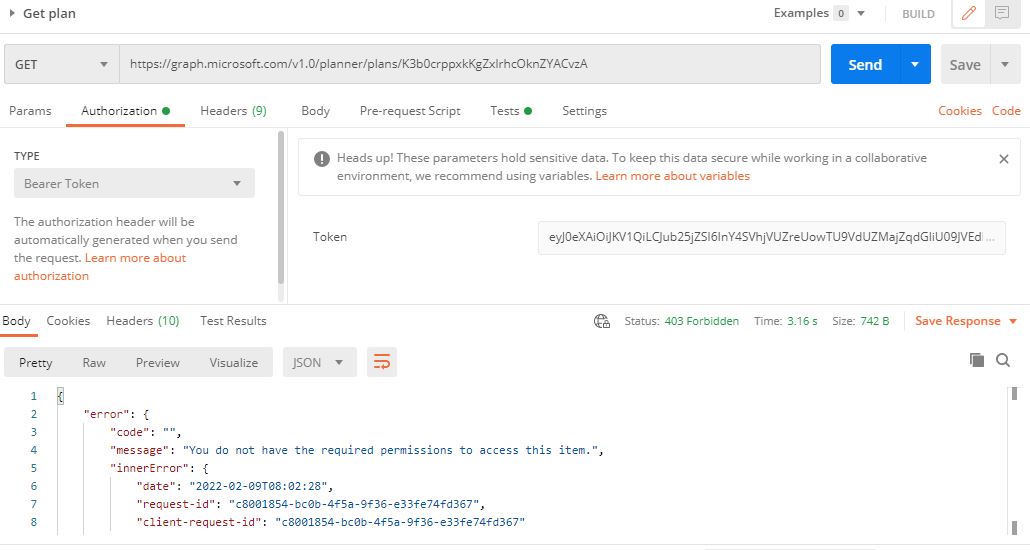
I need help why its behaving like this
An API that connects multiple Microsoft services, enabling data access and automation across platforms

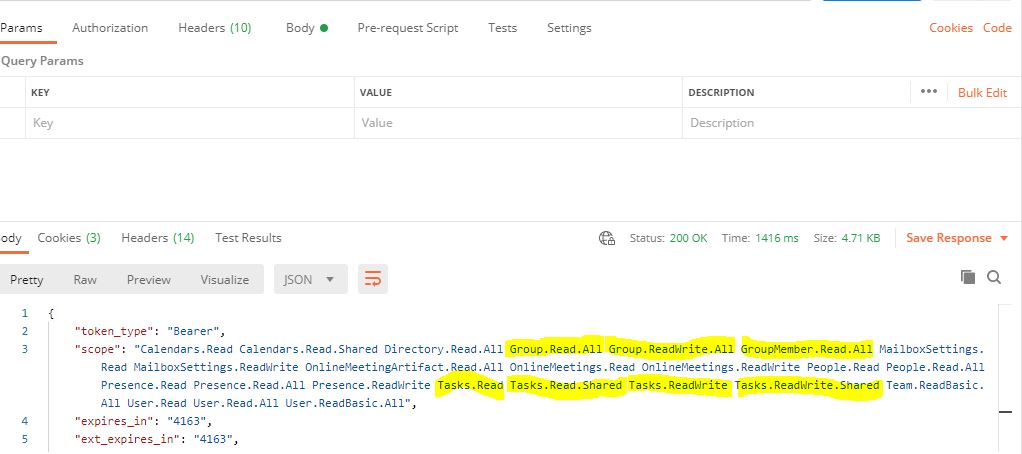
Use https://jwt.ms/ to parse your access token and provide a screenshot.
@CarlZhao-MSFT Please check the below screenshot
Is your account a work account?
' cx='32' cy='32' r='32' /%3E%3Ctext x='50%25' y='55%25' dominant-baseline='middle' text-anchor='middle' fill='%23FFF' %3EC%3C/text%3E%3C/svg%3E)
Could you please confirm whether your issue is related to Teams App development or it's specific to Planner API?
@CarlZhao-MSFT work or school account
@CarlZhao-MSFT no this user is not a member of a group but as per description we are using this user to get the details of every planner in our orgranization
@ChetanSharmamsft yes but we are using graph API to get planner details and we have added all permission to user but still we are facing issue
@CarlZhao-MSFT current we are using graph API to get the details of all planners using planner id's we have added all permission to graph delegated as mentioned in the above screenshots but still we are facing permission issue.
Only groups will own the plan, so your users must be in the group.
@CarlZhao-MSFT Is there any way to get All groups planners through a specific user at the organization level?
Hi, I tried, it can't. This is true even if you are the global administrator of the tenant.
The official documentation also mentions this: https://learn.microsoft.com/en-us/graph/api/planner-post-plans?view=graph-rest-1.0&tabs=http#request-body
Hi @Amir Sohail
Note, don't call the api immediately when you add the user as a member of the group, there is about a few minutes delay according to my test, you can wait a few minutes before calling.
Hi @Amir Sohail
Has the problem been solved?
@CarlZhao-MSFT No, because we need to give access to one user, and then we will use that user to get all planners inside our organization so is it possible?
Hi @Amir Sohail
I think is it impossible, did you add the user as a member of the group as I suggested?
@CarlZhao-MSFT no, I haven't add my user to the group currently our requirement is to get the details of the planner through a specific user whether that user is a part of the group or not.
@CarlZhao-MSFT we have created a user having the name "myuser" then we have registered an app then we have added graph APIs to our app and then we have added delegated permissions for tasks and planners to get the details of every planner and task through "my user" but still facing permissions issue.
@CarlZhao-MSFT we want to get all planners through one user whether that user is a part of a group or not.
Hi @Amir Sohail As far as I know, calls to the /plans endpoint for independent user that are not within a group are currently not supported. I suggest you submit a user voice to the MS graph product team to add support for this feature.
Answer accepted by question author
Hi @Amir Sohail
This is a typical problem, you must add your users to the group to get the plan, because the group is the owner of the plan.
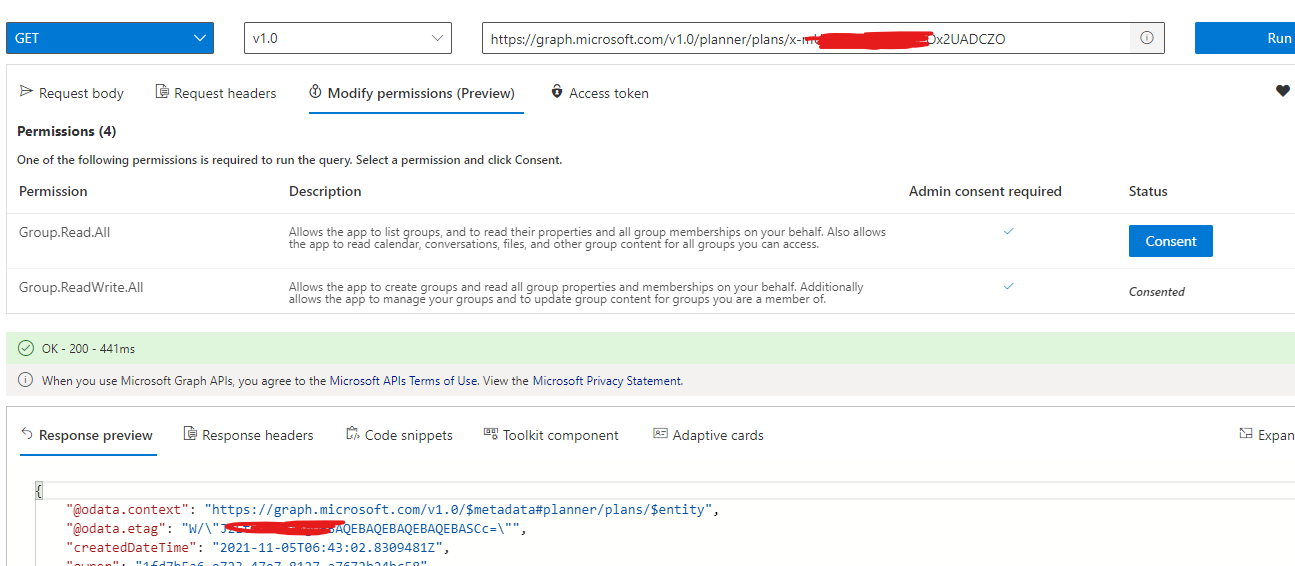 ]1
]1
If the answer is helpful, please click "Accept Answer" and kindly upvote it. If you have extra questions about this answer, please click "Comment".
Note: Please follow the steps in our documentation to enable e-mail notifications if you want to receive the related email notification for this thread.
Hi @Amir Sohail Would you please provide us with an update on the status of your issue?