Microsoft 365 and Office | SharePoint Server | For business
A family of Microsoft on-premises document management and storage systems.

This browser is no longer supported.
Upgrade to Microsoft Edge to take advantage of the latest features, security updates, and technical support.
' cx='32' cy='32' r='32' /%3E%3Ctext x='50%25' y='55%25' dominant-baseline='middle' text-anchor='middle' fill='%23FFF' %3EMP%3C/text%3E%3C/svg%3E)
Before performing the migration. I have parsed all unique permissions for all nested directories.
Performed a test migration of directories, having previously assigned unique permissions to the test directories. Everything went well, all test directories were migrated and permissions were mapped.
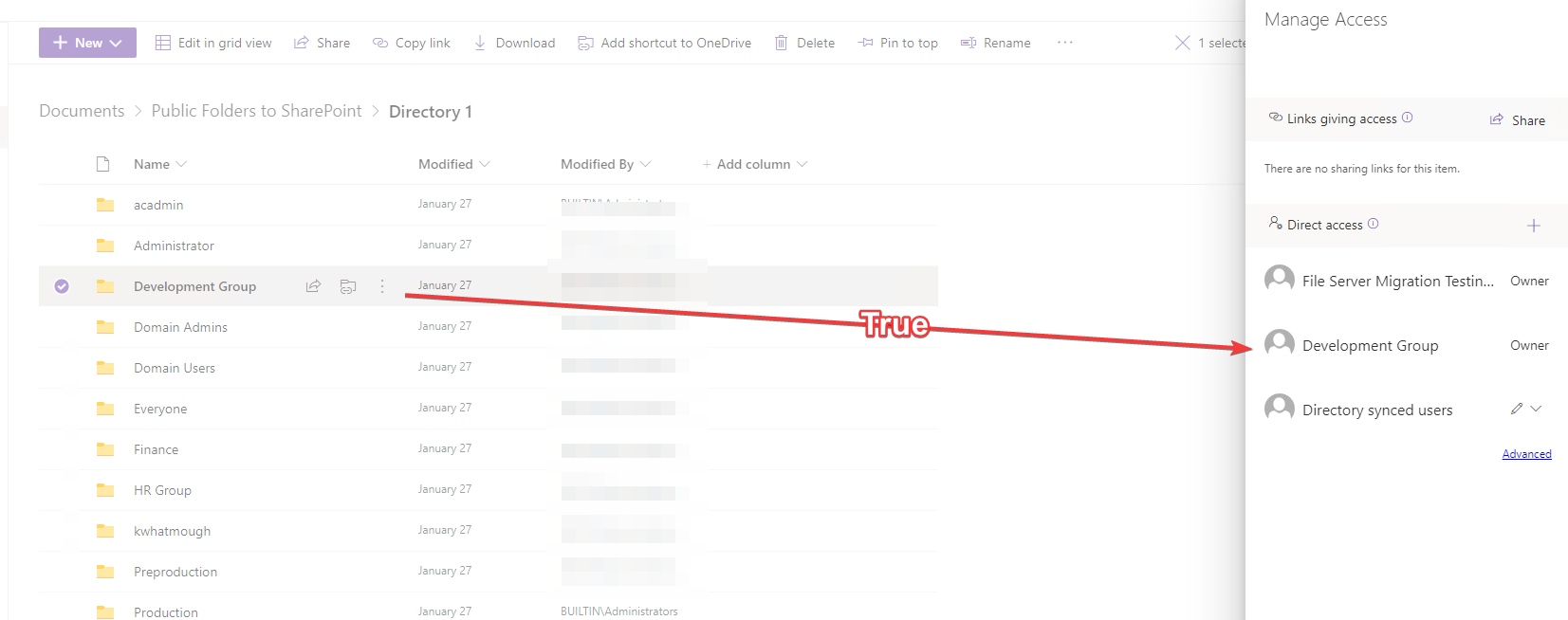
The problem arose when I started migrating real directories. The data size is more than 1.5 Tb. The migration process took over 48 hours.
As a result, the permissions were not mapped, at all.
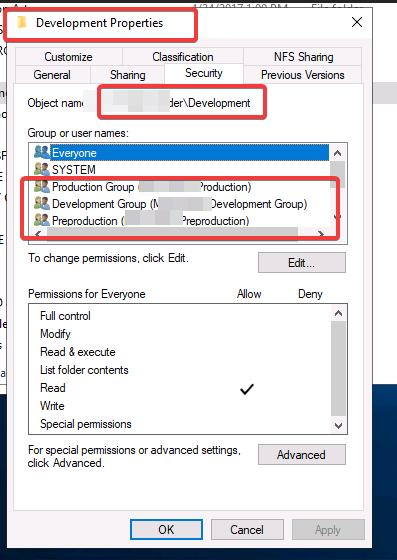
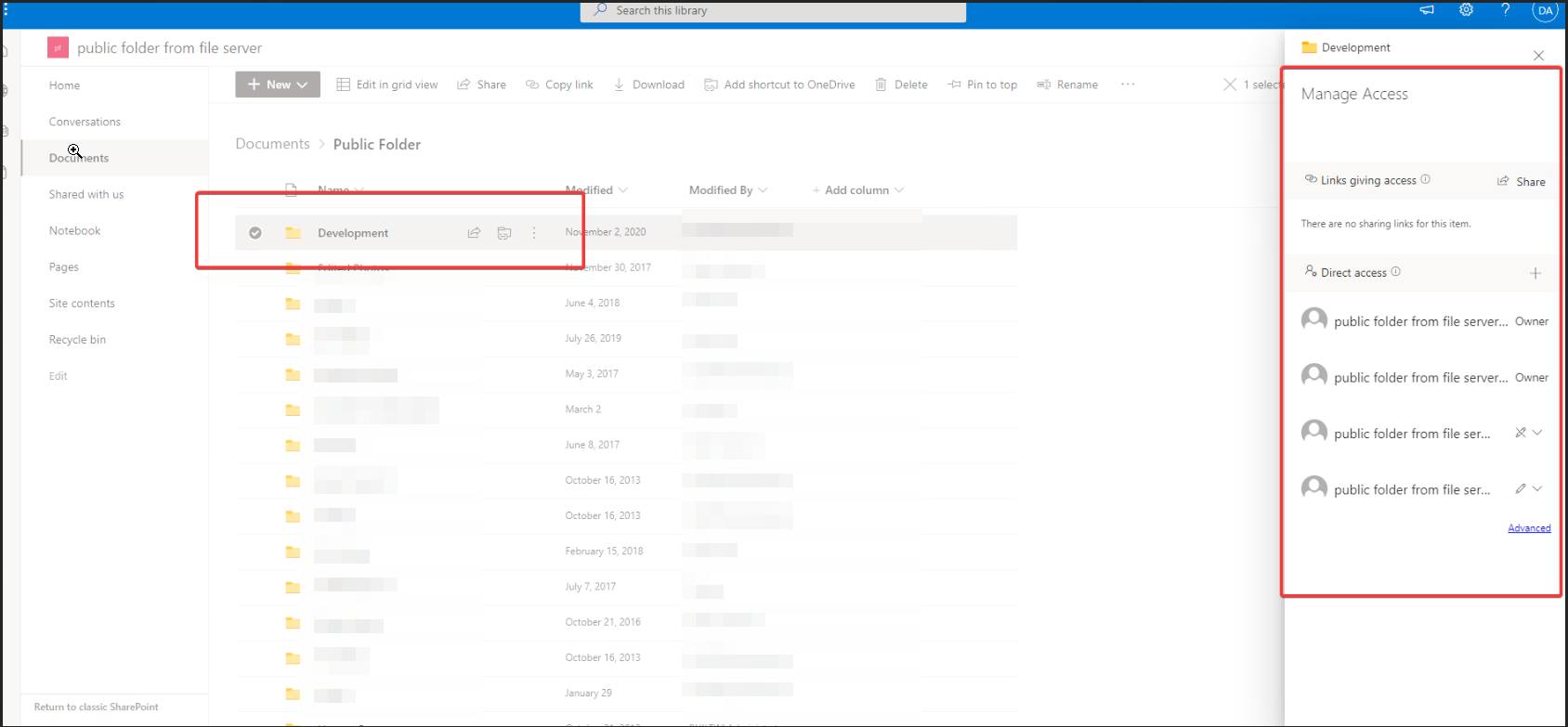
I did a re-migration and random permissions were assigned, which are completely wrong. The migration wizard added several groups from AzureAD, to all directories. This is absolutely not true.
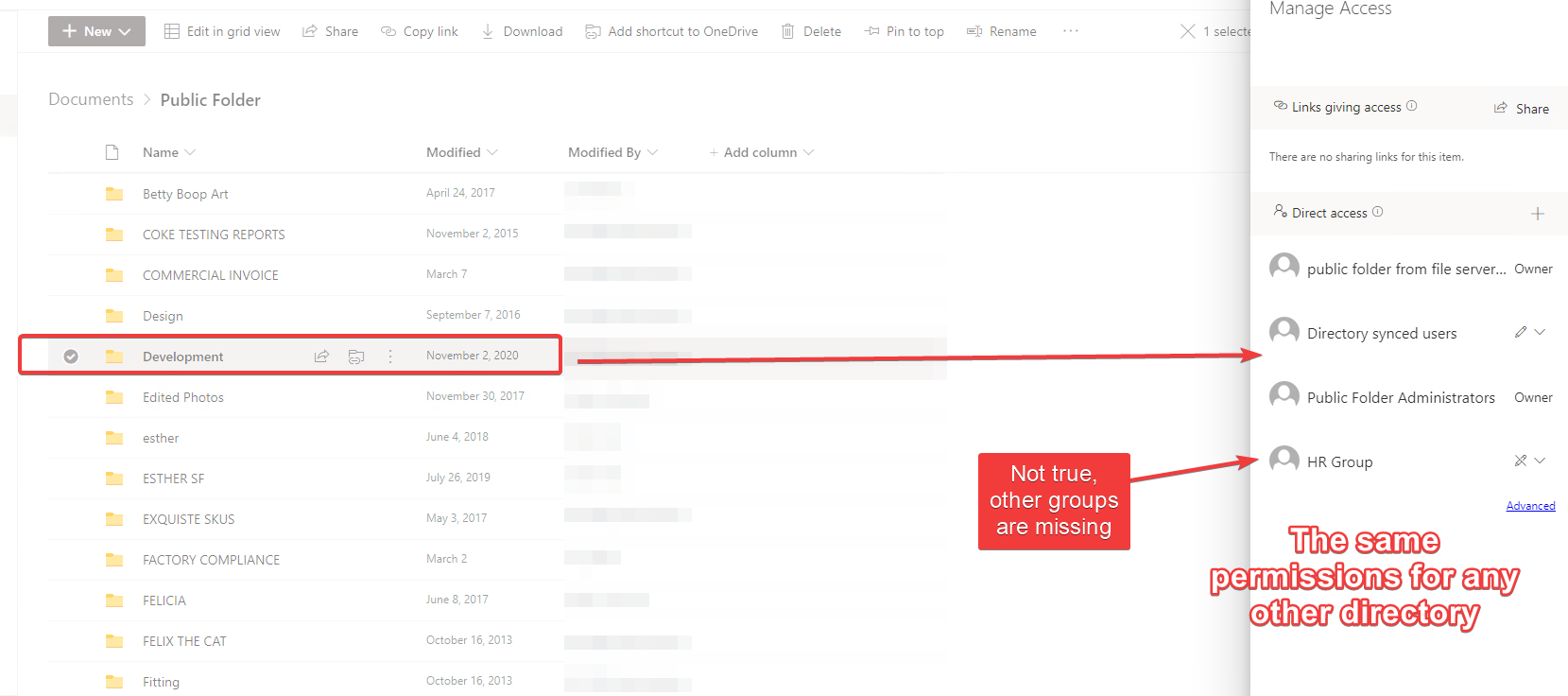
I am using user mapping and additionally a mapping file.
Where it is specified how to handle groups such as "Everyone" and "Domain Users".
However, in the test environment, everything worked out more than once.
But nothing works or works wrong with real directories.
In the migration logs, you can see that the mapping was successful. But the result is not what it should be.
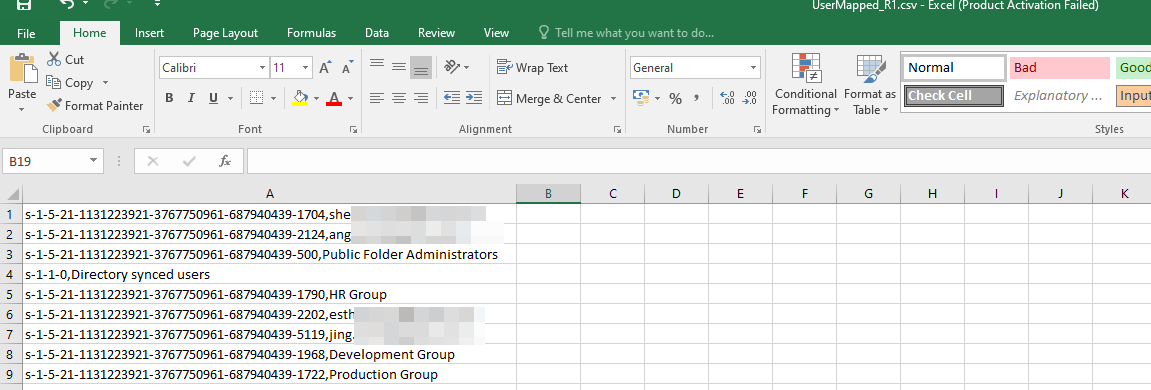
Perhaps someone faced a similar problem, please help to solve.
A family of Microsoft on-premises document management and storage systems.
A group of Microsoft Products and technologies used for sharing and managing content, knowledge, and applications.
' cx='32' cy='32' r='32' /%3E%3Ctext x='50%25' y='55%25' dominant-baseline='middle' text-anchor='middle' fill='%23FFF' %3ECM%3C/text%3E%3C/svg%3E)
Hi @Mountain Pond ,
What your target library permission is before/after migration? Is it Inherited or Unique?
They are Unique, not Inherited.
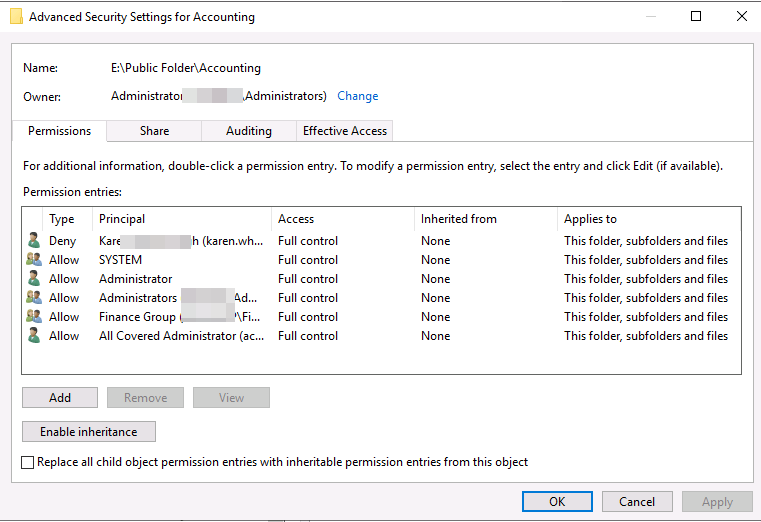
For example - this is Accounting directory permissions.
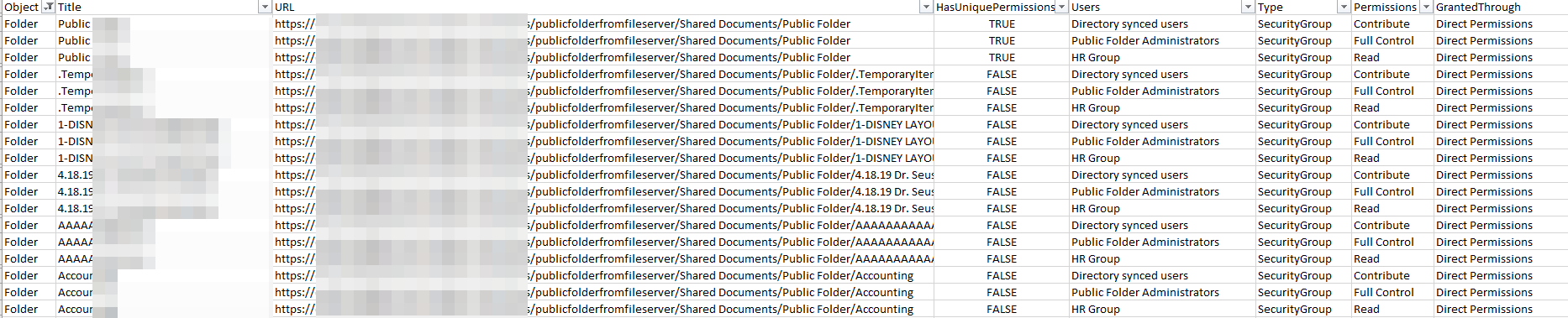
This is example of permission audit. You can see that all directories and files are with the same permissions.
I am deleting an accounting directory from a public access point.
Then I try to transfer just that directory. And now I see that the Migration Tool has matched the two groups. But not all of them, user groups and other groups exist in Azure AD.
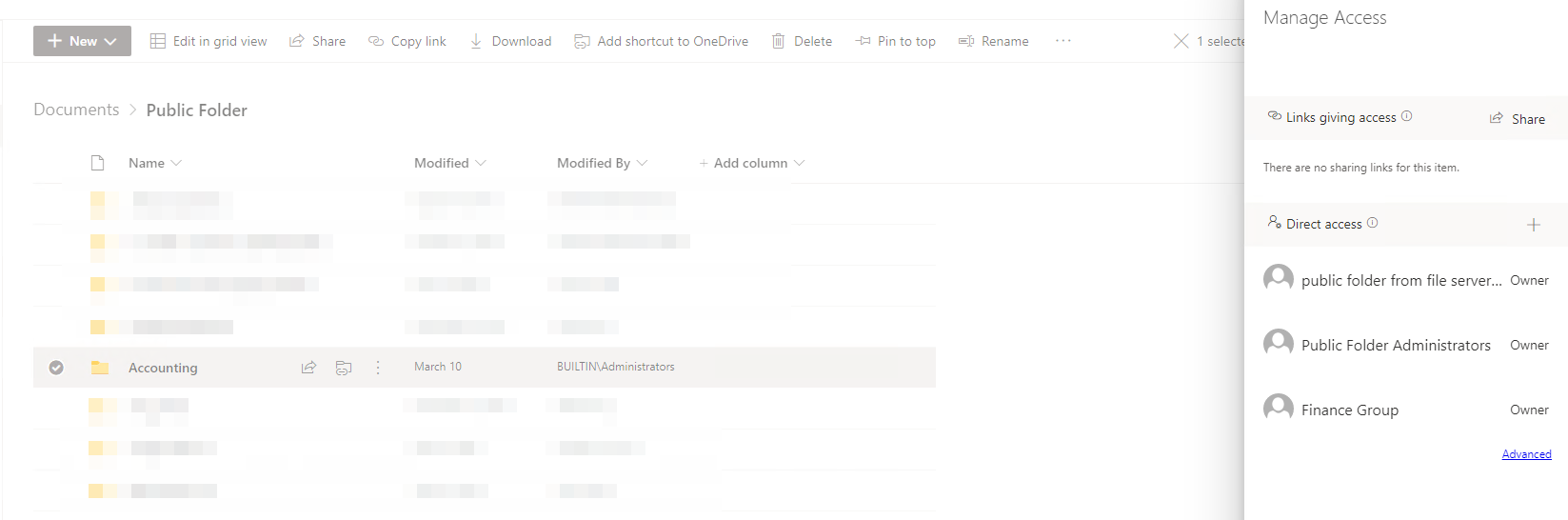
But in any case, this is not correct. I will need to migrate each directory again. Also, I can't trust the migration wizard.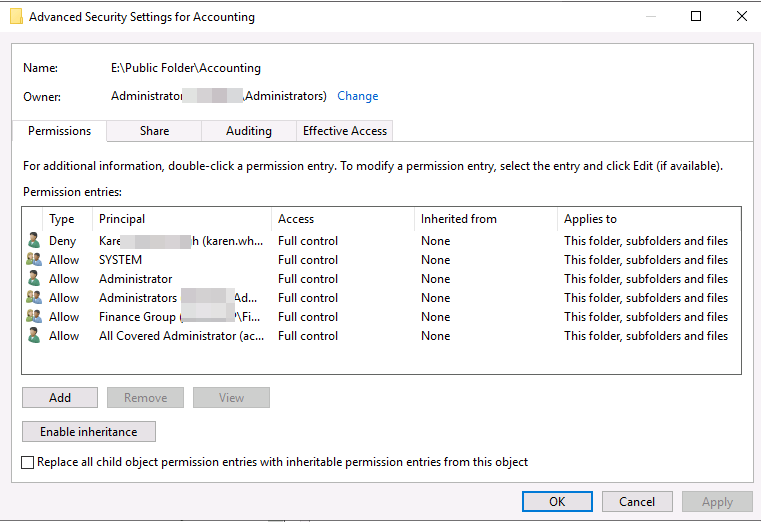
Yes, on SharePoint this is Inherited permissions. But on file server this is Unique permission on each folder.
But as you can see if I migrate one directory, not all permissions are transferred. I can't trust the migration wizard because there might be directories with unique permissions inside as well.
In addition, the volume of data is very large for analysis.
Need help writing a script that assigns permissions?
I don't understand why this problem exists, is it some kind of bug?
' cx='32' cy='32' r='32' /%3E%3Ctext x='50%25' y='55%25' dominant-baseline='middle' text-anchor='middle' fill='%23FFF' %3ENL%3C/text%3E%3C/svg%3E)
@Denis Pasternak Did you manage to solve this (easily) ?
Did you manage to solve this (easily) ?
Sorry, it's been a long time and I don't remember. I just know that I have migrated those directories. I seem to have carried them over. Not all directories at the same time, but if there are many files and subdirectories in the directory, I transferred them in parts.