Note
Access to this page requires authorization. You can try signing in or changing directories.
Access to this page requires authorization. You can try changing directories.
Governance Hub is a centralized, account-level UI for monitoring governance across your Azure Databricks account. It provides a unified view of data health and coverage, AI usage and spend, and cost drivers, with prioritized insights and recommendations. All views respect existing permissions.
Important
This feature is in Beta. An account admin enables it from the account console Previews page. See Manage Azure Databricks previews.
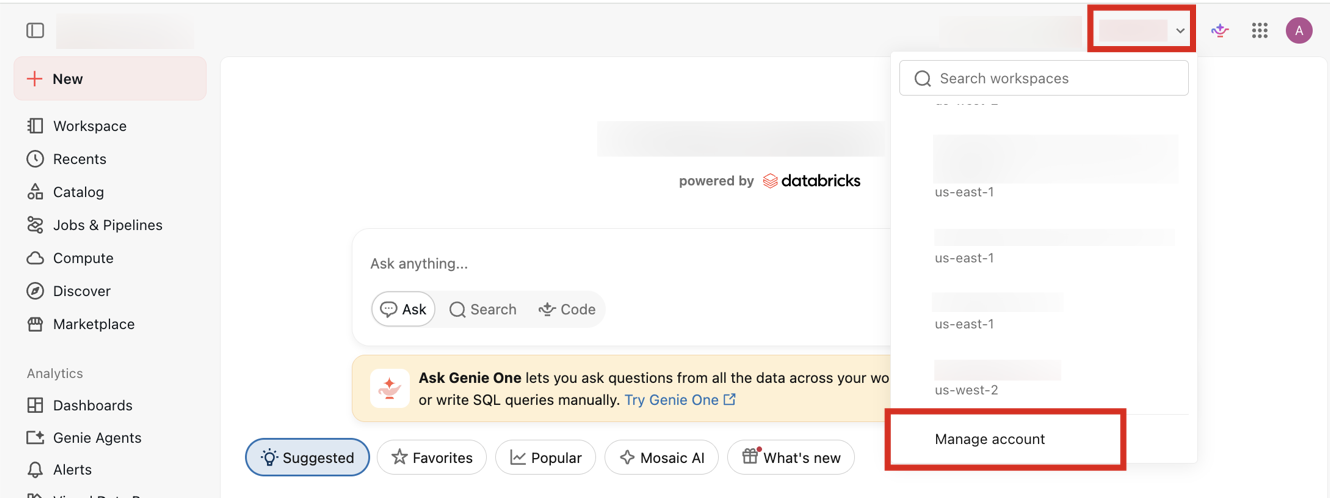
Governance Hub is in the account console. After enabling Governance Hub, administrators can open the account console by clicking Select workspace at the top of the workspace UI and selecting Manage account, or by going directly to the account console URL for their cloud:
https://accounts.azuredatabricks.net
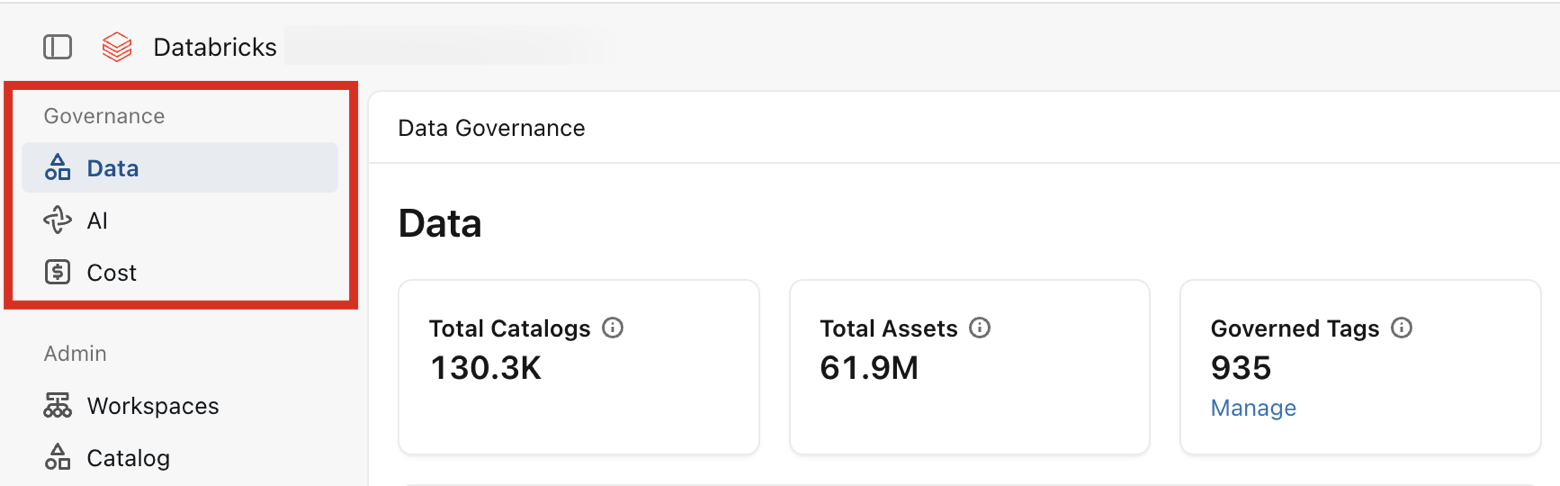
In the account console, the Data, AI, and Cost pages that comprise Governance Hub appear under Governance in the left sidebar.
Governance Hub pages
Governance Hub includes the following pages:
| Page | Description |
|---|---|
| Data | An overview of your data estate, including object access, asset usage, governed tags, data classification, and data quality monitoring. |
| AI | An overview of your AI usage and spend, including token usage, budgets, and model and user activity. |
| Cost | An overview of your entire Azure Databricks spend, including cost drivers, budgets, tagging coverage, and cost recommendations. |
Enable Governance Hub
An account admin enables the preview from the account console Previews page. See Manage Azure Databricks previews. Data might take up to a day to load after you enable the preview.
Access and permissions
Governance Hub does not introduce new permissions, nor does it manage access to data or resources. Users see Governance Hub pages based on the access they already have, which is reflected by their role:
| Role | Access |
|---|---|
| Account admin | Full access to the Data, AI, and Cost pages, including account-wide metrics, all workspace-level drill-downs for cost and AI, and all metastore-level drill-downs for data. |
| Workspace admin | The Cost and AI pages for their assigned workspaces, including the ability to create and manage budgets scoped to those workspaces. |
| Metastore admin | The Data page for their assigned metastores. |
Data page dashboards and visualizations respect each user's underlying Unity Catalog permissions. Users see only visualizations that they are already allowed to access.
To manage access to data, grant privileges with Unity Catalog. See Manage privileges in Unity Catalog.