Note
Access to this page requires authorization. You can try signing in or changing directories.
Access to this page requires authorization. You can try changing directories.
In this sprint, Azure Boards introduces pull request annotations on cards, giving teams instant visibility into linked pull requests directly on the board. We also added Enterprise Live Migration tools to the Remote MCP Server, expanded dependency scanning insights in GitHub Advanced Security for Azure DevOps, and added Azure DevOps service connection support for the InvokeRestAPI task in Azure Pipelines.
Check out the release notes for details.
General
GitHub Advanced Security for Azure DevOps
- View development dependency information on the Alerts page
- Copilot Autofix avoids empty branches and pull requests
- Copilot Autofix pull requests appear automatically in alert details
- Copilot Autofix pull requests are easier to identify
Azure Boards
Azure Pipelines
General
Enterprise Live Migration MCP Server Tools (preview)
Enterprise Live Migrations (ELM) helps organizations migrate Azure DevOps repositories to GitHub Enterprise Cloud with data residency while minimizing disruption. We've added ELM tools to our Remote MCP Server, enabling you to streamline and automate repository migrations to GitHub.
These tools can be used to build custom agents and skills for repository migration tasks.
Learn more about the Remote MCP Server and the ELM tools.
GitHub Advanced Security for Azure DevOps
View development dependency information on the Alerts page
For supported ecosystems, dependency scanning alerts now show whether an alert comes from a development dependency, so you can better prioritize and triage your dependency alerts. This information is currently available at the repository level. For more information, see Supported package ecosystems.
Copilot Autofix avoids empty branches and pull requests
When Copilot Autofix doesn't produce code changes to commit, it no longer leaves behind an empty branch or creates an empty pull request. This improvement reduces repository clutter from Autofix runs that don't generate a proposed fix.
Copilot Autofix pull requests appear automatically in alert details
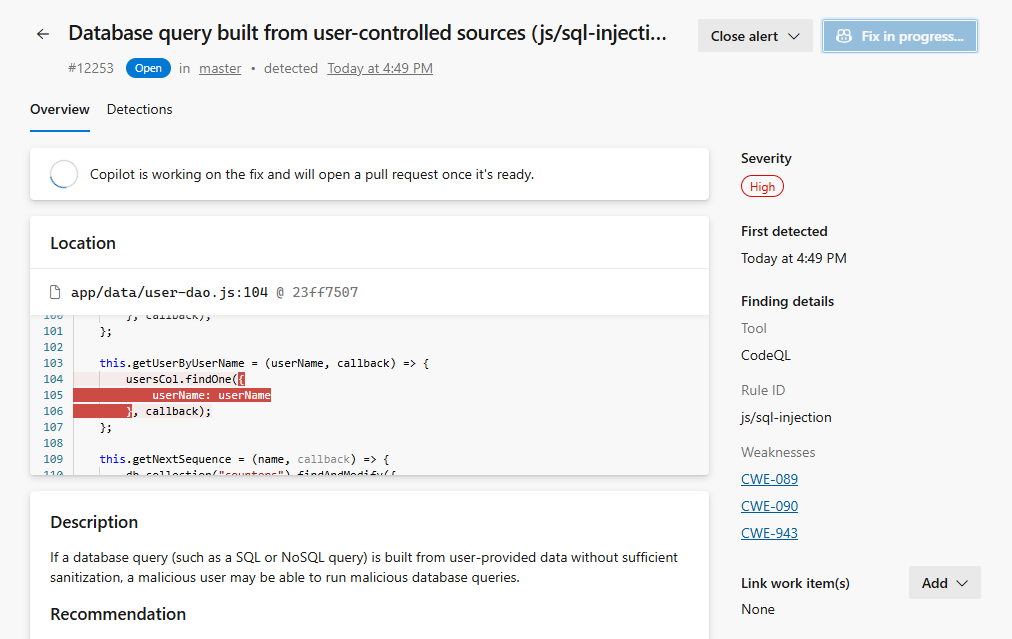
When Copilot Autofix creates a pull request for a CodeQL alert, the alert details now update automatically to show the pull request and continue to update once the pull request is complete. You no longer need to refresh the page to see that the suggested fix is ready for review.
Copilot Autofix pull requests are easier to identify
Pull requests created by Copilot Autofix now use the Copilot Autofix tag instead of adding a suffix to the pull request title.
Azure Boards
Pull request annotations on cards
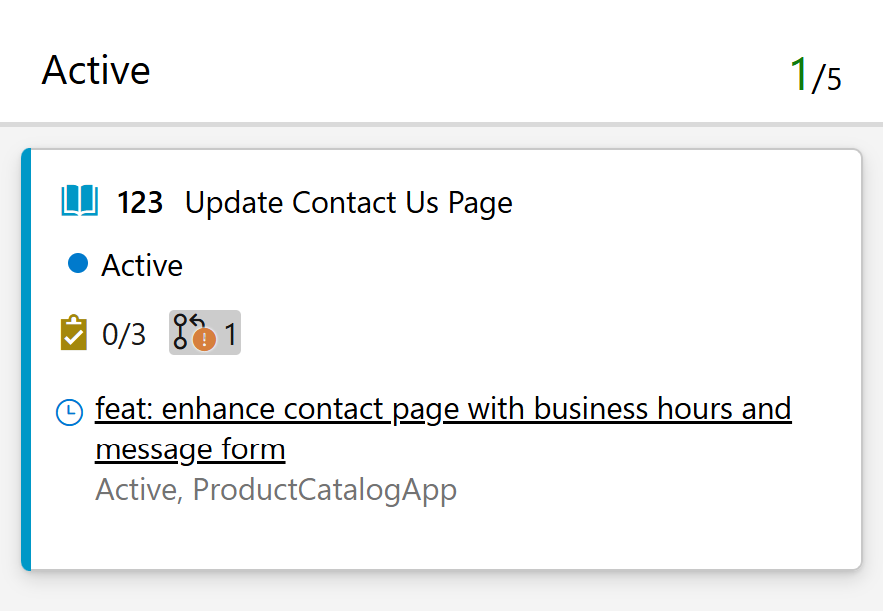
We've added a new pull request annotation to board card settings. When enabled (the default setting), linked pull requests are displayed directly on cards.
This gives teams greater visibility into development activity without leaving the board. You can quickly see which work items have associated pull requests, making it easier to track progress, identify work awaiting review, and spot items that may be blocked on code changes.
Azure Pipelines
Call Azure DevOps REST APIs from the Invoke REST API task
The InvokeRestAPI@1 task now supports the Azure DevOps service connection. This allows you to call Azure DevOps REST APIs directly from a pipeline, without the need to configure a custom generic service connection and manage authentication yourself.
Select the connection type in the connectionType input and reference your Azure DevOps service connection:
- task: InvokeRESTAPI@1
  inputs:
    connectionType: 'connectedServiceNameAzureDevOps'
    serviceConnection: '<your-azure-devops-service-connection>'
    method: 'GET'
    urlSuffix: '<organization>/<project>/_apis/build/builds?api-version=7.1'
The connectionType input accepts the following values:
connectedServiceName– Generic service connection (default).connectedServiceNameAzureDevOps– Azure DevOps service connection.connectedServiceNameARM– Azure Resource Manager service connection.
Next steps
Note
These features will roll out over the next two to three weeks. Go to Azure DevOps and take a look.
How to provide feedback
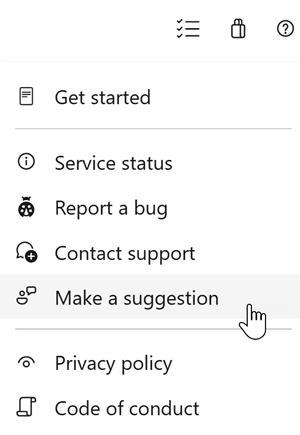
We want to hear what you think about these features. Use the help menu to report a problem or provide a suggestion.
You can also get advice and your questions answered by the community on Stack Overflow.