Note
Access to this page requires authorization. You can try signing in or changing directories.
Access to this page requires authorization. You can try changing directories.
The Oracle to Azure Database for PostgreSQL schema conversion feature generates several artifacts across two phases: extraction and conversion. These artifacts help you validate scope, understand conversion results, and troubleshoot issues. Each phase produces structured reports, supporting CSV files, and runtime log files. Review the extraction artifacts first, then walk through the conversion artifacts before you promote the converted schema to your production target.
Extraction artifacts
The extraction phase runs first, when the tool connects to the Oracle source and discovers schema objects. The tool generates the following artifacts before AI-driven conversion begins. Use them to verify connectivity, confirm scope, and identify objects that need manual planning.
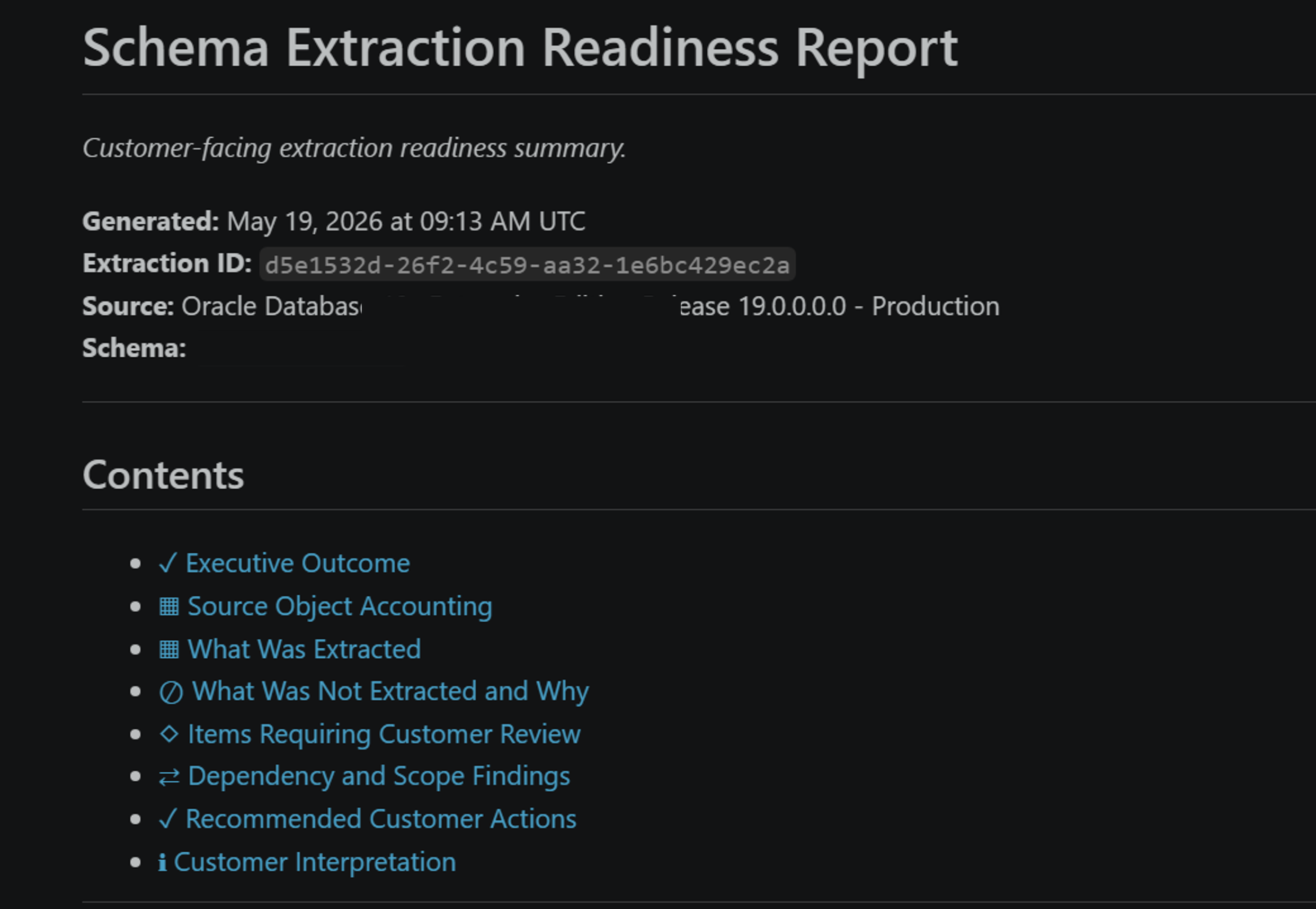
Oracle extraction report
The Oracle extraction report summarizes what the tool discovered on the source. Use it to verify connectivity and confirm that every object you expect to migrate was found.
The report includes:
- Oracle instance connection details and version.
- Schema summary with object counts and extraction success rate.
- Object-type breakdown. For example, tables, indexes, views, procedures, packages, functions, triggers, and sequences.
- Processing time and any extraction errors.
Excluded objects
The excluded_objects.csv file lists Oracle objects that the tool intentionally excluded from extraction. For example, wrapped PL/SQL, system event triggers, Java in the database, and other categories aren't extracted by design. Each row identifies the schema, object type, object name, and the reason for exclusion.
Use this file to plan manual remediation or replatforming for any object that the tool skipped. For the full list of categories that are skipped by design, see Oracle to Azure Database for PostgreSQL schema conversion limitations.
Unsupported types
The unsupported_types.csv file lists Oracle data types or constructs that the tool encountered but doesn't support for automated conversion. Each row identifies the schema, the object and column or argument where the type was used, and the source data type.
Use this file to scope manual remediation. Decide whether to map each occurrence to a PostgreSQL-native type, refactor the source object, or remove it from migration scope.
Extraction log
This log captures detailed runtime events from the extraction phase. Consult the log to troubleshoot connectivity errors, missing privileges, throttling, or unexpected exclusions when the extraction report doesn't fully explain what happened.
Chunking artifacts
After extraction completes, the tool groups the extracted Oracle objects into dependency-aware batches called chunks. Chunking keeps each call to Microsoft Foundry within the deployment token-per-minute (TPM) limit and preserves object dependencies during conversion.
Chunk generation report
The chunk_generation_report.md file describes how the tool grouped the extracted objects into chunks. Use it to understand chunk size, object distribution, and dependency ordering before conversion runs, or to investigate why a specific object landed in a specific chunk.
The report includes:
- Total chunks generated and the objects in each chunk.
- Object distribution by schema and object type.
- Dependency relationships that influenced chunking.
- Token planning details per chunk.
Conversion artifacts
The conversion phase runs after the chunking phase. Microsoft Foundry processes one chunk at a time so it stays within the deployment token-per-minute (TPM) limit. The tool generates the following artifacts during and after the conversion phase. Use them to validate conversion results, resolve review tasks, and plan deployment.
Per-chunk conversion report
For each chunk, the tool generates a per-chunk conversion report. This report captures the objects processed in that chunk, the conversion outcome, and any review tasks raised.
Use the per-chunk reports to investigate the behavior of a specific batch, correlate review tasks with the chunk where they were created, or rerun a single chunk if you adjust the source or target configuration.
Technical conversion report
This detailed, object-by-object technical report covers the entire conversion run. It captures source-to-target mappings, data-type and AI-applied transformations, conversion warnings, and the location of generated PostgreSQL files.
Use this report when you're reviewing AI-generated code, investigating a specific review task, or producing an audit trail for a regulated migration.
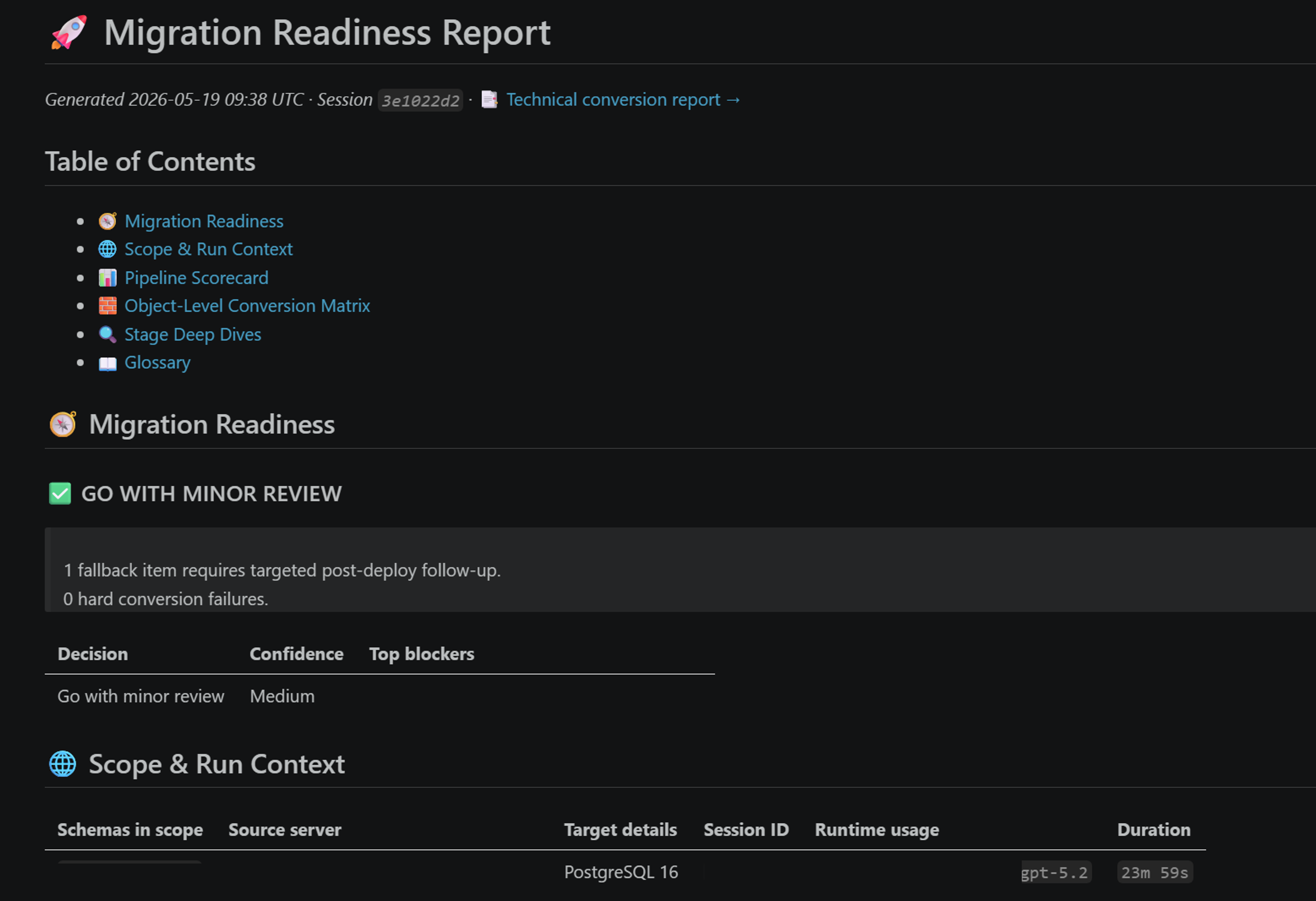
Customer summary report
The customer_summary.md file is the executive-friendly readiness summary that aggregates results across all chunks. Open this report first after conversion completes. Use it to validate overall conversion results, plan deployment, and find the manual tasks that need your attention.
The report includes:
- Conversion statistics and success rate.
- Object-by-object mapping from Oracle to PostgreSQL.
- Data type transformation details.
- Counts of review tasks by criticality.
- Deployment instructions and file references.
- Performance recommendations and known limitations.
Review tasks report
The review_tasks.md file mirrors the review tasks shown in the Schema Review pane of the Visual Studio Code PostgreSQL extension. Use it for offline reference, audit trails, or to share a snapshot of pending and resolved tasks with stakeholders who don't have the extension installed. To triage and resolve tasks, use the Schema Review pane in Visual Studio Code. For details, see Review tasks and output folders for Oracle to Azure Database for PostgreSQL schema conversion.
Conversion log
This log captures detailed runtime events from the conversion phase. Consult the log to debug Microsoft Foundry throttling, content-filter blocks, scratch-database validation failures, or chunk-level errors that aren't fully explained in the per-chunk or summary reports.
Use the reports
Review the artifacts in the following order:
- Open the Oracle extraction report,
excluded_objects.csv, andunsupported_types.csvfirst. Confirm that all expected schemas and object types were discovered, and decide how to handle every excluded object and unsupported type before you start conversion. - Open the chunk generation report to confirm that the objects you expect were grouped into chunks.
- After conversion finishes, open the customer summary report to validate overall results and find the items that need your attention.
- Triage and resolve review tasks from the Schema Review pane in the Visual Studio Code PostgreSQL extension. For details on the UI, criticality levels, and resolution workflow, see Review tasks and output folders for Oracle to Azure Database for PostgreSQL schema conversion.
- Use the per-chunk and technical conversion reports to drill into individual objects, mappings, or warnings.
- If extraction or conversion fails, consult the extraction log and conversion log to diagnose the root cause.
Related content
- Oracle to Azure Database for PostgreSQL schema conversion overview
- Tutorial: Convert Oracle schemas to Azure Database for PostgreSQL
- Review tasks and output folders for Oracle to Azure Database for PostgreSQL schema conversion
- Oracle to Azure Database for PostgreSQL schema conversion limitations
- Best practices for Oracle to Azure Database for PostgreSQL schema conversion