Note
Access to this page requires authorization. You can try signing in or changing directories.
Access to this page requires authorization. You can try changing directories.
[This article is prerelease documentation and is subject to change.]
This article describes how to attach account statements using Finance Agent in Microsoft 365 Outlook.
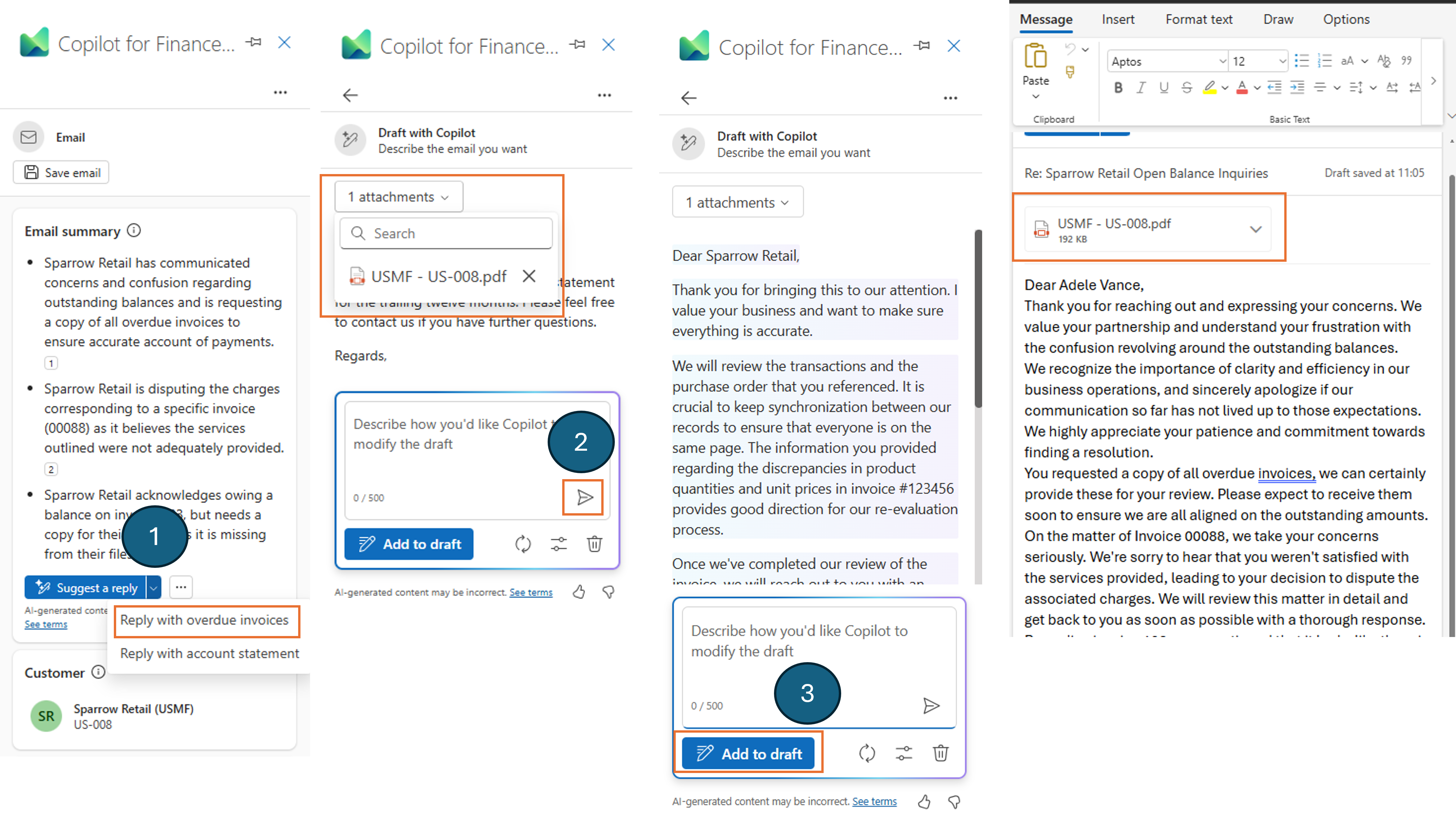
Finance Agent in Microsoft 365 Outlook allows users to retrieve account statements from the connected backend enterprise resource planning (ERP) system. This feature can be used on any draft email where Finance Agent can detect a single customer.
To attach an outstanding account statement, follow these steps:
- Select an existing email and select reply or reply all.
- Launch Finance Agent in Microsoft 365 Outlook from the Microsoft Outlook Client menu.
- From the Email summary section, select the reply with account statement option within the **suggest a reply ** button.