Note
Access to this page requires authorization. You can try signing in or changing directories.
Access to this page requires authorization. You can try changing directories.
The Warehouse Management mobile app maintains a local log of app operations. Use the Local log view page to review activity, identify errors, and export logs for troubleshooting with the Microsoft support team.
What the app log records
The app log captures events as they happen on the device, including:
- Sign-in attempts and authentication events
- Page navigation and workflow steps
- Connection events and network activity
- Errors and exceptions
The app stores logs locally on the device. You can export the logs as a file to share with support.
Open the Local log view page
Open the Warehouse Management mobile app on the affected device.
Open the Diagnostics page by using one of the following methods:
- From the Welcome page, select Set up connection (or select Connect and then Set up connection), and then select Diagnostics.
- From the Main menu, select Connection settings, then Set up connection, and then Diagnostics.
Select Local log view.
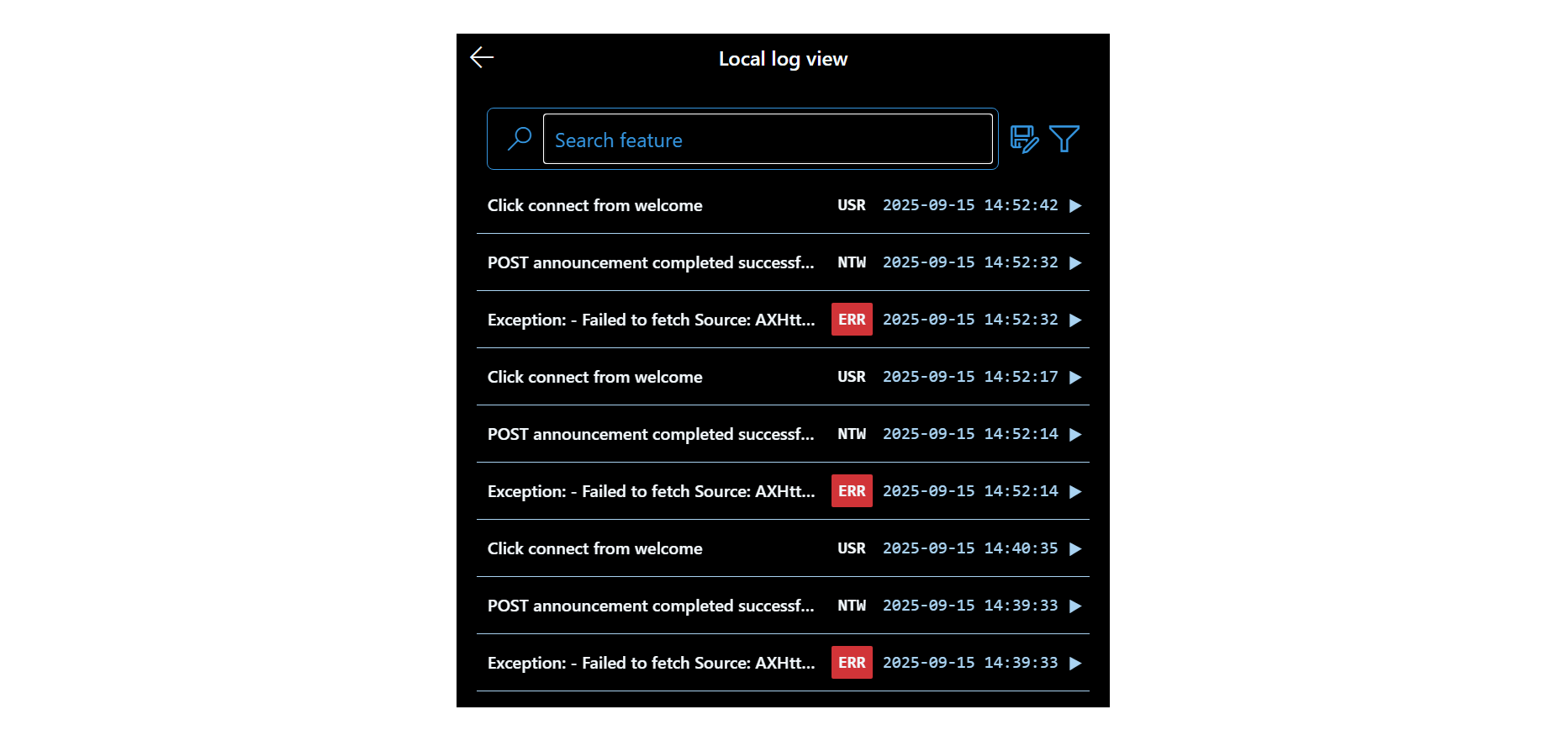
Find and filter log entries
You can find specific log entries and details using any of the following options:
- Filter by time or type – Select the filter button next to the Search field to narrow the log list by time range or issue type.
- Search – Enter text in the Search field to find specific log entries, such as an error message or connection event.
- View details – Select a log entry to see its full details, including timestamp, type, and message.
Export and share logs
You can export logs from the device in two ways:
- Save to local file – Select the Save button next to the Search field. The app saves all log entries as a text file to the device's local storage.
- Share – Use the device's share function to send the log file directly via email or other apps.
When you contact the Microsoft support team, export and attach the log file to your support request. This log file helps the team understand the sequence of events that led to the issue.