Note
Access to this page requires authorization. You can try signing in or changing directories.
Access to this page requires authorization. You can try changing directories.
Note
This connector is owned and provided by Usercube.
Summary
| Property | Value |
|---|---|
| Connector |  Usercube |
| Products | Power BI (semantic models) Power Query Online |
| Release state | Preview |
| Category | Other |
| Authentication kinds | Client credentials |
| Data source kind | Usercube |
| Function Reference Documentation | Usercube.Universes |
| Support link | Support |
Prerequisites
You must have a Usercube instance with the Power BI option.
Supported capabilities
- Import
Parameters
Entry point: Usercube.Universes
Required parameter count: 1
Provides data from a Usercube instance
| Parameter | Display name | Required | Type | Description | Sample values | Nullable | Additional metadata |
|---|---|---|---|---|---|---|---|
| serverUrl | Server URL | Yes | text | Usercube server instance URL. | "https://mycompany.usercube.com" | false | {"DataSource.Path": true} |
Connect from Power Query Desktop
To connect to a Usercube server:
Launch Power BI Desktop and enter the Get Data experience.
From the Other category, select Usercube, and then select Connect.

You're prompted to specify your Usercube server's URL.

Enter the client credentials. The Client ID must be built from the Identifier of an OpenIdClient element. This element is defined in the configuration of your Usercube instance. To this identifier, you must concatenate the
@character and the domain name of the Usercube instance.
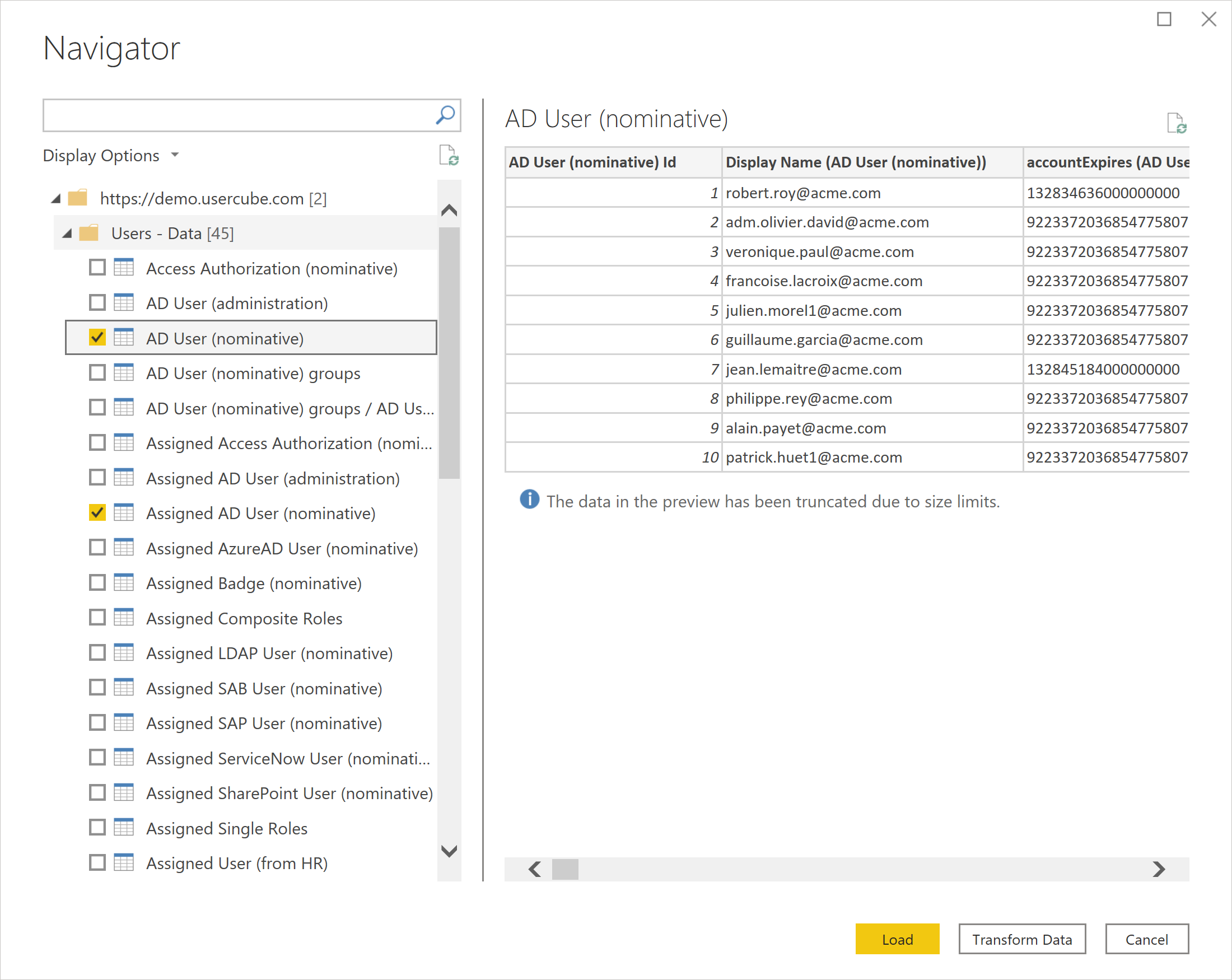
In Navigator, select the data you require. Then, either select Transform data to transform the data in the Power Query Editor, or choose Load to load the data in Power BI.