Note
Access to this page requires authorization. You can try signing in or changing directories.
Access to this page requires authorization. You can try changing directories.
The My Profile feature enables users to manage their individual settings directly. Every registered user in Microsoft Engage Center has access to My Profile.
Preferred Email
Some features in Microsoft Engage Center require an email address to communicate important updates or enable all available options.
If your identity is not email-enabled, the system uses the account email listed in My Profile, which may differ from your real email address. To receive support case notifications and newsletters, it is important to set your preferred email address.
Update your preferred email
To update your email, complete the following steps:
Set your preferred email address
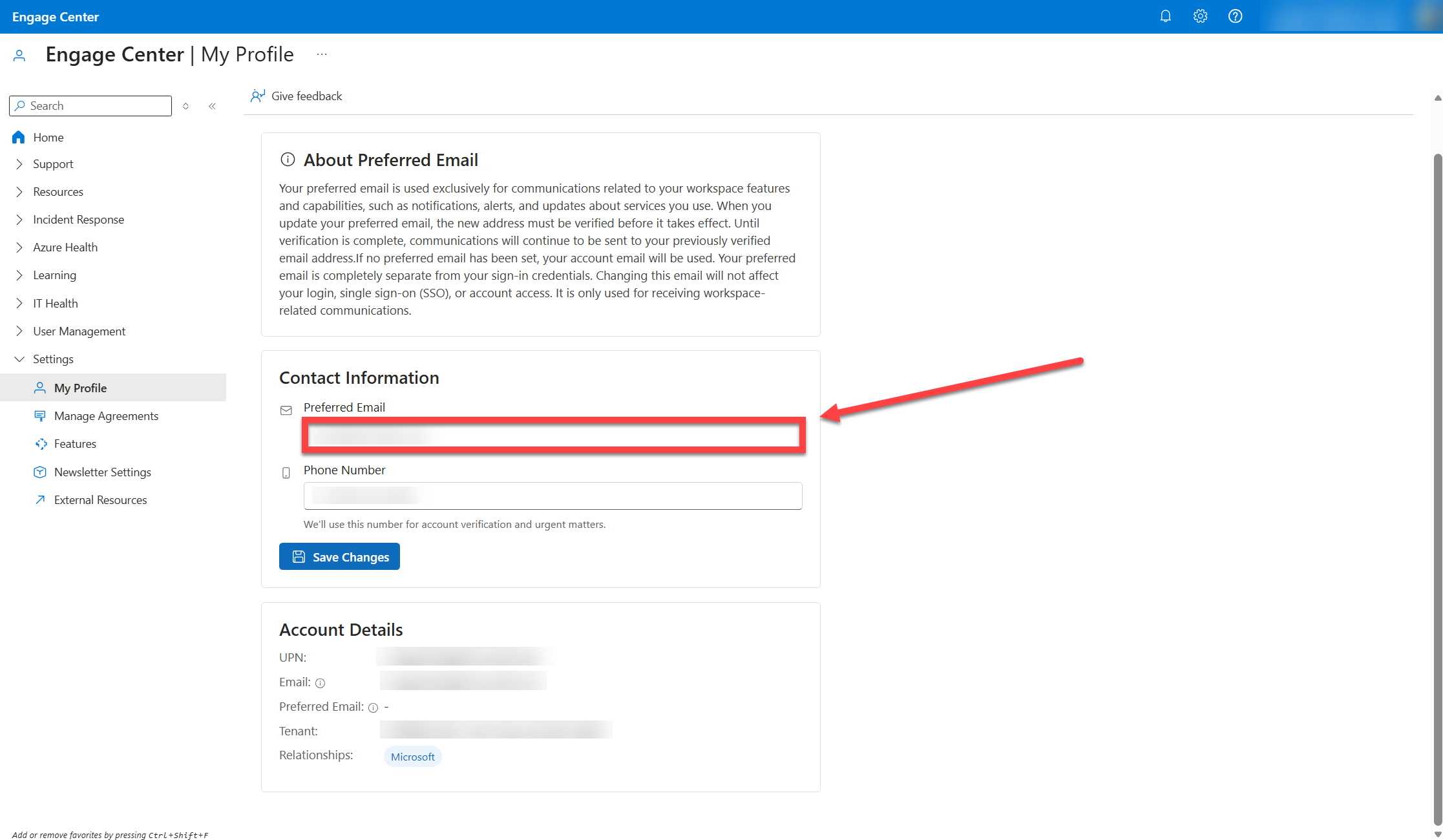
Enter the email address you want to use for communications.Verify your email address
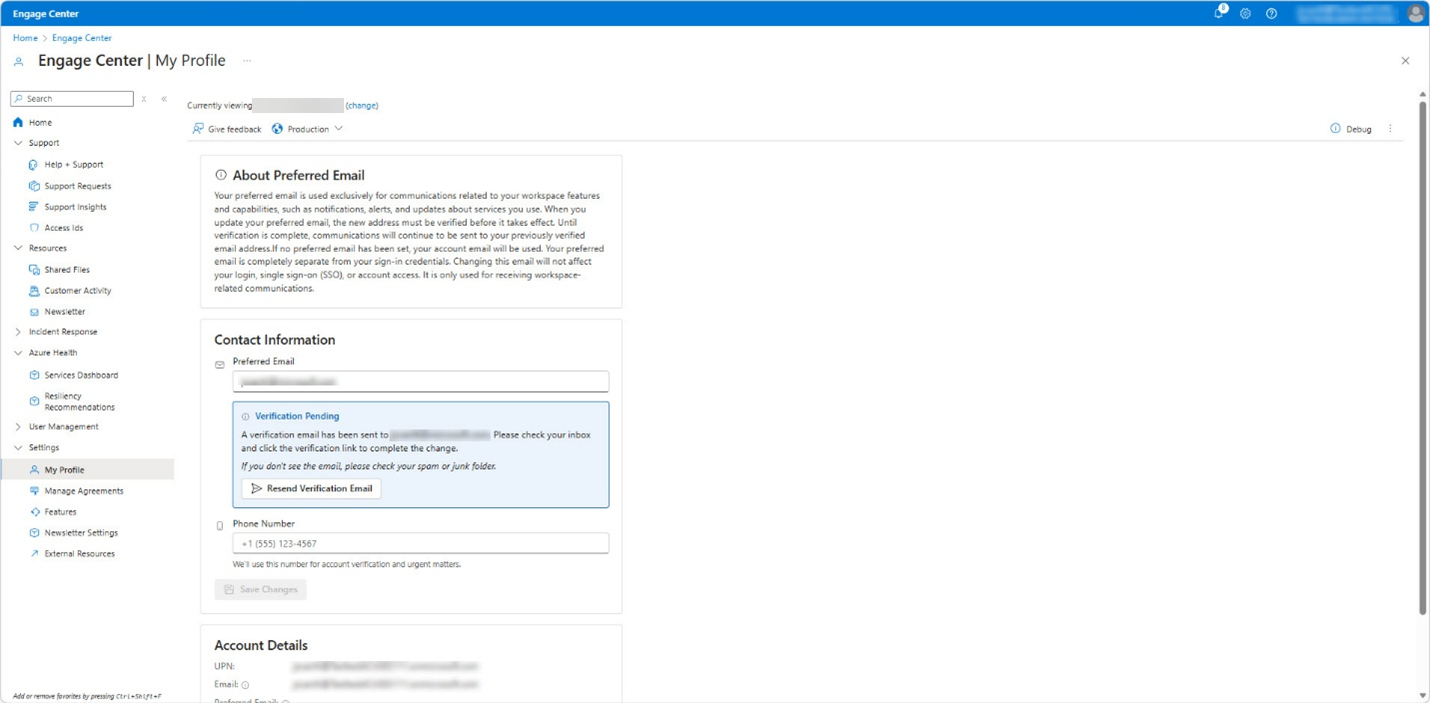
After saving, you’ll receive a verification email. Follow the instructions in the email to confirm your address.
Set your preferred email
In Engage Center, open My Profile.
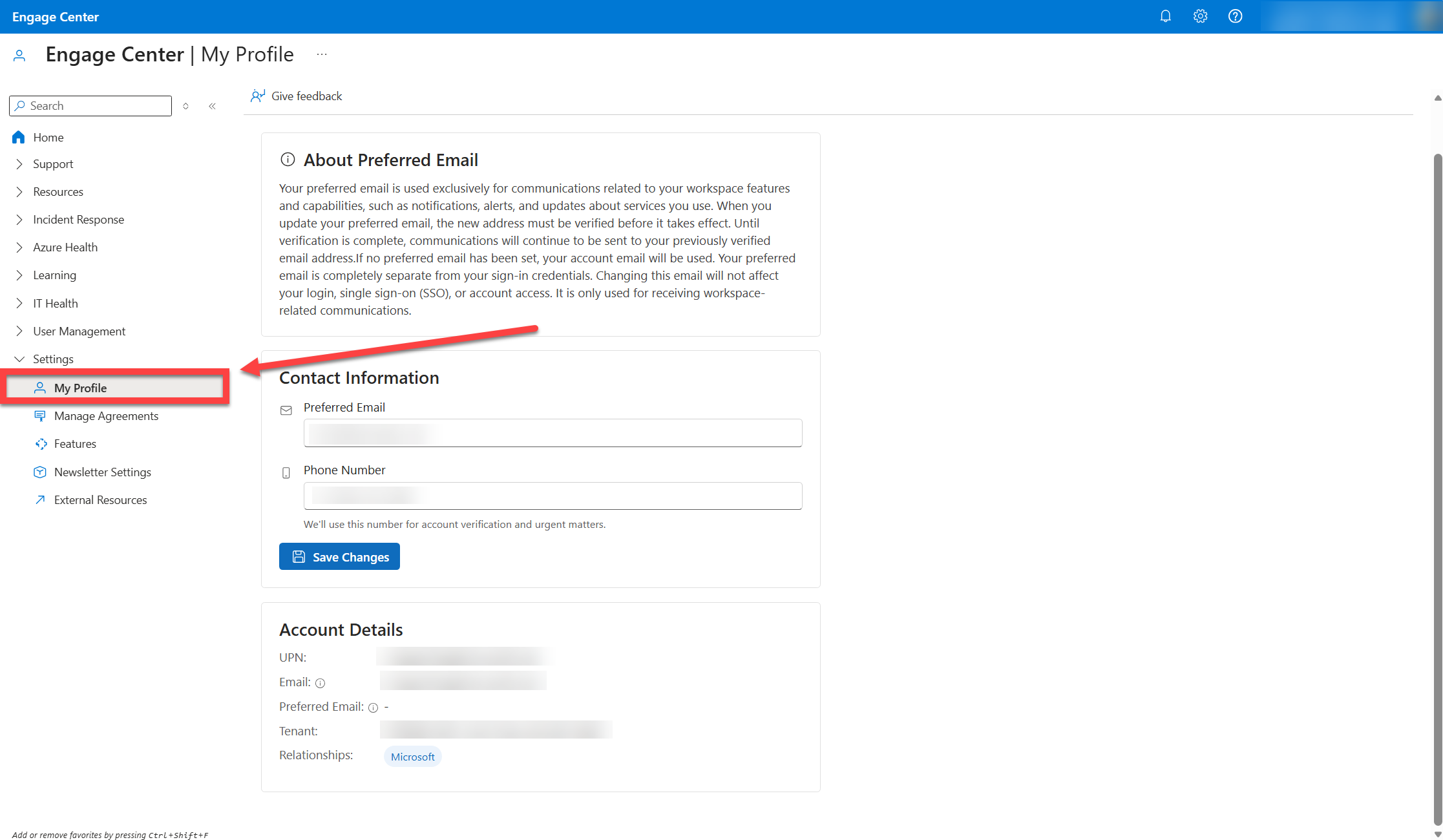
Specify the email address you want to use for newsletter communications.
Save your changes.
Verify your email address
After you save your preferred email, a verification email is sent to that email address. Follow the instructions in the verification email to confirm your address.
Update your preferred phone number
To update your phone number:
In Engage Center, open My Profile.
Specify the phone number you want to use.
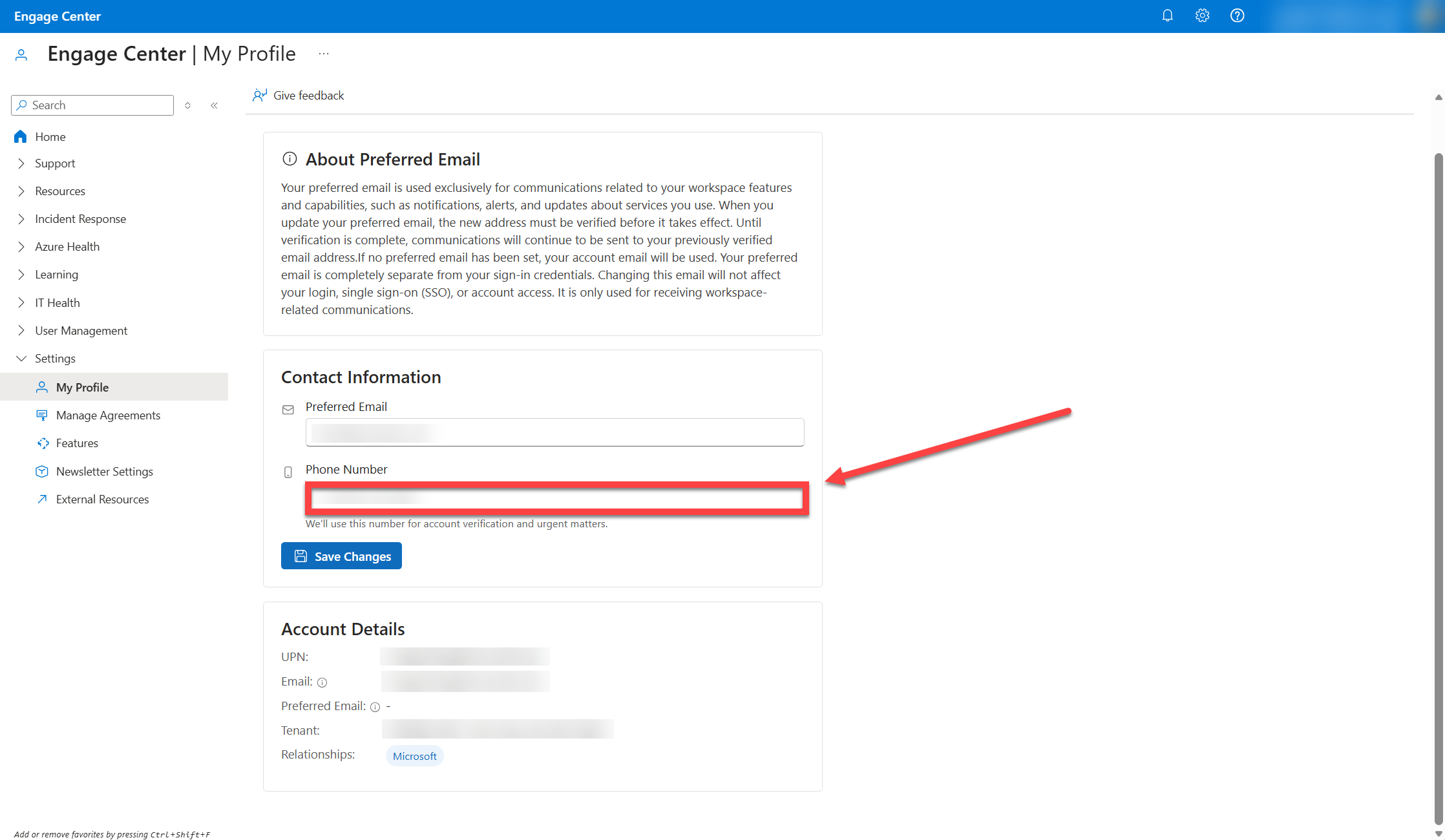
Save your changes.
