View email analytics
Email analytics are another way for you to get insights into your business.
Email delivery and interactions
Email insights provide a deep dive into how your audience interacts with your emails over time and track the trajectory of delivery rates, open rates, and click-through rates with precision. Beyond delivery and engagement trends, you can evaluate essential email KPIs and access comprehensive delivery and interaction details.
To view email insights, go to Real-time journeys > Channels > Emails, and select an email.
The Email analytics section provides a snapshot of metrics such as sent, delivered, and replied. You can also use the filter to display analytics for a specific journey.
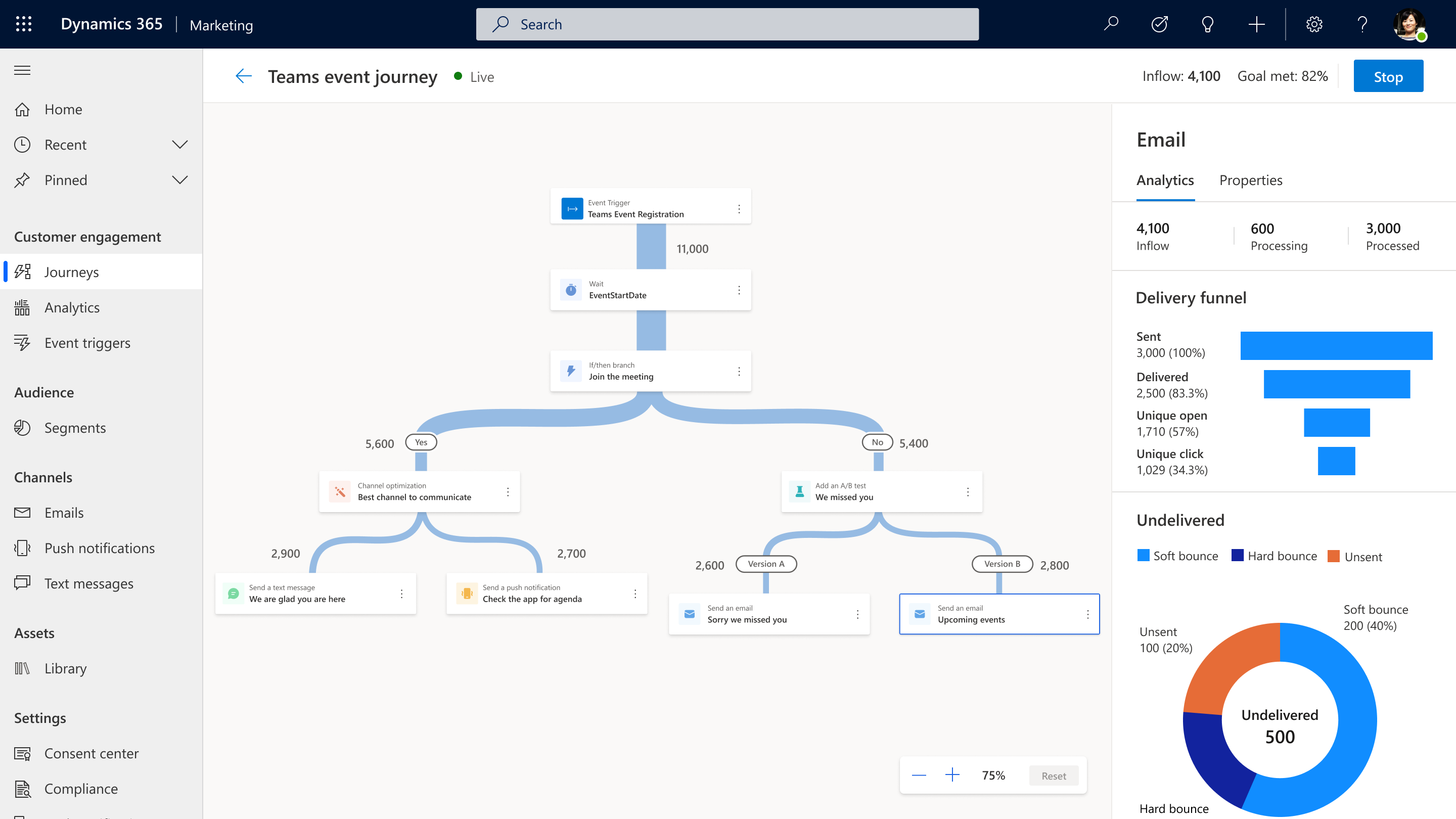
If you navigate to the Insights tab, you can view the following insights categories:
Delivery KPIs: Gain insights into the delivery rate, number of blocks and delivery failures for the selected message.
Engagement KPIs: Evaluate the open rate, click rate, click-to-open rate, number of messages marked as spam and the count of unsubscriptions related to the selected message.
Delivery trend and Delivery funnel: Explore the trends and funnel of email sent and delivered interactions, along with unique opens and unique clicks specific to the selected email.
Engagement trend: Examine the trends for total opens and clicks, providing a comprehensive understanding of the level of engagement associated with the selected email.
Device type and user agents’ analysis
The device details email insights help you gain valuable insights into the various device types, email clients, operating systems, and browsers your customers use to interact with your emails. These insights and data can be used to optimize email design for the devices and user agents most commonly used by your audience.
The detection of email clients is based on email opens and depends on the response from the email provider while the detection of device types, browsers, and operating systems relies on email clicks. User agents are labeled as Unknown when the agent couldn’t be detected and Other when the agent can be detected but isn't categorized yet (such as a local provider).
Link insights
Using link insights, you can understand the performance of each link within your email campaigns and identify the top-performing links based on total clicks, unique clicks, and click rates. Additionally, you can group your links by URL or link alias.
Note
Link insights dipslays data for emails (with links) and journeys created after September 2024.
Click map
The click map is a fast way to visualize and understand customer engagement based on your email design. At a glance, the heatmap colors and link ranking display the most interacted with areas. You can gain deeper insights into link engagement by filtering the list of links based on click-through rate (CTR), total clicks, and unique clicks.
For more information, see Click map.
Note
The click map only displays the interactions and design for the latest email version created.
Note
For the click map feature to be displayed, the journey must have been created after the feature release in October 2024. For emails that contain variations (conditional content and in-line conditions), the click map only displays the design and interactions for the default variation.
Variation insights (Conditional content)
It's very important, when analyzing email insights, to understand that email variations due to conditional content can affect how subsets of your audience interact with your email. With variation insights, you can gain valuable insights into key metrics such unique opens, unique clicks, number of delivered messages, open rate, click rate, spam messages, and subscriptions for each variation of an email. Note that the variation insights section of the email insights tab is only visible if an email contains conditional content.