Supported Azure Sphere devices
In this unit, you'll learn what Azure Sphere devices are supported by this learning module.
Azure Sphere devices
This module targets MT3620-based Azure Sphere development kits.
Important
These kits remain useful for learning Azure Sphere concepts and maintaining existing MT3620 deployments. Microsoft announced Azure Sphere retirement on March 20, 2026; MT3620 reaches end of life on July 31, 2026; and extended support for Azure Sphere OS and the Azure Sphere Security Service ends on July 31, 2031. For new product designs, evaluate replacement architectures and supported silicon. For details, see Retirement of Azure Sphere.
Avnet Azure Sphere MT3620 Starter Kit Revision 1
This is the default Azure Sphere device for this learning module.
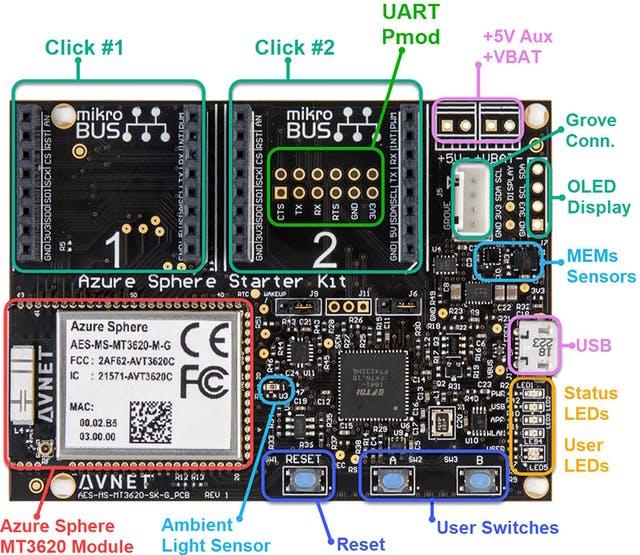
The Avnet Azure Sphere kit can be found here.
Avnet Azure Sphere MT3620 Starter Kit Revision 2
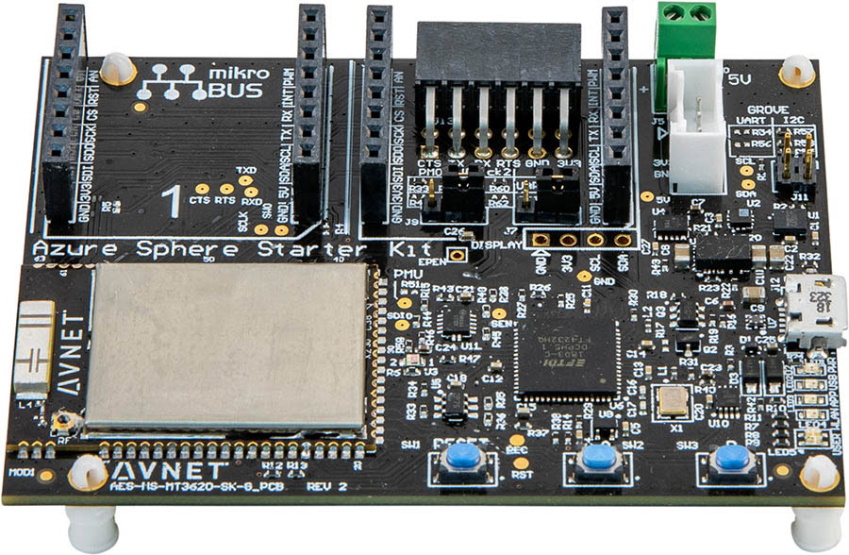
The Avnet Azure Sphere kit can be found here.
Seeed Studio Azure Sphere MT3620 Development Kit
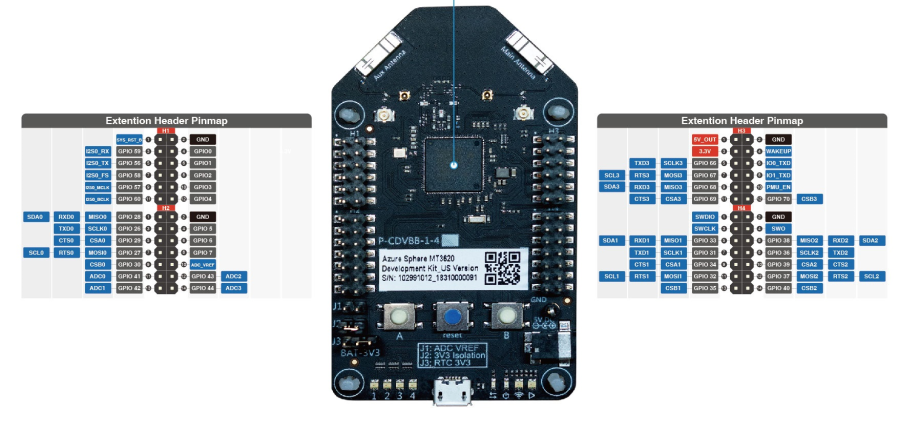
The Seeed Studio Azure Sphere kit can be found here.
Seeed Studio Azure Sphere MT3620 Mini Dev Board
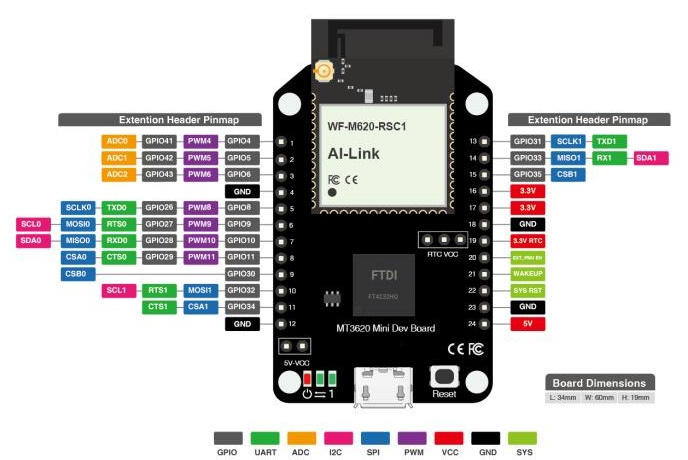
The Seeed Studio Mini Azure Sphere kit can be found here.
General Purpose Input and Output (GPIO) peripherals
In the Azure Sphere Learning Path labs there are several GPIO peripheral variables declared for LEDs. Variables of type LP_GPIO declare a GPIO model for input and output of single pin peripherals, such as LEDs and relays for output, or buttons and reed switches for input. LP_GPIO is a helper type from the learning path libraries, not an Azure Sphere Applibs type.
A GPIO peripheral variable holds the GPIO pin number, the initial state of the pin when the program starts, and whether the pin logic needs to be inverted.
The following example declares an LED output peripheral.
static LP_GPIO alertLed = {
    .pin = ALERT_LED,                // The GPIO pin number
    .direction = LP_OUTPUT,          // for OUTPUT
    .initialState = GPIO_Value_Low,  // Set the initial state on the pin when opened
    .invertPin = true,               // Should the switching logic be reverse for on/off, high/low
    .name = "alertLed" };            // An arbitrary name for the peripheral
Declaring an input peripheral
The following example declares a button input peripheral.
static LP_GPIO buttonA = {
    .pin = BUTTON_A,
    .direction = LP_INPUT,
    .name = "buttonA" };
Useful terms
- Hardware: Most IoT solutions are designed to interface with hardware and interact with the real world. Common MT3620 interfaces include GPIO, PWM, I2C, SPI, ADC, UART, and I2S.
- GPIO: Supported GPIOs that are exposed by the target hardware and not allocated to another peripheral can be configured in software as input or output pins. Azure Sphere applications must set their target hardware, use the corresponding hardware definition, and declare each GPIO in the app_manifest.json Gpio capability. Only one loaded application can use a GPIO at a time. These labs use single-pin GPIO peripherals for input and output, so the following is an introduction to GPIO pins.
- GPIO output: If a supported GPIO pin is configured as an output pin, then the software running on Azure Sphere can set the pin to be either high or low. On the MT3620 development kits used in this module, digital GPIO high is 3.3 volts and low is zero volts/ground. Check that the connected peripheral can tolerate 3.3 volts and the available drive current; otherwise, use appropriate level shifting or driver circuitry. Examples of single-pin output peripherals include LEDs and relays.
- GPIO input: If a supported GPIO pin is configured as an input pin, then the software running on Azure Sphere can read whether the digital voltage is high or low. Before you connect a peripheral, check that it won't drive the GPIO above the MT3620 digital I/O limit of 3.3 volts. If an MT3620 ADC/GPIO pin is used as an ADC input, the input voltage must not exceed VREF_ADC, which has a maximum of 2.5 volts; use external scaling, filtering, or an external ADC for higher-voltage analog signals. Examples of single-pin input peripherals include push buttons and reed switches.
- Other peripheral interface types: High-level Azure Sphere applications must declare peripheral access in app_manifest.json, and concurrently loaded applications can't share the same resource. To learn more about each Azure Sphere interface type, open the corresponding Microsoft Learn page.
- PWM - Pulse width modulation: declare the Pwm capability. On MT3620, PWM channels are grouped by controller; allocating a controller reserves the pins associated with that controller.
- I2C - Inter-Integrated Circuit: declare the I2cMaster capability for the ISU port used as an I2C master.
- SPI - Serial Peripheral Interface: declare the SpiMaster capability for the ISU port used as an SPI master.
- ADC - Analog-to-digital converter: declare the Adc capability. On MT3620, the ADC controller reserves the full eight-pin ADC block, not a single channel.
- UART - Universal asynchronous receiver-transmitter: declare the Uart capability for ISU UARTs. The dedicated real-time-core logging UART is a separate case.
- ISU: You'll see references to ISU in the Azure Sphere and MediaTek documentation. An ISU is a serial interface block and is an acronym for "I2C, SPI, UART." When an MT3620 ISU block is allocated to a core or serial function, the other serial functions on that same ISU block can't be used at the same time, and all five ISU pins, including unused pins, are restricted to the assigned core. Note: in a high-level application, the ISU pins that aren't used by the assigned serial function can still be configured and used as GPIO by the same high-level application; only other applications and the real-time cores are blocked from using those pins. For example, an I2C peripheral uses only the SCL and SDA pins of the ISU, leaving the other three pins available as GPIO to that high-level application; a UART peripheral uses four of the five pins, leaving one pin available as GPIO. For more information, see the MT3620 Support Status page and the I2C and UART reference pages.