Explore Azure Files
Tip
See the Text and images tab for more details!
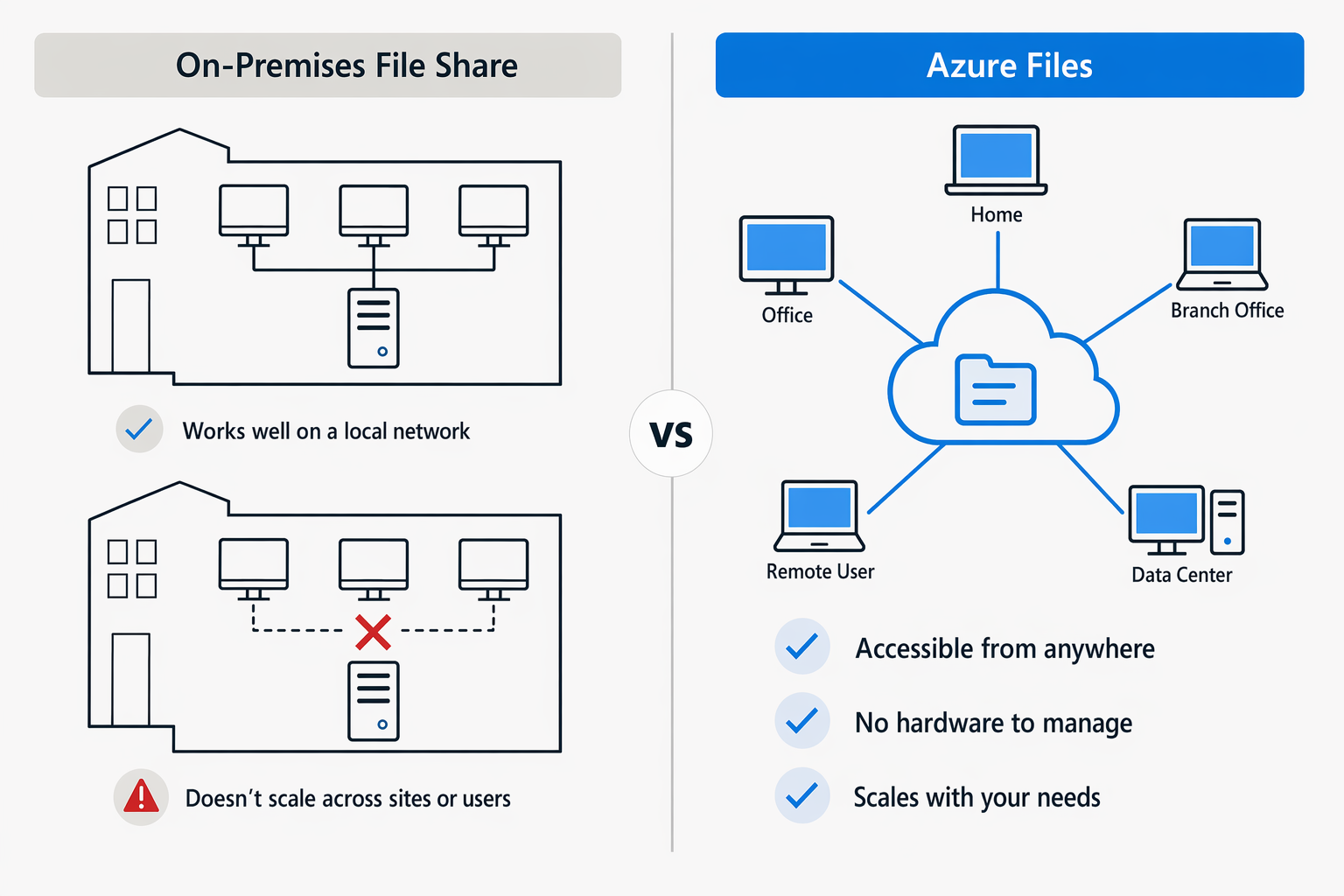
Many on-premises systems comprising a network of in-house computers make use of file shares. A file share enables you to store a file on one computer, and grant access to that file to users and applications running on other computers. This strategy can work well for computers in the same local area network, but doesn't scale well as the number of users increases, or if users are located at different sites.
Azure Files is essentially a way to create cloud-based network shares, such as you typically find in on-premises organizations to make documents and other files available to multiple users. By hosting file shares in Azure, organizations can eliminate hardware costs and maintenance overhead, and benefit from high availability and scalable cloud storage for files.
You create Azure File storage in a storage account. Azure Files enables you to share large amounts of data in a single storage account — up to 256 TiB for SSD-based accounts that use the provisioned v2 billing model, and up to 5 PiB for HDD-based pay-as-you-go accounts. This data can be distributed across any number of file shares in the account. The maximum size of a single file is 4 TiB, but you can set quotas to limit the size of each share below this figure. Currently, Azure File Storage supports up to 2,000 concurrent handles per file or directory.
After you've created a storage account, you can upload files to Azure File Storage using the Azure portal, or tools such as the AzCopy utility. You can also use the Azure File Sync service to synchronize locally cached copies of shared files with the data in Azure File Storage.
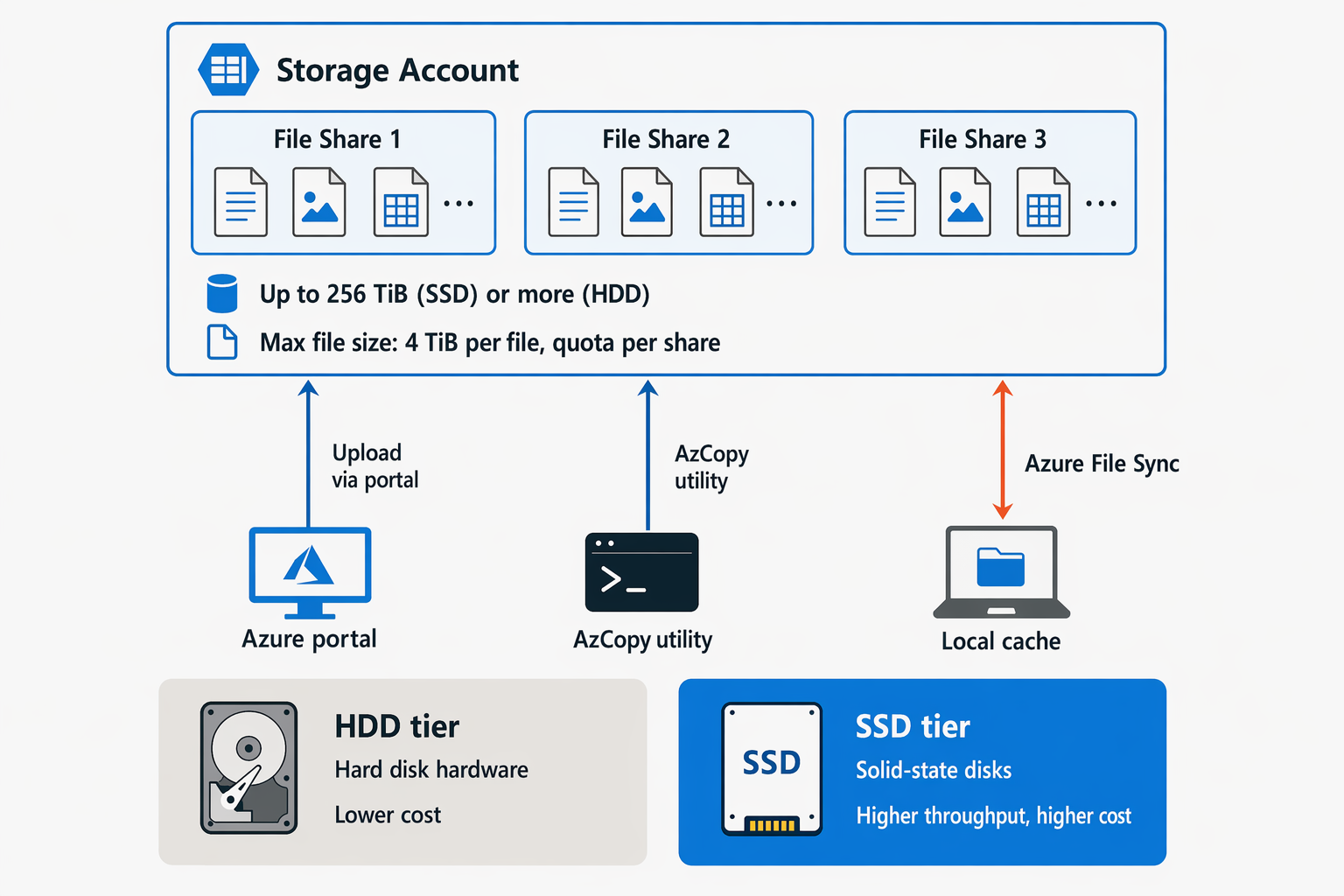
Azure File Storage offers two media tiers. The HDD tier uses hard disk-based hardware in a datacenter, and the SSD tier uses solid-state disks. The SSD tier offers greater throughput, but is charged at a higher rate.
Azure Files supports two common network file sharing protocols:
Server Message Block (SMB) file sharing is commonly used across multiple operating systems (Windows, Linux, macOS).
Network File System (NFS) shares are used by Linux clients. NFS Azure file shares aren't supported on Windows. To create an NFS share, you must use the SSD tier and control access to the share through a private endpoint or a service endpoint in a virtual network.