Define agentic AI in the SDLC
Many developers already use AI in a familiar assistant pattern. An assistant responds to a prompt, generates output, and returns control to the user. An agent goes further: it can interpret a goal, decide on intermediate steps, use tools, and take action inside a workflow.
That difference matters because it changes AI from something that helps with development into something that participates in development.
In this unit, you'll learn
What makes an AI system agentic in a development context
How agent-based systems differ from assistant-based systems
How agent behavior appears inside GitHub workflows
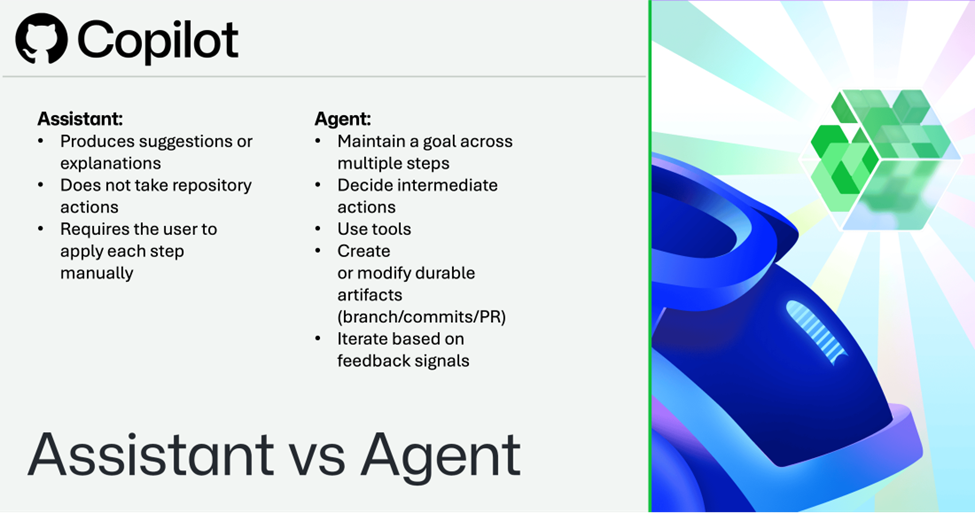
What makes an AI system agentic in a development context.
Assistant-based systems are typically reactive:
They depend on a user to decide what to do next.
They may suggest code, explain output, or summarize changes.
They don't independently move work forward inside a repository.
Agent-based systems are goal-driven:
They can interpret a task, develop an approach, and take steps toward completion.
They can use tools (for example, the GitHub API, CI workflows, or repository write operations) to produce durable outcomes such as branches, commits, and pull requests.
They can iterate based on feedback (checks, reviews, scans).
In GitHub, this model is often expressed through a pull-request-oriented workflow: the agent proposes changes on a branch, opens a pull request, and waits for review and validation before the change is merged.
Assistant versus agent?
It is behaving like an assistant when it:
Produces suggestions or explanations
Does not take repository actions
Requires the user to apply each step manually
An AI system is behaving like an agent when it can:
Maintain a goal across multiple steps
Decide intermediate actions
Use tools
Create or modify durable artifacts (branch/commits/PR)
Iterate based on feedback signals
How agent behavior appears in GitHub
In GitHub, agent behavior is visible through the same structures developers already use:
Branches and commits (what changed)
Pull requests (what is proposed, why, and for review)
Workflows and checks (what evidence exists)
Review comments and approvals (what humans accepted or rejected)
An agent does not replace the workflow. It enters the workflow as a participant.
Implementation examples
Agent behavior (PR-producing) A security alert is filed. The agent:
- Creates a branch (for example, agent/bump-dep-2026-04-03)
- Updates a dependency and lockfile
- Opens a pull request with a summary and plan
- Waits for CI checks and review feedback, then revises if needed
Assistant behavior (suggestion-only) You ask an assistant: "How do I safely update this dependency?" The assistant gives:
a set of recommended commands
a checklist of risks
suggested code changes You still create the branch and pull request yourself.
In the next unit, you'll examine the lifecycle that governs how agents plan, act, and evaluate.